Zham APK
Offline world clock with a home-screen widget and time-zone converter.
Download APK v1.2.0 · 8.6 MB- Version1.2.0
- Size8.6 MB
- RequiresAndroid 8.0
- Updated11/20/2026
- LicenceGPL-3.0-or-later
- PriceFree


About Zham
Zham is a clean, fast world clock — see the time across the world, on your home screen, with a built-in time-zone converter.
Features:
- World clock — track the current time in as many cities as you like, with live seconds and country flags.
- Easy to manage — search 600+ time zones to add a city, tap to rename it, swipe to delete, drag to reorder.
- Time converter — scrub a time and date to see the matching moment everywhere at once; pick any city as the reference and spot day rollovers at a glance (+1d / -1d).
- Make it yours — Light / Dark / System theme with an optional pure-black AMOLED mode, and any accent color via a colour wheel or hex code.
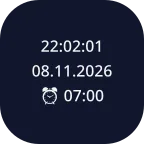
- Home-screen widget — resizable, scrollable, matches your theme or any background colour you like, can go transparent with an optional frosted-glass look, uses your choice of text colours, opens the app on tap, and self-updates every minute.
- Flexible format — 12-hour / 24-hour presets, or your own custom pattern.
Zham runs entirely offline: no accounts, no network access, no tracking. Your cities and settings never leave your device.
What's new in version 1.2.0
- Tap the city/timezone to rename it
- Tap the widget to open the app
- Pure black (AMOLED) dark mode, white/black accent presets, and hex color input
- New minimalist icons and a restore defaults option in the settings
- Widget: custom background color and transparency, frosted-glass look, custom text colors, smaller corners
APK file information
| Package name | io.github.haykh.zham |
|---|---|
| Version | 1.2.0 (code 5) |
| Minimum Android | Android 8.0 · targets Android 15 |
| Architectures | arm64-v8a, armeabi-v7a, x86, x86_64 |
| SHA-256 | 4c47c48147f4bf2efe6b4240c1c8a77b9dfa60996b4ff8ac273386015c409caa |
| Signature | 9db83c91e82394772ef3d776bb303b26af12d98d6a48876babdb025086867b30 |
| Licence | GPL-3.0-or-later — copyleft free licence: the code is public and modified versions must stay free |
| Source code | github.com/haykh/zham |
Permissions
- Keep the device awake
- View network status
- Start at boot
- Run in the background
Older versions
- Zham 1.2.0November 20, 2026 · 8.6 MB
- Zham 1.1.2July 5, 2026 · 8.6 MB
How to install Zham APK
- Tap Download APK above, then open the file once the download has finished.
- If Android asks, allow your browser to install unknown apps.
- Tap Install. Zham then appears with your other apps.
Having trouble? Read our guides how to install an APK on Android and "App not installed": how to fix it.
Frequently asked questions
Is Zham free?
Yes. Zham is distributed under the GPL-3.0-or-later licence: free, no subscription, and its source code is public.
Is this APK file safe?
The file is the one built and published by the F-Droid repository from the public source code. Its SHA-256 fingerprint is shown above, so you can compare it after downloading. How to check an APK.
Will Zham work on my phone?
You need at least Android 8.0. The app also works without Google services, so it runs on recent Huawei phones too.