
My Location APK
Know your geo coordinates using on-device GPS and Network location providers
Download APK vv1.08-foss · 1.9 MB- Versionv1.08-foss
- Size1.9 MB
- RequiresAndroid 5.0
- Updated12/27/2025
- LicenceAGPL-3.0-or-later
- PriceFree
About My Location
Features:
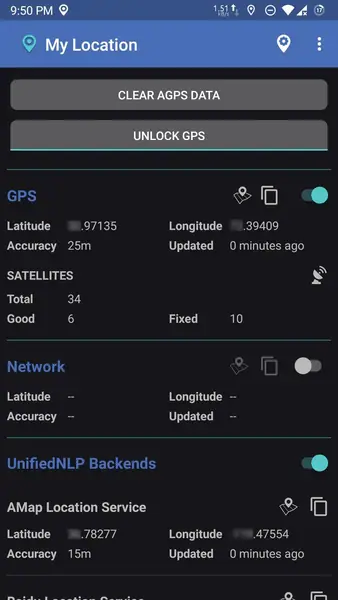
My Location finds your device's location in the following ways:
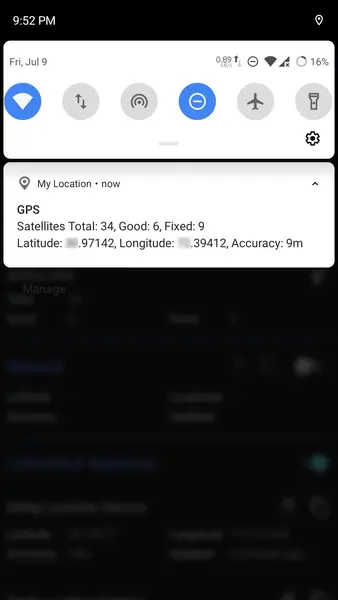
- GPS is usually the most accurate method. But a position fix may take some time or may not work at all due to signal loss. Lock GPS feature runs a persistent service to keep connected with the satellites.
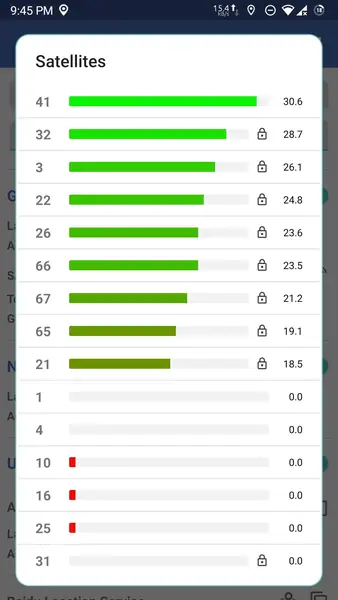
You can also see the list of visible satellites with their PRNs (unique identifiers) and SNR (signal quality).
- Network Location Provider uses Wi-Fi or Cellular ids to estimate the location. On the devices with Google Play Services installed, NLP usually uses Google Location Service at backend.
- UnifiedNLP is an open source API which has been used to develop multiple NLP backends (https://github.com/microg/UnifiedNlp/wiki/Backends).
Furthermore:
- Location coordinates can be copied to clipboard or opened in a maps app, if installed.
- Clearing A-GPS aiding data is also supported.
Note that My Location is not a location provider like UnifiedNLP (or microG GmsCore). It just shows the location information received from AOSP location providers (GPS and Network) or directly from UnifiedNLP Backends (whichever are available on the device).
APK file information
| Package name | com.mirfatif.mylocation |
|---|---|
| Version | v1.08-foss (code 108) |
| Minimum Android | Android 5.0 · targets Android 16 |
| Architectures | All (universal) |
| SHA-256 | 3b5661bd619593dab0736f7715b6de41be5ad3d530888aaca38d039e83172d7d |
| Signature | 96462afe182962d12d3a8cac899c224a92c38a0557c210fb883ff5ca7c6f0a2d |
| Licence | AGPL-3.0-or-later — copyleft free licence: the code is public and modified versions must stay free |
| Source code | github.com/mirfatif/MyLocation |
Permissions
- Precise location (GPS) sensitive
- Approximate location sensitive
- Keep the device awake
- Run in the background
- Show notifications
1 other technical permission(s)
ACCESS_LOCATION_EXTRA_COMMANDS
Older versions
- My Location v1.08-fossDecember 27, 2025 · 1.9 MB
- My Location v1.06-fdAugust 9, 2024 · 2.4 MB
- My Location v1.05-fdJune 2, 2024 · 2.4 MB
How to install My Location APK
- Tap Download APK above, then open the file once the download has finished.
- If Android asks, allow your browser to install unknown apps.
- Tap Install. My Location then appears with your other apps.
Having trouble? Read our guides how to install an APK on Android and "App not installed": how to fix it.
Frequently asked questions
Is My Location free?
Yes. My Location is distributed under the AGPL-3.0-or-later licence: free, no subscription, and its source code is public.
Is this APK file safe?
The file is the one built and published by the F-Droid repository from the public source code. Its SHA-256 fingerprint is shown above, so you can compare it after downloading. How to check an APK.
Will My Location work on my phone?
You need at least Android 5.0. The app also works without Google services, so it runs on recent Huawei phones too.





