
Tomato APK
Minimalist Pomodoro timer
Download APK v2.0.1 · 5.8 MB- Version2.0.1
- Size5.8 MB
- RequiresAndroid 8.0
- Updated9/26/2026
- LicenceGPL-3.0-only
- PriceFree
About Tomato
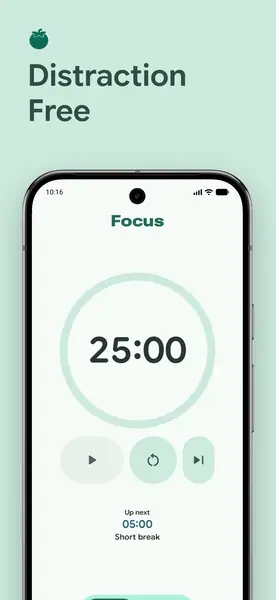
Tomato is a minimalist Pomodoro timer for Android based on Material 3 Expressive.
Tomato is fully free and open-source, forever. You can find the source code and report bugs or suggest features at https://github.com/nsh07/Tomato
Features:
- Simple, minimalist UI based on the latest Material 3 Expressive guidelines
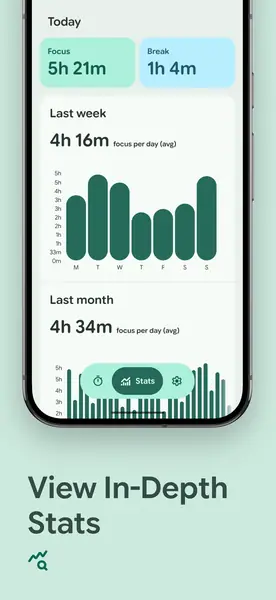
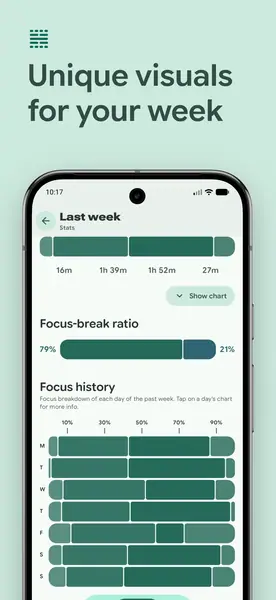
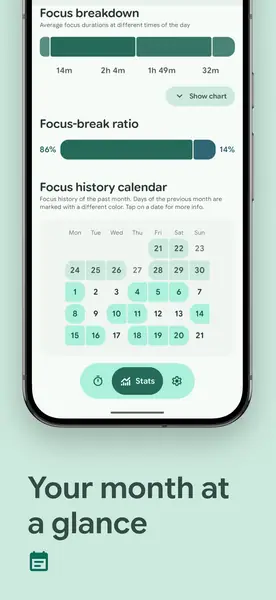
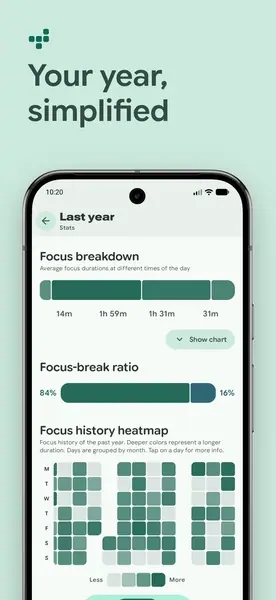
- Detailed statistics of work/study times in an easy-to-understand manner
- Stats for the current day visible at a glance
- Stats for the last week and last month are shown in an easy-to-read, clean graph
- Additional stats for last week and month showing at what time of the day you're the most productive
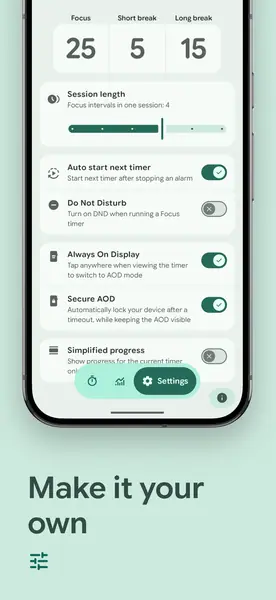
- Customizable timer parameters
- Support for Android 16 Live Updates
What's new in version 2.0.1
New features:
- Topics: create a topic for anything you focus on and give it its own color and shape
- Switch between topics right from the timer screen, and add new ones without leaving it
- Every topic remembers its own focus and break durations
- Add, rename and delete topics from settings
- Per-topic stats will be added in a future update
Improvements:
- Timers now restore after the app is quit
- Haptic feedback, more reliable alarms, faster charts
Fixes:
- Many crash and UI fixes
APK file information
| Package name | org.nsh07.pomodoro |
|---|---|
| Version | 2.0.1 (code 40) |
| Minimum Android | Android 8.0 · targets API 37 |
| Architectures | arm64-v8a, armeabi-v7a, x86, x86_64 |
| SHA-256 | 36aa0e28055f6fadc8c634d2b94b024acc6ab52c2944f62f97227ccad5317892 |
| Signature | 07bef30581baee8f45ec93e47ee68ef20874e50ef5709c78b2ee67ac86be4c3d |
| Licence | GPL-3.0-only — copyleft free licence: the code is public and modified versions must stay free |
| Source code | github.com/nsh07/Tomato |
Permissions
- Run in the background
- Show notifications
- Vibrate
- Keep the device awake
- View network status
- Start at boot
4 other technical permission(s)
ACCESS_NOTIFICATION_POLICY SCHEDULE_EXACT_ALARM USE_EXACT_ALARM POST_PROMOTED_NOTIFICATIONS
Older versions
- Tomato 2.0.1September 26, 2026 · 5.8 MB
- Tomato 1.8.5March 27, 2026 · 5.5 MB
- Tomato 1.8.4March 1, 2026 · 4.7 MB
How to install Tomato APK
- Tap Download APK above, then open the file once the download has finished.
- If Android asks, allow your browser to install unknown apps.
- Tap Install. Tomato then appears with your other apps.
Having trouble? Read our guides how to install an APK on Android and "App not installed": how to fix it.
Frequently asked questions
Is Tomato free?
Yes. Tomato is distributed under the GPL-3.0-only licence: free, no subscription, and its source code is public.
Is this APK file safe?
The file is the one built and published by the F-Droid repository from the public source code. Its SHA-256 fingerprint is shown above, so you can compare it after downloading. How to check an APK.
Will Tomato work on my phone?
You need at least Android 8.0. The app also works without Google services, so it runs on recent Huawei phones too.