
ownCloud APK
Aggiungi un server ownCloud e ottieni … il Tuo cloud, i Tuoi dati, a modo Tuo!
Scarica l'APK v5.0.0-beta.1 · 11,0 MB- Versione5.0.0-beta.1
- Dimensione11,0 MB
- RichiedeAndroid 9
- Aggiornata23/11/2026
- LicenzaGPL-2.0-only
- PrezzoGratis
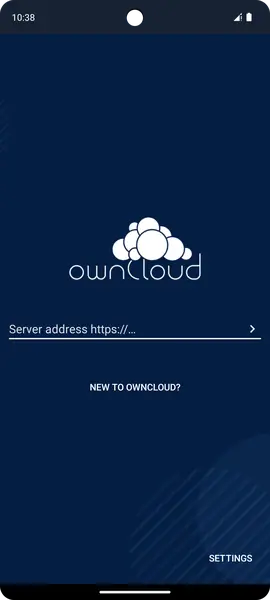
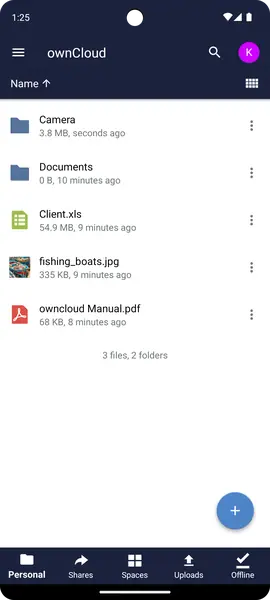
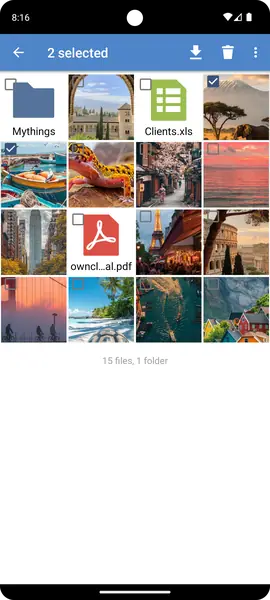
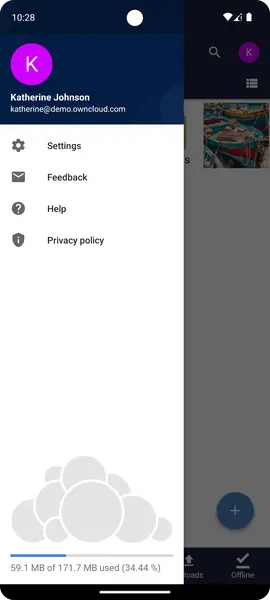
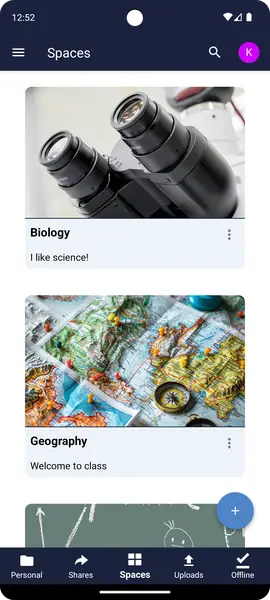
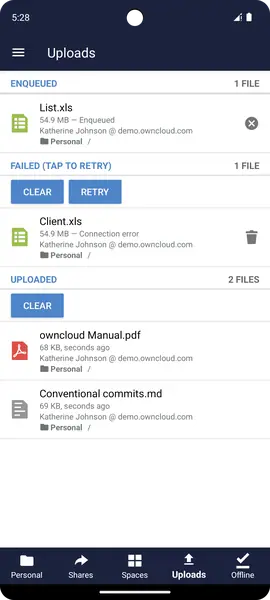
Informazioni su ownCloud
Descrizione fornita dallo sviluppatore (in inglese).
Welcome to the ownCloud Android App – Add an ownCloud server, and have your private file sync and share cloud up and running in no time.
Do you need private file sync and share software? Then good news, because the ownCloud Android App enables you to connect Android devices to a private ownCloud Server running in your data center. ownCloud is open source file sync and share software for everyone from individuals operating the free ownCloud server, to large enterprises and service providers operating under the ownCloud Enterprise Subscription. ownCloud provides a safe, secure and compliant file sync and share solution – on servers you control.
With the ownCloud Android App you can browse all of your ownCloud synced files, create and edit new files, share these files and folders with co-workers, and keep the contents of those folders in sync across all of your devices. Simply copy a file into a directory on your server and ownCloud does the rest.
Whether using a mobile device, a desktop, or the web client, ownCloud provides the ability to put the right files in the right hands at the right time on any device in one simple-to-use, secure, private and controlled solution. After all, with ownCloud, it’s Your Cloud, Your Data, Your Way.
Should you have any problem connecting or synchronizing with your ownCloud server, please contact us on https://github.com/owncloud/android/issues or check https://central.owncloud.org.
Visit us at www.ownCloud.com for more information about ownCloud and the ownCloud Subscriptions. For more information on the free and open source ownCloud Classic, visit www.ownCloud.org.
* If you are experiencing login issues after an update and the ownCloud Workaround App is installed in your device, please, try to uninstall and reinstall the Workaround App *
Informazioni sul file APK
| Nome del pacchetto | com.owncloud.android |
|---|---|
| Versione | 5.0.0-beta.1 (codice 48000401) |
| Android minimo | Android 9 · pensata per Android 16 |
| Architetture | Tutte (universale) |
| SHA-256 | 057b01f65eaf211c4521833b2f80199f00dcb97e5876d6934cfd68f70ad34abc |
| Firma | 60b7e27a9569535ade18d4a9cccec08c262e44e1aab1c04de052892ab82e31eb |
| Licenza | GPL-2.0-only — licenza libera copyleft: il codice è pubblico e le versioni modificate devono restare libere |
| Codice sorgente | github.com/owncloud/android |
| Sito ufficiale | owncloud.org |
Autorizzazioni richieste
- Scrivere nell'archivio
- Mostrare notifiche
- Accesso a Internet
- Vedere lo stato della rete
- Avviarsi all'accensione
- Impedire lo standby
- Funzionare in background
- Impronta / biometria
- Impronta digitale
- Leggere l'archivio
Altre 4 autorizzazioni tecniche
READ_SYNC_STATS READ_SYNC_SETTINGS WRITE_SYNC_SETTINGS BROADCAST_STICKY
Versioni precedenti
- ownCloud 5.0.0-beta.123 novembre 2026 · 11,0 MB
- ownCloud 4.8.42 settembre 2026 · 13,9 MB
- ownCloud 4.8.326 luglio 2026 · 13,9 MB
Come installare ownCloud APK
- Tocca Scarica l'APK qui sopra, poi apri il file al termine del download.
- Se Android lo chiede, consenti al browser di installare app sconosciute.
- Tocca Installa. ownCloud comparirà insieme alle altre app.
Domande frequenti
ownCloud è gratis?
Sì. ownCloud è distribuita con licenza GPL-2.0-only: gratuita, senza abbonamento e con codice sorgente pubblico.
Questo file APK è sicuro?
Il file è quello compilato e pubblicato dal repository F-Droid a partire dal codice sorgente pubblico. L'impronta SHA-256 è indicata qui sopra: puoi confrontarla dopo il download.
ownCloud funziona sul mio telefono?
Serve almeno Android 9. L'app funziona anche senza i servizi Google, quindi anche sui telefoni Huawei recenti.





