UniPatcher APK
ROMへのパッチ適用ユーティリティ
APK をダウンロード v0.19 · 7.9 MB- バージョン0.19
- サイズ7.9 MB
- 必要環境Android 7.0
- 更新日2026/10/15
- ライセンスGPL-3.0-or-later
- 価格無料
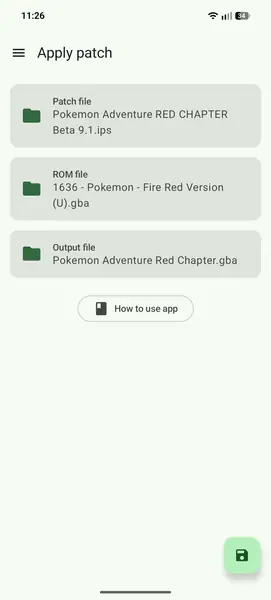
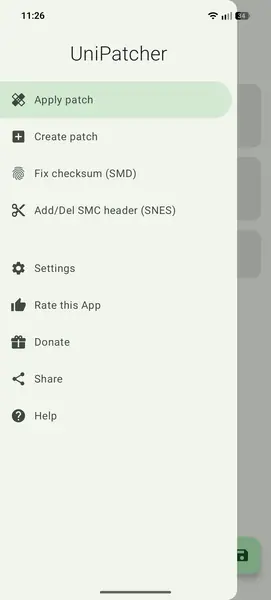
UniPatcher について
開発者による説明(英語)。
UniPatcher allows you to apply patches to game ROMs.
What is a patch? A file with the modified data of the game. For example, a game translated from Japanese to English. You download the patch containing the translation. It must be applied to the Japanese version to make an English version of it.
This program will not help you hack native Android games, it was created for the old console games (SNES, PS1, GBA, N64, SMD\Genesis etc.)
Features:
- Supported formats of patches: IPS, IPS32, UPS, BPS, APS (GBA), APS (N64), PPF, DPS, EBP, XDelta
- Create XDelta patches
- Fix the checksum in SMD\Genesis ROMs
- Remove the SMC header from SNES ROMs
How to use? You have to select a ROM file, a patch and choose which file to save, then click on the button in the bottom. Files are selected through the standard Files application (or through one of the file managers you have installed). The application will show a message when the file is patched. Do not close the application until the file is patched.
Very important: If the game and patch is compressed (ZIP, RAR, 7z or other), they first need to be unzipped.
バージョン 0.19 の新機能
- Added support for XDelta1 patches
- Fixed applying some XDelta3 patches with DJW compression that previously failed with an error
- Updated interface design based on Material 3, added dynamic color themes
APK ファイルの情報
| パッケージ名 | org.emunix.unipatcher |
|---|---|
| バージョン | 0.19 (コード 190000) |
| 最低 Android バージョン | Android 7.0 · 対象 Android 16 |
| アーキテクチャ | arm64-v8a, armeabi-v7a, x86_64 |
| SHA-256 | 12b83efacee7c522ac583e0894d1a2108bedb10e85a57d525784abc8b6956e89 |
| 署名 | febcbed69a1f017f79a17a1c1fe30a46ba4f9f9e0a91d6b5be2e2c2cd8695bf6 |
| ライセンス | GPL-3.0-or-later — コピーレフト型の自由ライセンス:コードは公開され、改変版も自由である必要があります |
| ソースコード | github.com/btimofeev/UniPatcher |
権限
- 通知の表示
以前のバージョン
- UniPatcher 0.192026年10月15日 · 7.9 MB
- UniPatcher 0.182026年9月17日 · 3.0 MB
- UniPatcher 0.17.32024年11月16日 · 2.8 MB
UniPatcher APK のインストール方法
- 上のAPK をダウンロードをタップし、ダウンロード後にファイルを開きます。
- Android に確認されたら、ブラウザに不明なアプリのインストールを許可します。
- インストールをタップします。UniPatcher がほかのアプリと一緒に表示されます。
→ Android に APK ファイルをインストールする方法(手順付き)
→ 「アプリはインストールされていません」:原因と対処法
よくある質問
UniPatcher は無料ですか?
はい。UniPatcher は GPL-3.0-or-later ライセンスで配布されており、無料・サブスクリプション不要で、ソースコードも公開されています。
この APK ファイルは安全ですか?
このファイルは F-Droid リポジトリが公開ソースコードからビルドして公開したものです。SHA-256 フィンガープリントを上に記載しているので、ダウンロード後に照合できます。 APK は危険?インストール前にファイルを確認する方法
UniPatcher は自分のスマホで動きますか?
Android 7.0 以上が必要です。Google サービスがなくても動作するため、最近の Huawei 端末でも使えます。