UniPatcher APK
Utilitar pentru a aplica patch-uri la ROM-uri
Descarcă APK v0.19 · 7,9 MB- Versiune0.19
- Mărime7,9 MB
- NecesităAndroid 7.0
- Actualizat15.10.2026
- LicențăGPL-3.0-or-later
- PrețGratuit
Despre UniPatcher
Descriere oferită de dezvoltator (în engleză).
UniPatcher allows you to apply patches to game ROMs.
What is a patch? A file with the modified data of the game. For example, a game translated from Japanese to English. You download the patch containing the translation. It must be applied to the Japanese version to make an English version of it.
This program will not help you hack native Android games, it was created for the old console games (SNES, PS1, GBA, N64, SMD\Genesis etc.)
Features:
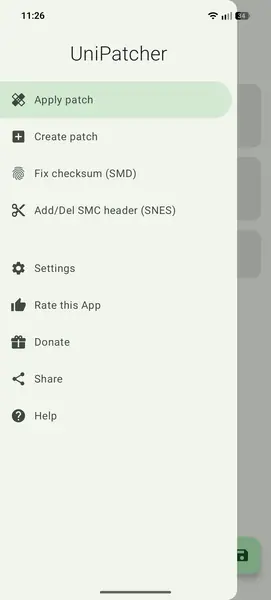
- Supported formats of patches: IPS, IPS32, UPS, BPS, APS (GBA), APS (N64), PPF, DPS, EBP, XDelta
- Create XDelta patches
- Fix the checksum in SMD\Genesis ROMs
- Remove the SMC header from SNES ROMs
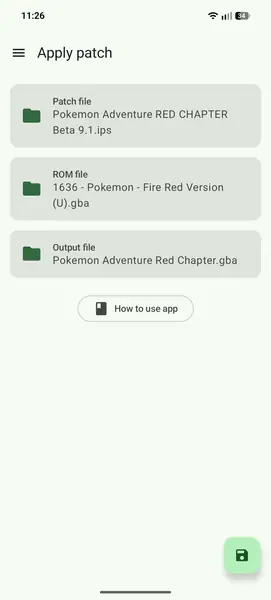
How to use? You have to select a ROM file, a patch and choose which file to save, then click on the button in the bottom. Files are selected through the standard Files application (or through one of the file managers you have installed). The application will show a message when the file is patched. Do not close the application until the file is patched.
Very important: If the game and patch is compressed (ZIP, RAR, 7z or other), they first need to be unzipped.
Noutăți în versiunea 0.19
- Added support for XDelta1 patches
- Fixed applying some XDelta3 patches with DJW compression that previously failed with an error
- Updated interface design based on Material 3, added dynamic color themes
Informații despre fișierul APK
| Numele pachetului | org.emunix.unipatcher |
|---|---|
| Versiune | 0.19 (cod 190000) |
| Android minim | Android 7.0 · destinat pentru Android 16 |
| Arhitecturi | arm64-v8a, armeabi-v7a, x86_64 |
| SHA-256 | 12b83efacee7c522ac583e0894d1a2108bedb10e85a57d525784abc8b6956e89 |
| Semnătură | febcbed69a1f017f79a17a1c1fe30a46ba4f9f9e0a91d6b5be2e2c2cd8695bf6 |
| Licență | GPL-3.0-or-later — licență liberă copyleft: codul este public, iar versiunile modificate trebuie să rămână libere |
| Cod sursă | github.com/btimofeev/UniPatcher |
Permisiuni
- Notificări
Versiuni anterioare
- UniPatcher 0.1915 octombrie 2026 · 7,9 MB
- UniPatcher 0.1817 septembrie 2026 · 3,0 MB
- UniPatcher 0.17.316 noiembrie 2024 · 2,8 MB
Cum instalezi UniPatcher APK
- Atinge Descarcă APK mai sus, apoi deschide fișierul după descărcare.
- Dacă Android cere, permite browserului să instaleze aplicații necunoscute.
- Atinge Instalează. UniPatcher apare apoi printre celelalte aplicații.
→ Cum instalezi un fișier APK pe Android (pas cu pas)
→ „Aplicația nu a fost instalată”: cauze și soluții
Întrebări frecvente
Este UniPatcher gratuit?
Da. UniPatcher este distribuit sub licența GPL-3.0-or-later: gratuit, fără abonament și cu cod sursă public.
Este sigur acest fișier APK?
Fișierul este cel compilat și publicat de depozitul F-Droid din codul sursă public. Amprenta SHA-256 este afișată mai sus; o poți compara după descărcare. Este un APK periculos? Cum verifici un fișier înainte de instalare
Funcționează UniPatcher pe telefonul meu?
Ai nevoie de cel puțin Android 7.0. Aplicația funcționează și fără serviciile Google, deci și pe telefoanele Huawei recente.