DuckDuckGo Privacy Browser APK
Privatsphäre vereinfacht
APK herunterladen v5.301.1 · 96,8 MB- Version5.301.1
- Größe96,8 MB
- BenötigtAndroid 9
- Aktualisiert17.11.2026
- LizenzApache-2.0
- PreisKostenlos
Über DuckDuckGo Privacy Browser
Beschreibung des Entwicklers (auf Englisch).
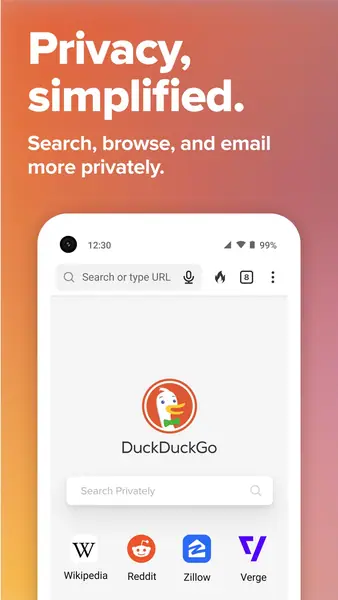
At DuckDuckGo, we believe the Internet shouldn't feel so creepy, and getting the privacy you deserve online should be as simple as closing the blinds.
Our app provides the privacy essentials you need to seamlessly take control of your personal information as you search and browse the web, no matter where the Internet takes you:
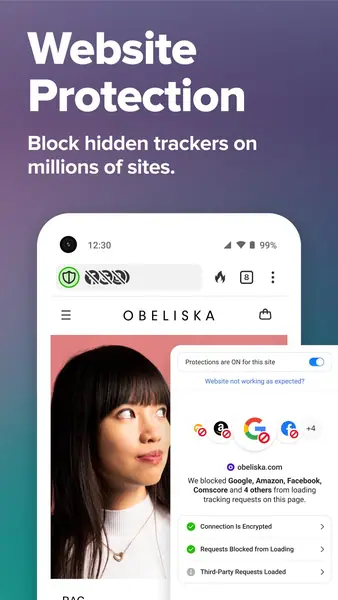
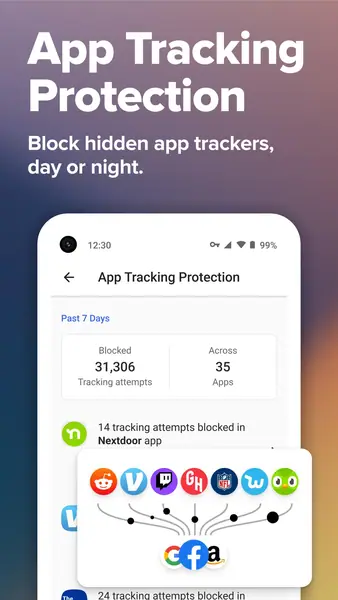
- Escape Advertising Tracker Networks — Our Privacy Protection will block all the hidden third-party trackers we can find, exposing the major advertising networks tracking you over time, so that you can track who's trying to track you.
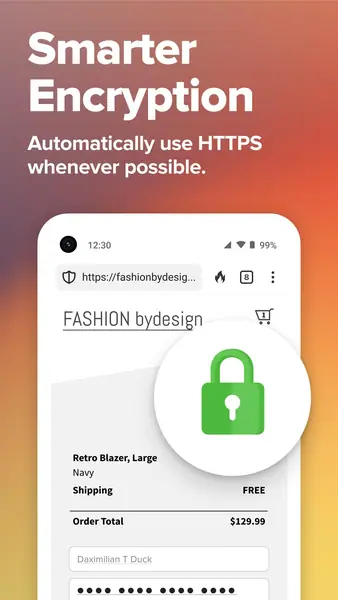
- Increase Encryption Protection — We force sites to use an encrypted connection where available, protecting your data from prying eyes, like ISPs.
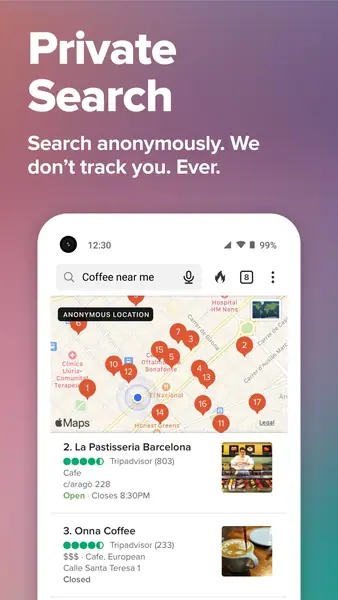
- Search Privately — You share your most personal information with your search engine, like your financial, medical, and political questions. What you search for is your own business, which is why DuckDuckGo search doesn't track you. Ever.
- Decode Privacy Policies — We've partnered with Terms of Service Didn't Read to include their scores and labels of website terms of service and privacy policies, where available.
As you search and browse, the DuckDuckGo Privacy Browser shows you a Privacy Grade rating when you visit a website (A-F). This rating lets you see how protected you are at a glance, dig into the details to see who we caught trying to track you, and learn how we enhanced the underlying site's privacy measures. The Privacy Grade is scored automatically based on the prevalence of hidden tracker networks, encryption availability, and website privacy practices.
Our app provides standard browsing functionality including tabs, bookmarks, and autocomplete. In addition to strong Privacy Protection as described above, we also packed in some extra privacy features into the browser itself:
- Fire Button — Clear all your tabs and data with one tap.
- Application Lock — Secure the app with Touch ID or Face ID.
Too many people believe you simply can't expect privacy on the Internet. We're fighting to change that, and have made it our mission to set a new standard of trust online. Install DuckDuckGo and take back your privacy!
Antifeatures:
- NonFreeNet - Uses DuckDuckGo as the exclusive search engine, for which the
source code is not available.
Neu in Version 5.301.1
Datenschutz vereinfacht. Schützen Sie bei der Suche und beim Surfen im Internet Ihre Daten: Tracking-Blocker, intelligentere Verschlüsselung, Privatsphäremodus und vieles mehr.
Informationen zur APK-Datei
| Paketname | com.duckduckgo.mobile.android |
|---|---|
| Version | 5.301.1 (Code 53011000) |
| Mindestens | Android 9 · ausgelegt für Android 16 |
| Architekturen | arm64-v8a, armeabi-v7a, x86, x86_64 |
| SHA-256 | 1bba66cd9d5628e292c42afe6a131213d6dc8524cb961965ef01c6a107e2b1d5 |
| Signatur | f0707d021c0bf3e6f8dcc11ba3f5700425d597dca301a31e210556934ebb1b0a |
| Lizenz | Apache-2.0 — freie, freizügige Lizenz: Der Quellcode ist öffentlich und wiederverwendbar |
| Quellcode | github.com/duckduckgo/Android |
| Offizielle Website | duckduckgo.com/app |
Berechtigungen
- Internetzugriff
- Beim Start ausführen
- Auf Speicher schreiben
- Andere Apps installieren sensibel
- Genauer Standort (GPS) sensibel
- Ungefährer Standort sensibel
- Installierte Apps sehen sensibel
- Mikrofon sensibel
- Kamera sensibel
- Benachrichtigungen anzeigen
- Im Hintergrund laufen
- Netzwerkstatus sehen
- Telefonstatus sensibel
- Fingerabdruck / Biometrie
- Fingerabdruck
- Ruhezustand verhindern
- Speicher lesen
2 weitere technische Berechtigung(en)
MODIFY_AUDIO_SETTINGS CREDENTIAL_MANAGER_SET_ORIGIN
Ältere Versionen
- DuckDuckGo Privacy Browser 5.301.117. November 2026 · 96,8 MB
- DuckDuckGo Privacy Browser 5.300.017. November 2026 · 96,3 MB
- DuckDuckGo Privacy Browser 5.299.01. November 2026 · 92,9 MB
So installieren Sie DuckDuckGo Privacy Browser APK
- Tippen Sie oben auf APK herunterladen und öffnen Sie die Datei nach dem Download.
- Wenn Android fragt, erlauben Sie Ihrem Browser, unbekannte Apps zu installieren.
- Tippen Sie auf Installieren. DuckDuckGo Privacy Browser erscheint dann bei Ihren anderen Apps.
→ APK-Datei auf Android installieren (Schritt für Schritt)
→ „App nicht installiert“: Ursachen und Lösungen
Häufige Fragen
Ist DuckDuckGo Privacy Browser kostenlos?
Ja. DuckDuckGo Privacy Browser steht unter der Lizenz Apache-2.0: kostenlos, ohne Abo, und der Quellcode ist öffentlich.
Ist diese APK-Datei sicher?
Die Datei wurde vom F-Droid-Repository aus dem öffentlichen Quellcode erstellt und veröffentlicht. Ihr SHA-256-Fingerabdruck steht oben, Sie können ihn nach dem Download vergleichen. Ist eine APK gefährlich? So prüfen Sie eine Datei vor der Installation
Läuft DuckDuckGo Privacy Browser auf meinem Handy?
Sie benötigen mindestens Android 9. Die App funktioniert auch ohne Google-Dienste, also auch auf aktuellen Huawei-Handys.