
Odin APK
Nodo IPFS Lite con interfaz gráfica moderna para soportar casos de uso estándar
Descargar APK v4.0.0 · 2,5 MB- Versión4.0.0
- Tamaño2,5 MB
- RequiereAndroid 10
- Actualizada25/4/2026
- LicenciaApache-2.0
- PrecioGratis
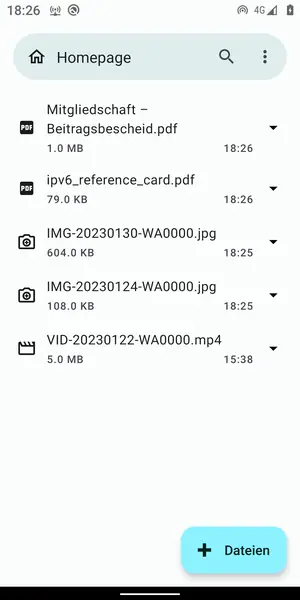
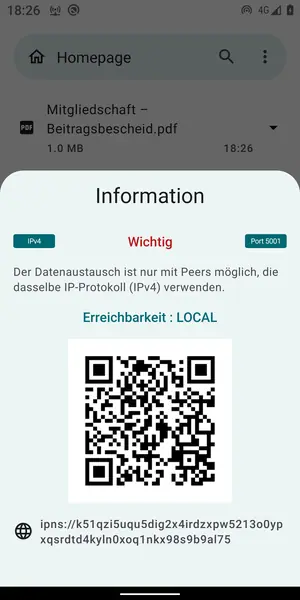
Acerca de Odin
Descripción del desarrollador (en inglés).
Odin
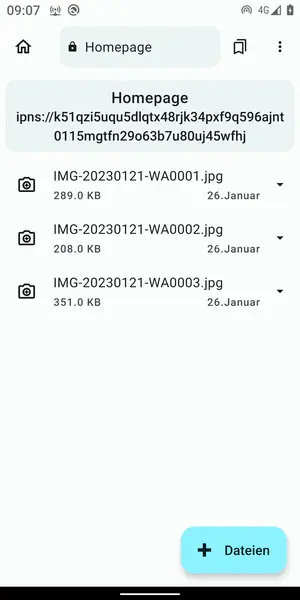
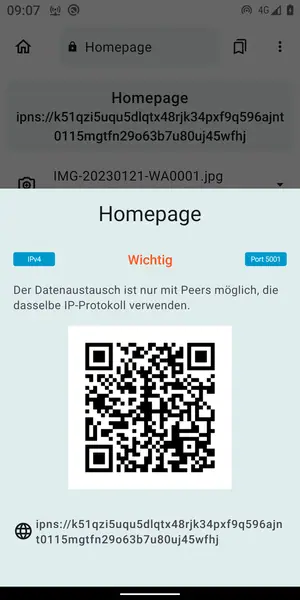
Odin is a decentralized peer-to-peer application via the BitTorrent network stack. For sharing data, a pns:// URI is provided, which consists basically of a peer id, which enables others to find your node on the network.
General
The basic characteristics of the app are decentralized, respect of personal data, open source, free of charge, transparent, free of advertising and legally impeccable.
Documentation
Odin is a client server implementation and based on the BitTorrent network.
The application itself requires the IPv6 protocol to function properly. When you are behind a router you might be able to switch to the IPv6 protocol and make the necessary settings, so that your service is globally reachable (Port Forwarding).
Port Forwarding
Port forwarding allows you to specify that all communications received on a certain port are forwarded directly to your device. You set port forwarding rules up on your router. The following list provides information which might be required for the port forwarding.
- Interface IPv6
Note: Only IPv6 is supported, because a direct connection between two peers can only be established when they use the same IP interface
- Port 5001
- Protocol TCP
Note: The protocol is TCP. The direct connection between two peers will be established via a secure TCP connection, protected by a self-signed certificate.
- Application Odin
Note: Usually can be any name
Concept
The application connect to BitTorrent network and publish its addresses, so that it can be found by other peers via a unique identifier (pid). This peer identifier (
) is also used for marking the content via the**pns://
/** URI. (Note: is a content identifier)
Links
Privacy Policy
Apache License
Novedades de la versión 4.0.0
- Fastlane corrections
- Android 17
Información del archivo APK
| Nombre del paquete | threads.server |
|---|---|
| Versión | 4.0.0 (código 400) |
| Android mínimo | Android 10 · diseñada para API 37 |
| Arquitecturas | arm64-v8a, armeabi-v7a, x86, x86_64 |
| SHA-256 | 3910fbc903ae72f678915e464bd19767d664aa62495925febe317c6c8d1c1b58 |
| Firma | 99f5ae78113394d4cde158d044ac19f6a6d5338fe685cfcb250be55fc464db19 |
| Licencia | Apache-2.0 — licencia libre permisiva: el código fuente es público y reutilizable |
| Código fuente | gitlab.com/lp2p/odin |
Permisos solicitados
- Ver el estado de la red
- Acceso a Internet
Versiones anteriores
- Odin 4.0.025 de abril de 2026 · 2,5 MB
- Odin 3.6.05 de octubre de 2025 · 4,2 MB
- Odin 3.5.81 de septiembre de 2025 · 4,1 MB
Cómo instalar Odin APK
- Pulsa Descargar APK arriba y abre el archivo cuando termine la descarga.
- Si Android lo pide, permite que tu navegador instale apps desconocidas.
- Pulsa Instalar. Odin aparecerá junto a tus otras apps.
→ Cómo instalar un archivo APK en Android (paso a paso)
→ «La aplicación no está instalada»: causas y soluciones
Preguntas frecuentes
¿Odin es gratis?
Sí. Odin se distribuye con licencia Apache-2.0: gratis, sin suscripción y con el código fuente público.
¿Es seguro este archivo APK?
El archivo es el que compila y publica el repositorio F-Droid a partir del código fuente público. Su huella SHA-256 aparece arriba para que puedas compararla tras la descarga. ¿Un APK es peligroso? Cómo verificar un archivo antes de instalarlo
¿Funciona Odin en mi teléfono?
Necesitas como mínimo Android 10. La app también funciona sin los servicios de Google, así que funciona en los teléfonos Huawei recientes.