
Odin APK
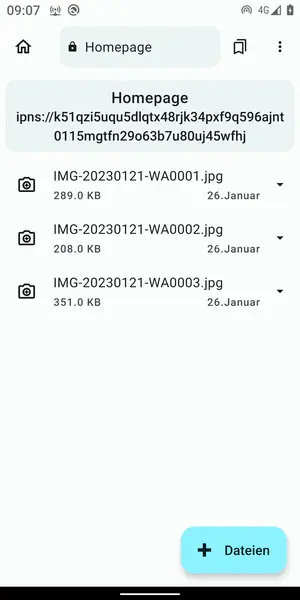
IPFS Lite nod cu interfață modernă ptr. a sprijini cazurile standard de uz IPFS
Descarcă APK v4.0.0 · 2,5 MB- Versiune4.0.0
- Mărime2,5 MB
- NecesităAndroid 10
- Actualizat25.04.2026
- LicențăApache-2.0
- PrețGratuit
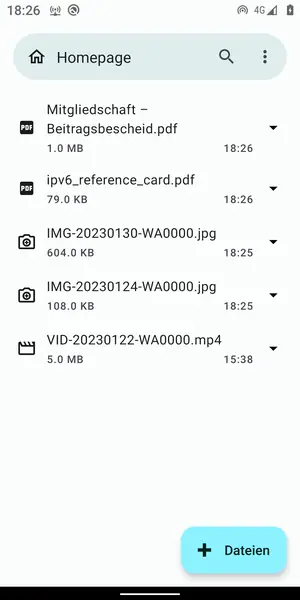
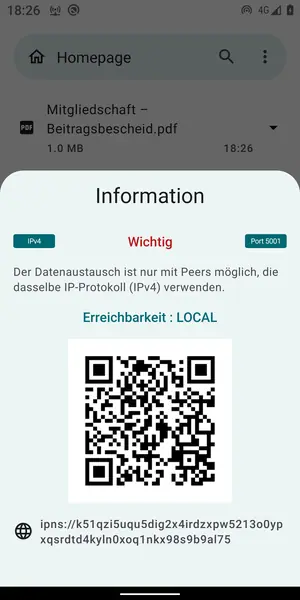
Despre Odin
Descriere oferită de dezvoltator (în engleză).
Odin
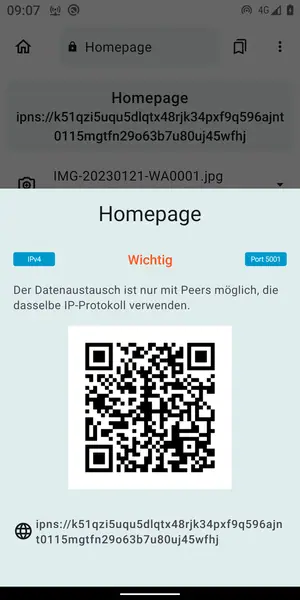
Odin is a decentralized peer-to-peer application via the BitTorrent network stack. For sharing data, a pns:// URI is provided, which consists basically of a peer id, which enables others to find your node on the network.
General
The basic characteristics of the app are decentralized, respect of personal data, open source, free of charge, transparent, free of advertising and legally impeccable.
Documentation
Odin is a client server implementation and based on the BitTorrent network.
The application itself requires the IPv6 protocol to function properly. When you are behind a router you might be able to switch to the IPv6 protocol and make the necessary settings, so that your service is globally reachable (Port Forwarding).
Port Forwarding
Port forwarding allows you to specify that all communications received on a certain port are forwarded directly to your device. You set port forwarding rules up on your router. The following list provides information which might be required for the port forwarding.
- Interface IPv6
Note: Only IPv6 is supported, because a direct connection between two peers can only be established when they use the same IP interface
- Port 5001
- Protocol TCP
Note: The protocol is TCP. The direct connection between two peers will be established via a secure TCP connection, protected by a self-signed certificate.
- Application Odin
Note: Usually can be any name
Concept
The application connect to BitTorrent network and publish its addresses, so that it can be found by other peers via a unique identifier (pid). This peer identifier (
) is also used for marking the content via the**pns://
/** URI. (Note: is a content identifier)
Links
Privacy Policy
Apache License
Noutăți în versiunea 4.0.0
- Fastlane corrections
- Android 17
Informații despre fișierul APK
| Numele pachetului | threads.server |
|---|---|
| Versiune | 4.0.0 (cod 400) |
| Android minim | Android 10 · destinat pentru API 37 |
| Arhitecturi | arm64-v8a, armeabi-v7a, x86, x86_64 |
| SHA-256 | 3910fbc903ae72f678915e464bd19767d664aa62495925febe317c6c8d1c1b58 |
| Semnătură | 99f5ae78113394d4cde158d044ac19f6a6d5338fe685cfcb250be55fc464db19 |
| Licență | Apache-2.0 — licență liberă permisivă: codul sursă este public și reutilizabil |
| Cod sursă | gitlab.com/lp2p/odin |
Permisiuni
- Starea rețelei
- Acces la internet
Versiuni anterioare
- Odin 4.0.025 aprilie 2026 · 2,5 MB
- Odin 3.6.05 octombrie 2025 · 4,2 MB
- Odin 3.5.81 septembrie 2025 · 4,1 MB
Cum instalezi Odin APK
- Atinge Descarcă APK mai sus, apoi deschide fișierul după descărcare.
- Dacă Android cere, permite browserului să instaleze aplicații necunoscute.
- Atinge Instalează. Odin apare apoi printre celelalte aplicații.
→ Cum instalezi un fișier APK pe Android (pas cu pas)
→ „Aplicația nu a fost instalată”: cauze și soluții
Întrebări frecvente
Este Odin gratuit?
Da. Odin este distribuit sub licența Apache-2.0: gratuit, fără abonament și cu cod sursă public.
Este sigur acest fișier APK?
Fișierul este cel compilat și publicat de depozitul F-Droid din codul sursă public. Amprenta SHA-256 este afișată mai sus; o poți compara după descărcare. Este un APK periculos? Cum verifici un fișier înainte de instalare
Funcționează Odin pe telefonul meu?
Ai nevoie de cel puțin Android 10. Aplicația funcționează și fără serviciile Google, deci și pe telefoanele Huawei recente.