
Odin APK
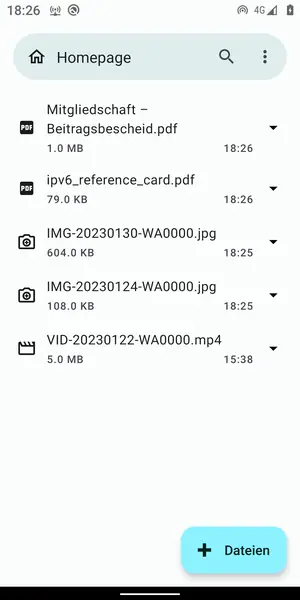
Вузол IPFS Lite з сучасним UI, що підтримує звичайні варіанти використання
Завантажити APK v4.0.0 · 2,5 МБ- Версія4.0.0
- Розмір2,5 МБ
- ПотрібноAndroid 10
- Оновлено25.04.2026
- ЛіцензіяApache-2.0
- ЦінаБезкоштовно
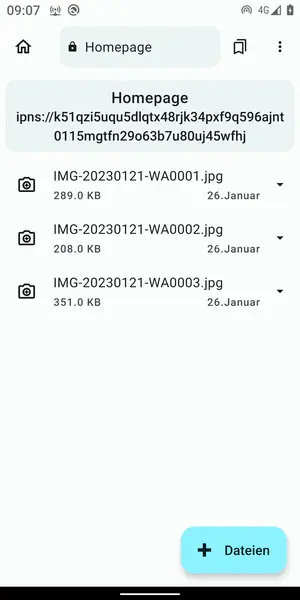
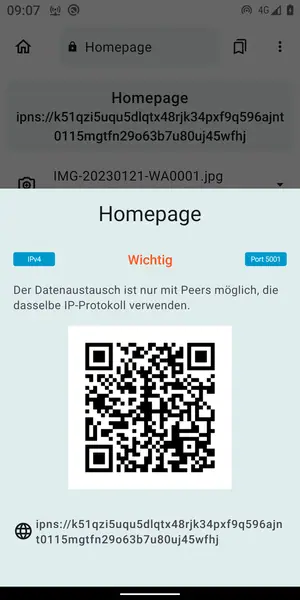
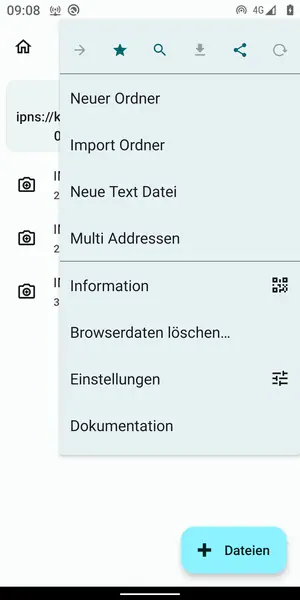
Про Odin
Опис від розробника (англійською).
Odin
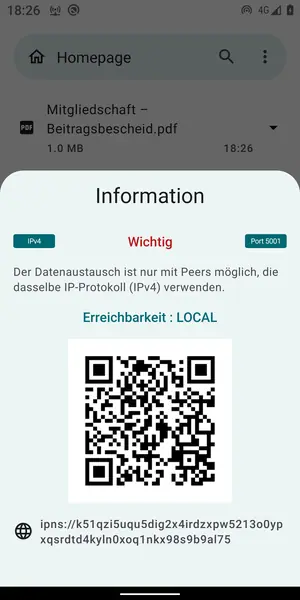
Odin is a decentralized peer-to-peer application via the BitTorrent network stack. For sharing data, a pns:// URI is provided, which consists basically of a peer id, which enables others to find your node on the network.
General
The basic characteristics of the app are decentralized, respect of personal data, open source, free of charge, transparent, free of advertising and legally impeccable.
Documentation
Odin is a client server implementation and based on the BitTorrent network.
The application itself requires the IPv6 protocol to function properly. When you are behind a router you might be able to switch to the IPv6 protocol and make the necessary settings, so that your service is globally reachable (Port Forwarding).
Port Forwarding
Port forwarding allows you to specify that all communications received on a certain port are forwarded directly to your device. You set port forwarding rules up on your router. The following list provides information which might be required for the port forwarding.
- Interface IPv6
Note: Only IPv6 is supported, because a direct connection between two peers can only be established when they use the same IP interface
- Port 5001
- Protocol TCP
Note: The protocol is TCP. The direct connection between two peers will be established via a secure TCP connection, protected by a self-signed certificate.
- Application Odin
Note: Usually can be any name
Concept
The application connect to BitTorrent network and publish its addresses, so that it can be found by other peers via a unique identifier (pid). This peer identifier (
) is also used for marking the content via the**pns://
/** URI. (Note: is a content identifier)
Links
Privacy Policy
Apache License
Що нового у версії 4.0.0
- Fastlane corrections
- Android 17
Інформація про APK-файл
| Назва пакета | threads.server |
|---|---|
| Версія | 4.0.0 (код 400) |
| Мінімальна версія | Android 10 · цільова API 37 |
| Архітектури | arm64-v8a, armeabi-v7a, x86, x86_64 |
| SHA-256 | 3910fbc903ae72f678915e464bd19767d664aa62495925febe317c6c8d1c1b58 |
| Підпис | 99f5ae78113394d4cde158d044ac19f6a6d5338fe685cfcb250be55fc464db19 |
| Ліцензія | Apache-2.0 — вільна дозвільна ліцензія: вихідний код відкритий і придатний для повторного використання |
| Вихідний код | gitlab.com/lp2p/odin |
Дозволи
- Перегляд стану мережі
- Доступ до інтернету
Попередні версії
- Odin 4.0.025 квітня 2026 р. · 2,5 МБ
- Odin 3.6.05 жовтня 2025 р. · 4,2 МБ
- Odin 3.5.81 вересня 2025 р. · 4,1 МБ
Як встановити Odin APK
- Натисніть Завантажити APK вище й відкрийте файл після завантаження.
- Якщо Android запитає, дозвольте браузеру встановлювати невідомі застосунки.
- Натисніть Встановити. Odin з’явиться серед інших застосунків.
→ Як встановити APK-файл на Android (покроково)
→ «Застосунок не встановлено»: причини й рішення
Часті запитання
Odin безкоштовний?
Так. Odin поширюється за ліцензією Apache-2.0: безкоштовно, без підписки, вихідний код відкритий.
Чи безпечний цей APK-файл?
Файл зібраний і опублікований репозиторієм F-Droid із відкритого вихідного коду. Його відбиток SHA-256 указано вище — порівняйте його після завантаження. Чи небезпечний APK? Як перевірити файл перед встановленням
Чи працюватиме Odin на моєму телефоні?
Потрібна версія не нижче Android 10. Застосунок працює і без сервісів Google, зокрема на нових телефонах Huawei.