
Odin APK
Node IPFS Lite dengan antarmuka modern untuk kasus pakai standar
Unduh APK v4.0.0 · 2,5 MB- Versi4.0.0
- Ukuran2,5 MB
- ButuhAndroid 10
- Diperbarui25/4/2026
- LisensiApache-2.0
- HargaGratis
Tentang Odin
Deskripsi dari pengembang (dalam bahasa Inggris).
Odin
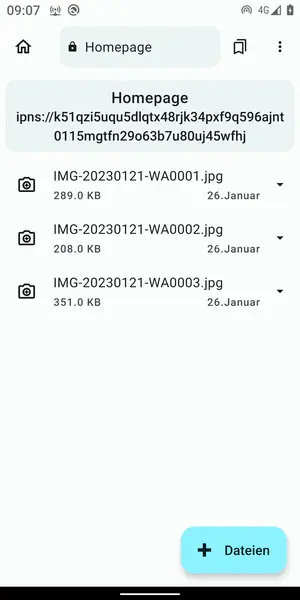
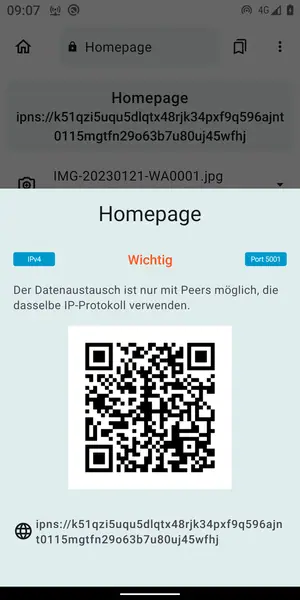
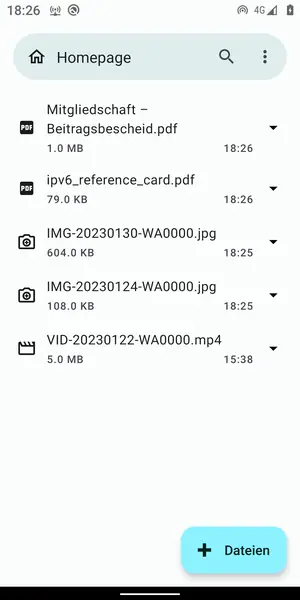
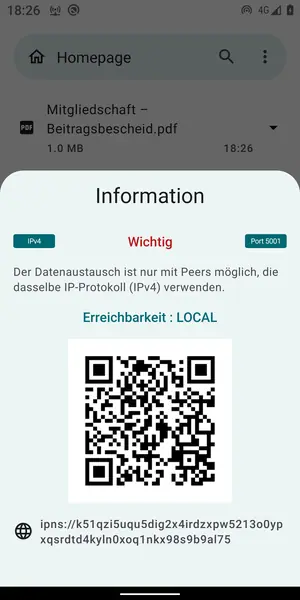
Odin is a decentralized peer-to-peer application via the BitTorrent network stack. For sharing data, a pns:// URI is provided, which consists basically of a peer id, which enables others to find your node on the network.
General
The basic characteristics of the app are decentralized, respect of personal data, open source, free of charge, transparent, free of advertising and legally impeccable.
Documentation
Odin is a client server implementation and based on the BitTorrent network.
The application itself requires the IPv6 protocol to function properly. When you are behind a router you might be able to switch to the IPv6 protocol and make the necessary settings, so that your service is globally reachable (Port Forwarding).
Port Forwarding
Port forwarding allows you to specify that all communications received on a certain port are forwarded directly to your device. You set port forwarding rules up on your router. The following list provides information which might be required for the port forwarding.
- Interface IPv6
Note: Only IPv6 is supported, because a direct connection between two peers can only be established when they use the same IP interface
- Port 5001
- Protocol TCP
Note: The protocol is TCP. The direct connection between two peers will be established via a secure TCP connection, protected by a self-signed certificate.
- Application Odin
Note: Usually can be any name
Concept
The application connect to BitTorrent network and publish its addresses, so that it can be found by other peers via a unique identifier (pid). This peer identifier (
) is also used for marking the content via the**pns://
/** URI. (Note: is a content identifier)
Links
Privacy Policy
Apache License
Yang baru di versi 4.0.0
- Fastlane corrections
- Android 17
Informasi berkas APK
| Nama paket | threads.server |
|---|---|
| Versi | 4.0.0 (kode 400) |
| Android minimum | Android 10 · ditujukan untuk API 37 |
| Arsitektur | arm64-v8a, armeabi-v7a, x86, x86_64 |
| SHA-256 | 3910fbc903ae72f678915e464bd19767d664aa62495925febe317c6c8d1c1b58 |
| Tanda tangan | 99f5ae78113394d4cde158d044ac19f6a6d5338fe685cfcb250be55fc464db19 |
| Lisensi | Apache-2.0 — lisensi bebas permisif: kode sumber terbuka dan dapat dipakai ulang |
| Kode sumber | gitlab.com/lp2p/odin |
Izin
- Melihat status jaringan
- Akses internet
Versi lama
- Odin 4.0.025 April 2026 · 2,5 MB
- Odin 3.6.05 Oktober 2025 · 4,2 MB
- Odin 3.5.81 September 2025 · 4,1 MB
Cara memasang Odin APK
- Ketuk Unduh APK di atas, lalu buka berkas setelah unduhan selesai.
- Jika Android meminta, izinkan peramban untuk memasang aplikasi tak dikenal.
- Ketuk Pasang. Odin akan muncul bersama aplikasi lain.
→ Cara memasang file APK di Android (langkah demi langkah)
→ “Aplikasi tidak terinstal”: penyebab dan solusinya
Pertanyaan umum
Apakah Odin gratis?
Ya. Odin didistribusikan dengan lisensi Apache-2.0: gratis, tanpa langganan, dan kode sumbernya terbuka.
Apakah berkas APK ini aman?
Berkas ini dibangun dan diterbitkan oleh repositori F-Droid dari kode sumber publik. Sidik jari SHA-256 tercantum di atas; Anda dapat membandingkannya setelah mengunduh. Apakah APK berbahaya? Cara memeriksa file sebelum dipasang
Apakah Odin berjalan di ponsel saya?
Dibutuhkan minimal Android 10. Aplikasi ini juga berjalan tanpa layanan Google, jadi bisa dipakai di ponsel Huawei terbaru.