
Librera Reader APK
قارئ كتب و PDF
تنزيل APK v10.0.35-fdroid · 124.2 م.ب- الإصدار10.0.35-fdroid
- الحجم124.2 م.ب
- يتطلبAndroid 7.0
- آخر تحديث17/11/2026
- الترخيصGPL-3.0-or-later
- السعرمجاني
حول Librera Reader
وصف مقدَّم من المطوّر (بالإنجليزية).
Librera Reader is a highly customizable and feature-rich application for reading e-books in PDF, EPUB, MOBI, DjVu, FB2, TXT, RTF, AZW, AZW3, HTML, CBZ, CBR, DOC, DOCX, formats.
With its intuitive, yet powerful, interface, Librera makes ebook reading a veritable pleasure. It even features a unique auto-scrolling, hands-free Musician's mode, with controllable speed.
F-Droid version is based on the latest MuPDF and support Android 4.1+.
The only difference between Librera FD (F-Droid) and Librera PRO is the absence of Google Play services and Google Drive book synchronization in Librera FD.
Just a few Librera main features:
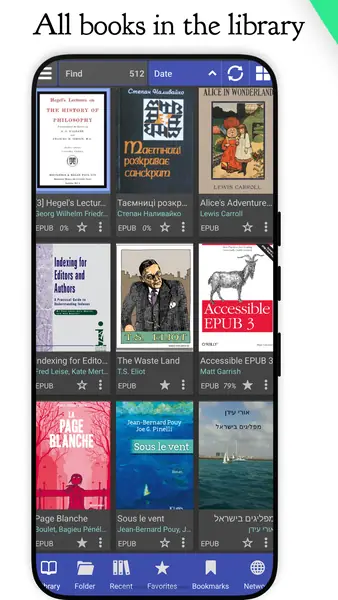
- Easy document discovery by configurable criteria:
- Auto-Scan (user-specified folders)
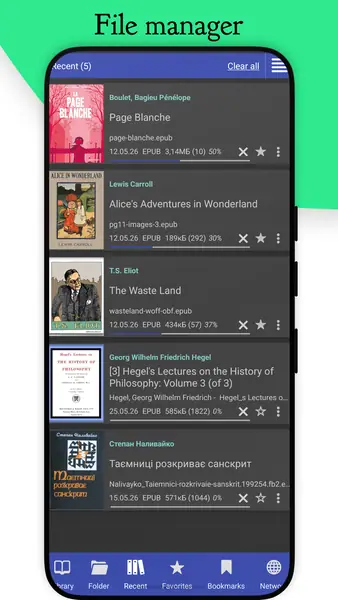
- Browse folders (using an in-app file explorer)
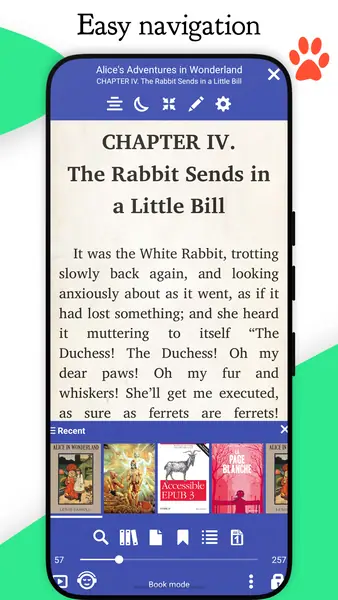
- Recent (featuring a reading-progress indicator)
- Support for bookmarks, annotations, and EPUB3 tables of contents
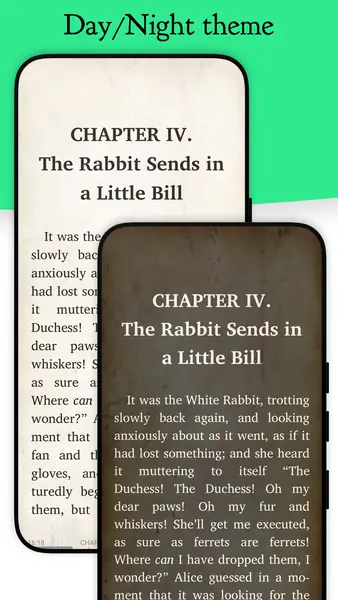
- Configurable Day and Night modes
- Configurable link color (hence, footnotes and endnotes color)
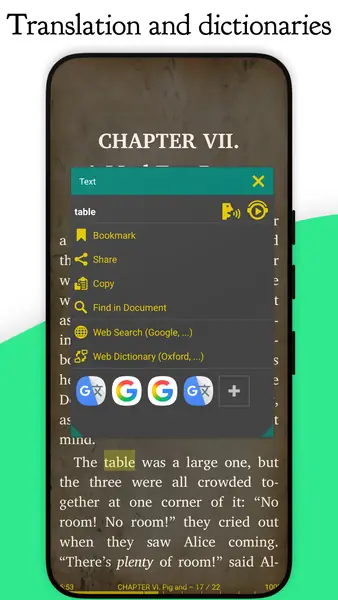
- Support for many popular offline dictionaries
- Vertical-scroll lock
- Auto- and manual centering of documents
- Custom ad-hoc CSS coding
- Single-page view of two-page documents
- Musician's mode with configurable scroll speed
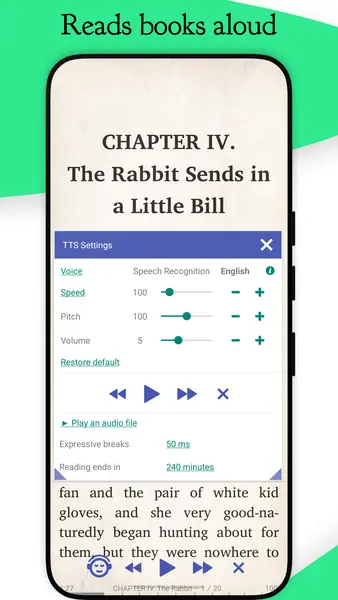
- Customizable TTS reading and built-in media player
- Page-wise TTS recording to MP3 or WAV
- Multi-word text search
- Support for archived (.zip) documents
- Support for RTL languages (Thai, Hebrew, Arabic, etc.)
- Import and export of settings, auto-backup of current session
- Leading initials in FB2 documents
- RSVP reading (à la Spritz)
- Movable bookmarks, w/ a floating indicator
- And a whole bunch of other features for you to check out.
You can read books in your web browser with the Librera Book Reader https://librera.mobi/online-book-reader/
The best way to fully appreciate Librera Reader, however, is to use our restriction-free Librera PRO version from Google Play.
If you enjoy Librera, please consider making a donation: https://www.patreon.com/librera
معلومات ملف APK
| اسم الحزمة | com.foobnix.pro.pdf.reader |
|---|---|
| الإصدار | 10.0.35-fdroid (الرمز 7587) |
| أدنى إصدار أندرويد | Android 7.0 · مخصّص لـ Android 16 |
| المعماريات | arm64-v8a, armeabi-v7a, x86, x86_64 |
| SHA-256 | 441c9b4d55ce70b02e4d140606b985abd4bd1bbb4e23311bbe8edef2126dccaf |
| التوقيع | ea0d90df4dde7b9a9e8eaebe2e8aa47ed13f4df9d77aa64bc99c7ed309d2a84d |
| الترخيص | GPL-3.0-or-later — ترخيص حر من نوع copyleft: الشيفرة متاحة ويجب أن تبقى النسخ المعدّلة حرة |
| الشيفرة المصدرية | github.com/foobnix/LibreraReader |
| الموقع الرسمي | librera.mobi/ |
الأذونات
- الكتابة في التخزين
- الوصول إلى كل الملفات حسّاس
- العمل في الخلفية
- الاهتزاز
- منع وضع السكون
- عرض حالة الشبكة
- الوصول إلى الإنترنت
- عرض الإشعارات
- التشغيل عند بدء الجهاز
- قراءة التخزين
إصدارات سابقة
- Librera Reader 10.0.35-fdroid17 نوفمبر 2026 · 124.2 م.ب
- Librera Reader 10.0.31-fdroid13 نوفمبر 2026 · 124.1 م.ب
- Librera Reader 10.0.26-fdroid9 نوفمبر 2026 · 119.6 م.ب
كيفية تثبيت Librera Reader APK
- اضغط على تنزيل APK أعلاه، ثم افتح الملف بعد اكتمال التنزيل.
- إذا طلب أندرويد ذلك، اسمح للمتصفح بتثبيت التطبيقات غير المعروفة.
- اضغط على تثبيت. سيظهر Librera Reader مع تطبيقاتك الأخرى.
→ كيفية تثبيت ملف APK على أندرويد (خطوة بخطوة)
→ «لم يتم تثبيت التطبيق»: الأسباب والحلول
أسئلة شائعة
هل Librera Reader مجاني؟
نعم. يُوزَّع Librera Reader بترخيص GPL-3.0-or-later: مجاني، بلا اشتراك، وشيفرته المصدرية متاحة للجميع.
هل ملف APK هذا آمن؟
الملف هو الذي بناه ونشره مستودع F-Droid من الشيفرة المصدرية العامة. بصمة SHA-256 الخاصة به معروضة أعلاه، ويمكنك مقارنتها بعد التنزيل. هل ملف APK خطير؟ كيف تفحص الملف قبل تثبيته
هل يعمل Librera Reader على هاتفي؟
تحتاج إلى Android 7.0 على الأقل. يعمل التطبيق أيضًا دون خدمات Google، لذا يعمل على هواتف هواوي الحديثة.

