
Librera Reader APK
書籍とPDFのリーダー
APK をダウンロード v10.0.35-fdroid · 124.2 MB- バージョン10.0.35-fdroid
- サイズ124.2 MB
- 必要環境Android 7.0
- 更新日2026/11/17
- ライセンスGPL-3.0-or-later
- 価格無料
Librera Reader について
開発者による説明(英語)。
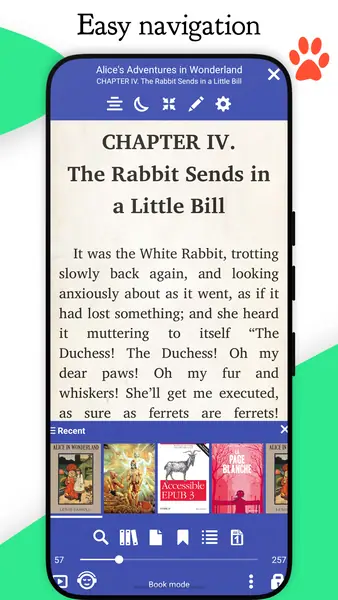
Librera Reader is a highly customizable and feature-rich application for reading e-books in PDF, EPUB, MOBI, DjVu, FB2, TXT, RTF, AZW, AZW3, HTML, CBZ, CBR, DOC, DOCX, formats.
With its intuitive, yet powerful, interface, Librera makes ebook reading a veritable pleasure. It even features a unique auto-scrolling, hands-free Musician's mode, with controllable speed.
F-Droid version is based on the latest MuPDF and support Android 4.1+.
The only difference between Librera FD (F-Droid) and Librera PRO is the absence of Google Play services and Google Drive book synchronization in Librera FD.
Just a few Librera main features:
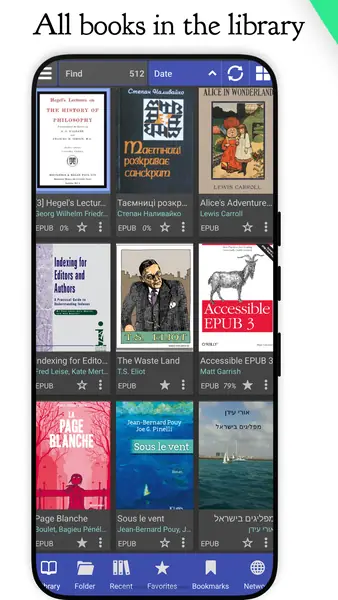
- Easy document discovery by configurable criteria:
- Auto-Scan (user-specified folders)
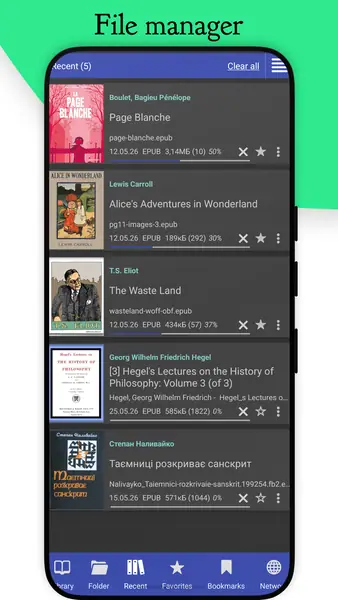
- Browse folders (using an in-app file explorer)
- Recent (featuring a reading-progress indicator)
- Support for bookmarks, annotations, and EPUB3 tables of contents
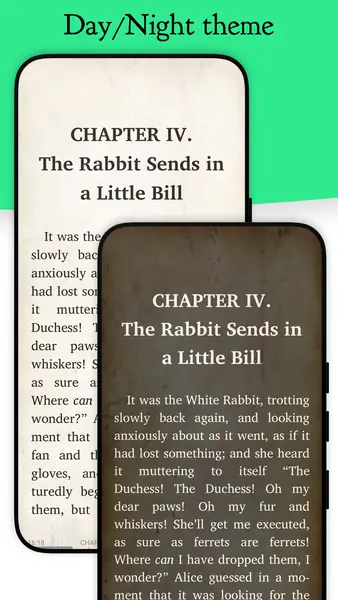
- Configurable Day and Night modes
- Configurable link color (hence, footnotes and endnotes color)
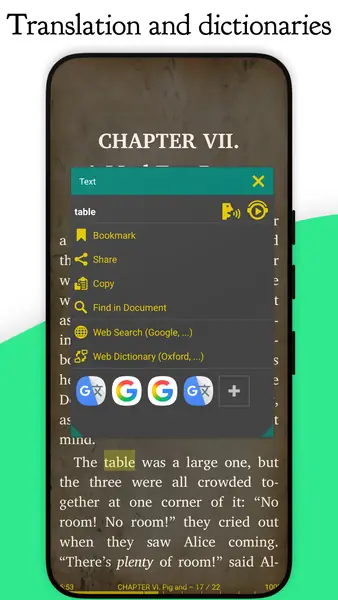
- Support for many popular offline dictionaries
- Vertical-scroll lock
- Auto- and manual centering of documents
- Custom ad-hoc CSS coding
- Single-page view of two-page documents
- Musician's mode with configurable scroll speed
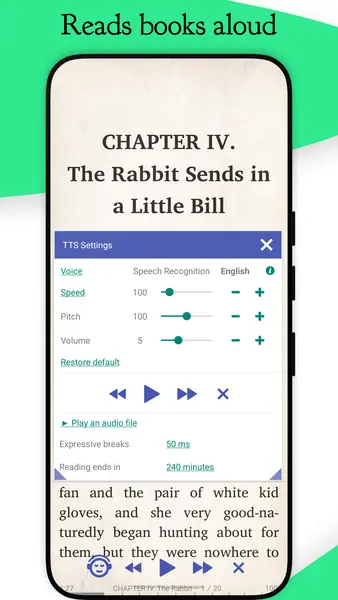
- Customizable TTS reading and built-in media player
- Page-wise TTS recording to MP3 or WAV
- Multi-word text search
- Support for archived (.zip) documents
- Support for RTL languages (Thai, Hebrew, Arabic, etc.)
- Import and export of settings, auto-backup of current session
- Leading initials in FB2 documents
- RSVP reading (à la Spritz)
- Movable bookmarks, w/ a floating indicator
- And a whole bunch of other features for you to check out.
You can read books in your web browser with the Librera Book Reader https://librera.mobi/online-book-reader/
The best way to fully appreciate Librera Reader, however, is to use our restriction-free Librera PRO version from Google Play.
If you enjoy Librera, please consider making a donation: https://www.patreon.com/librera
APK ファイルの情報
| パッケージ名 | com.foobnix.pro.pdf.reader |
|---|---|
| バージョン | 10.0.35-fdroid (コード 7587) |
| 最低 Android バージョン | Android 7.0 · 対象 Android 16 |
| アーキテクチャ | arm64-v8a, armeabi-v7a, x86, x86_64 |
| SHA-256 | 441c9b4d55ce70b02e4d140606b985abd4bd1bbb4e23311bbe8edef2126dccaf |
| 署名 | ea0d90df4dde7b9a9e8eaebe2e8aa47ed13f4df9d77aa64bc99c7ed309d2a84d |
| ライセンス | GPL-3.0-or-later — コピーレフト型の自由ライセンス:コードは公開され、改変版も自由である必要があります |
| ソースコード | github.com/foobnix/LibreraReader |
| 公式サイト | librera.mobi/ |
権限
- ストレージへの書き込み
- すべてのファイルへのアクセス 要注意
- バックグラウンドで動作
- バイブレーション
- スリープの防止
- ネットワーク状態の確認
- インターネット接続
- 通知の表示
- 起動時に実行
- ストレージの読み取り
以前のバージョン
- Librera Reader 10.0.35-fdroid2026年11月17日 · 124.2 MB
- Librera Reader 10.0.31-fdroid2026年11月13日 · 124.1 MB
- Librera Reader 10.0.26-fdroid2026年11月9日 · 119.6 MB
Librera Reader APK のインストール方法
- 上のAPK をダウンロードをタップし、ダウンロード後にファイルを開きます。
- Android に確認されたら、ブラウザに不明なアプリのインストールを許可します。
- インストールをタップします。Librera Reader がほかのアプリと一緒に表示されます。
→ Android に APK ファイルをインストールする方法(手順付き)
→ 「アプリはインストールされていません」:原因と対処法
よくある質問
Librera Reader は無料ですか?
はい。Librera Reader は GPL-3.0-or-later ライセンスで配布されており、無料・サブスクリプション不要で、ソースコードも公開されています。
この APK ファイルは安全ですか?
このファイルは F-Droid リポジトリが公開ソースコードからビルドして公開したものです。SHA-256 フィンガープリントを上に記載しているので、ダウンロード後に照合できます。 APK は危険?インストール前にファイルを確認する方法
Librera Reader は自分のスマホで動きますか?
Android 7.0 以上が必要です。Google サービスがなくても動作するため、最近の Huawei 端末でも使えます。




