Librera Reader APK
Czytnik książek i plików PDF
Pobierz APK v10.0.35-fdroid · 124,2 MB- Wersja10.0.35-fdroid
- Rozmiar124,2 MB
- WymagaAndroid 7.0
- Aktualizacja17.11.2026
- LicencjaGPL-3.0-or-later
- CenaZa darmo
O aplikacji Librera Reader
Opis od twórcy (po angielsku).
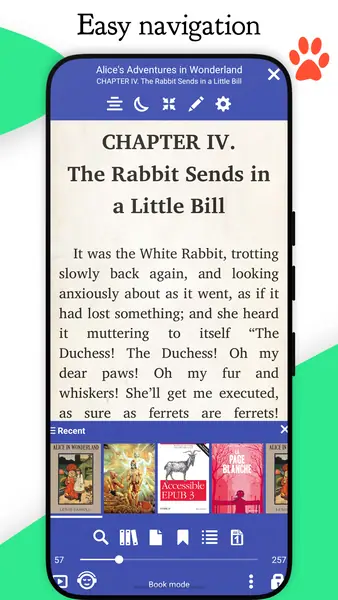
Librera Reader is a highly customizable and feature-rich application for reading e-books in PDF, EPUB, MOBI, DjVu, FB2, TXT, RTF, AZW, AZW3, HTML, CBZ, CBR, DOC, DOCX, formats.
With its intuitive, yet powerful, interface, Librera makes ebook reading a veritable pleasure. It even features a unique auto-scrolling, hands-free Musician's mode, with controllable speed.
F-Droid version is based on the latest MuPDF and support Android 4.1+.
The only difference between Librera FD (F-Droid) and Librera PRO is the absence of Google Play services and Google Drive book synchronization in Librera FD.
Just a few Librera main features:
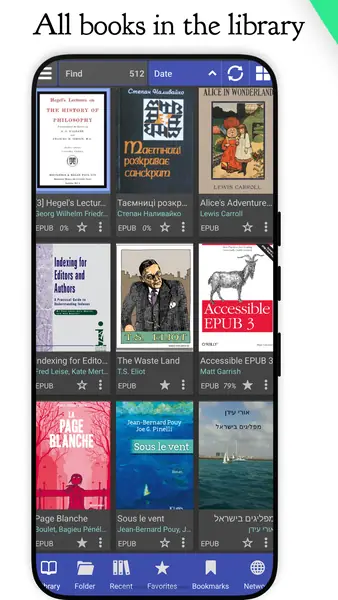
- Easy document discovery by configurable criteria:
- Auto-Scan (user-specified folders)
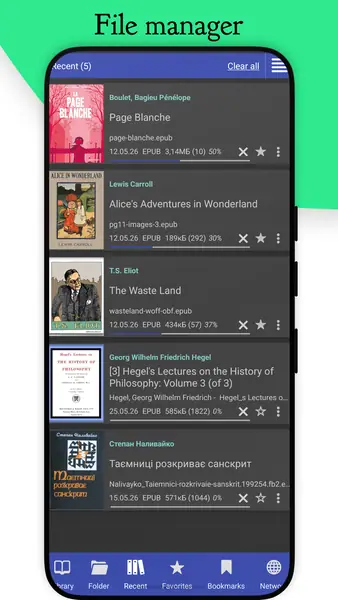
- Browse folders (using an in-app file explorer)
- Recent (featuring a reading-progress indicator)
- Support for bookmarks, annotations, and EPUB3 tables of contents
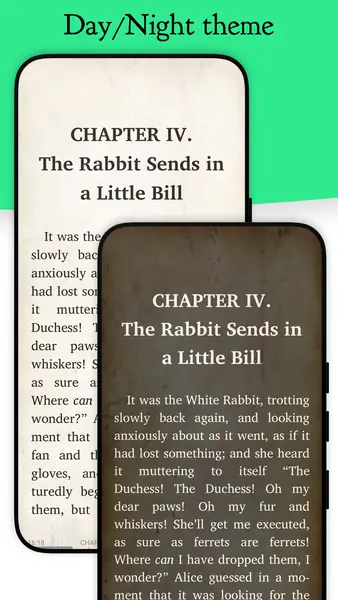
- Configurable Day and Night modes
- Configurable link color (hence, footnotes and endnotes color)
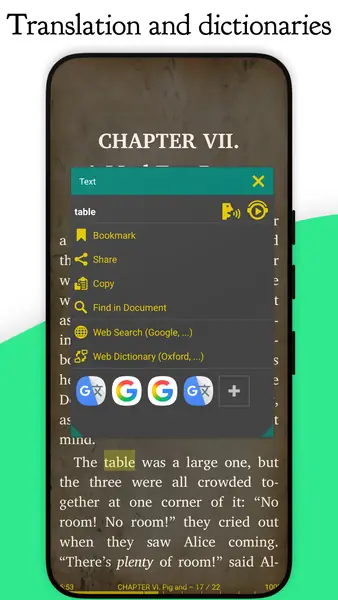
- Support for many popular offline dictionaries
- Vertical-scroll lock
- Auto- and manual centering of documents
- Custom ad-hoc CSS coding
- Single-page view of two-page documents
- Musician's mode with configurable scroll speed
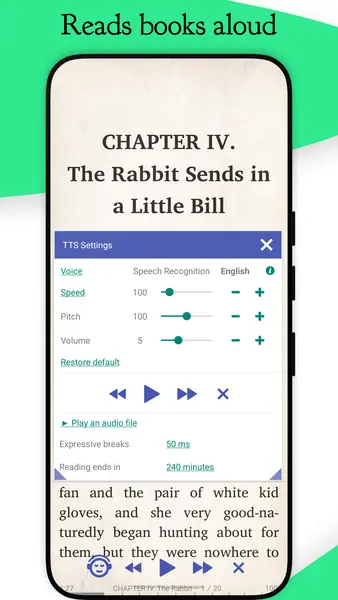
- Customizable TTS reading and built-in media player
- Page-wise TTS recording to MP3 or WAV
- Multi-word text search
- Support for archived (.zip) documents
- Support for RTL languages (Thai, Hebrew, Arabic, etc.)
- Import and export of settings, auto-backup of current session
- Leading initials in FB2 documents
- RSVP reading (à la Spritz)
- Movable bookmarks, w/ a floating indicator
- And a whole bunch of other features for you to check out.
You can read books in your web browser with the Librera Book Reader https://librera.mobi/online-book-reader/
The best way to fully appreciate Librera Reader, however, is to use our restriction-free Librera PRO version from Google Play.
If you enjoy Librera, please consider making a donation: https://www.patreon.com/librera
Informacje o pliku APK
| Nazwa pakietu | com.foobnix.pro.pdf.reader |
|---|---|
| Wersja | 10.0.35-fdroid (kod 7587) |
| Minimalny Android | Android 7.0 · docelowo Android 16 |
| Architektury | arm64-v8a, armeabi-v7a, x86, x86_64 |
| SHA-256 | 441c9b4d55ce70b02e4d140606b985abd4bd1bbb4e23311bbe8edef2126dccaf |
| Podpis | ea0d90df4dde7b9a9e8eaebe2e8aa47ed13f4df9d77aa64bc99c7ed309d2a84d |
| Licencja | GPL-3.0-or-later — wolna licencja copyleft: kod jest publiczny, a zmienione wersje muszą pozostać wolne |
| Kod źródłowy | github.com/foobnix/LibreraReader |
| Oficjalna strona | librera.mobi/ |
Uprawnienia
- Zapis w pamięci
- Dostęp do wszystkich plików wrażliwe
- Praca w tle
- Wibracje
- Blokada uśpienia
- Stan sieci
- Dostęp do internetu
- Powiadomienia
- Uruchamianie przy starcie
- Odczyt pamięci
Starsze wersje
- Librera Reader 10.0.35-fdroid17 listopada 2026 · 124,2 MB
- Librera Reader 10.0.31-fdroid13 listopada 2026 · 124,1 MB
- Librera Reader 10.0.26-fdroid9 listopada 2026 · 119,6 MB
Jak zainstalować Librera Reader APK
- Dotknij Pobierz APK powyżej i otwórz plik po zakończeniu pobierania.
- Jeśli Android zapyta, pozwól przeglądarce instalować nieznane aplikacje.
- Dotknij Zainstaluj. Librera Reader pojawi się wśród innych aplikacji.
→ Jak zainstalować plik APK na Androidzie (krok po kroku)
→ „Aplikacja nie została zainstalowana”: przyczyny i rozwiązania
Najczęstsze pytania
Czy Librera Reader jest darmowa?
Tak. Librera Reader jest udostępniana na licencji GPL-3.0-or-later: za darmo, bez abonamentu, z publicznym kodem źródłowym.
Czy ten plik APK jest bezpieczny?
Plik został zbudowany i opublikowany przez repozytorium F-Droid z publicznego kodu źródłowego. Jego odcisk SHA-256 podano powyżej — porównaj go po pobraniu. Czy APK jest niebezpieczny? Jak sprawdzić plik przed instalacją
Czy Librera Reader zadziała na moim telefonie?
Potrzebujesz co najmniej Android 7.0. Aplikacja działa też bez usług Google, więc również na nowych telefonach Huawei.