
Librera Reader APK
Lector de libros electrónicos y PDF
Descargar APK v10.0.35-fdroid · 124,2 MB- Versión10.0.35-fdroid
- Tamaño124,2 MB
- RequiereAndroid 7.0
- Actualizada17/11/2026
- LicenciaGPL-3.0-or-later
- PrecioGratis
Acerca de Librera Reader
Descripción del desarrollador (en inglés).
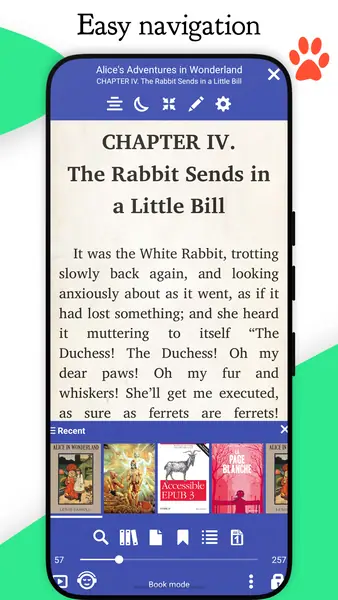
Librera Reader is a highly customizable and feature-rich application for reading e-books in PDF, EPUB, MOBI, DjVu, FB2, TXT, RTF, AZW, AZW3, HTML, CBZ, CBR, DOC, DOCX, formats.
With its intuitive, yet powerful, interface, Librera makes ebook reading a veritable pleasure. It even features a unique auto-scrolling, hands-free Musician's mode, with controllable speed.
F-Droid version is based on the latest MuPDF and support Android 4.1+.
The only difference between Librera FD (F-Droid) and Librera PRO is the absence of Google Play services and Google Drive book synchronization in Librera FD.
Just a few Librera main features:
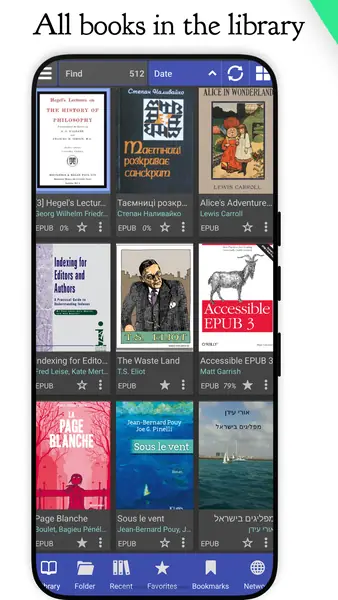
- Easy document discovery by configurable criteria:
- Auto-Scan (user-specified folders)
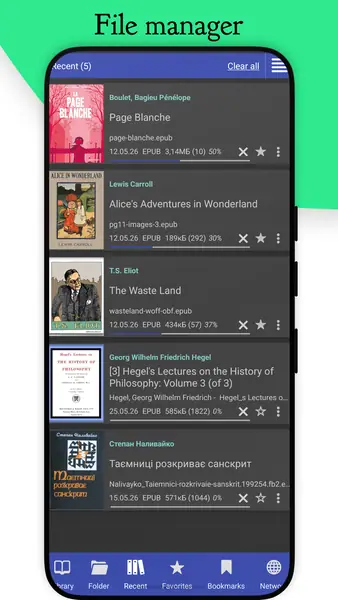
- Browse folders (using an in-app file explorer)
- Recent (featuring a reading-progress indicator)
- Support for bookmarks, annotations, and EPUB3 tables of contents
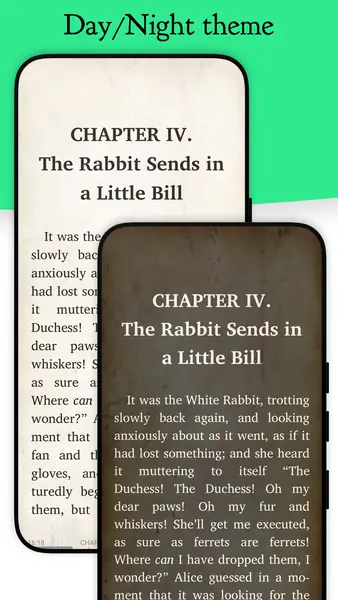
- Configurable Day and Night modes
- Configurable link color (hence, footnotes and endnotes color)
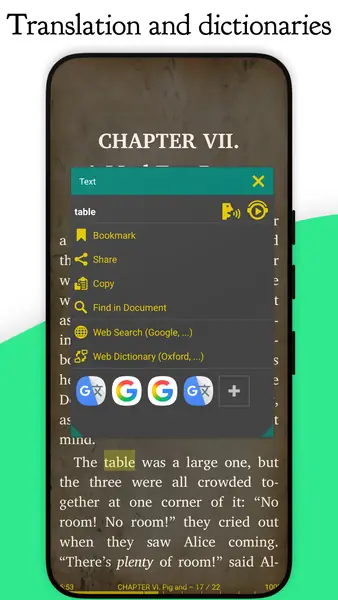
- Support for many popular offline dictionaries
- Vertical-scroll lock
- Auto- and manual centering of documents
- Custom ad-hoc CSS coding
- Single-page view of two-page documents
- Musician's mode with configurable scroll speed
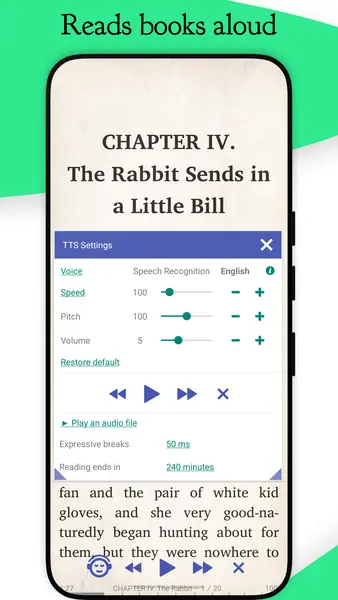
- Customizable TTS reading and built-in media player
- Page-wise TTS recording to MP3 or WAV
- Multi-word text search
- Support for archived (.zip) documents
- Support for RTL languages (Thai, Hebrew, Arabic, etc.)
- Import and export of settings, auto-backup of current session
- Leading initials in FB2 documents
- RSVP reading (à la Spritz)
- Movable bookmarks, w/ a floating indicator
- And a whole bunch of other features for you to check out.
You can read books in your web browser with the Librera Book Reader https://librera.mobi/online-book-reader/
The best way to fully appreciate Librera Reader, however, is to use our restriction-free Librera PRO version from Google Play.
If you enjoy Librera, please consider making a donation: https://www.patreon.com/librera
Información del archivo APK
| Nombre del paquete | com.foobnix.pro.pdf.reader |
|---|---|
| Versión | 10.0.35-fdroid (código 7587) |
| Android mínimo | Android 7.0 · diseñada para Android 16 |
| Arquitecturas | arm64-v8a, armeabi-v7a, x86, x86_64 |
| SHA-256 | 441c9b4d55ce70b02e4d140606b985abd4bd1bbb4e23311bbe8edef2126dccaf |
| Firma | ea0d90df4dde7b9a9e8eaebe2e8aa47ed13f4df9d77aa64bc99c7ed309d2a84d |
| Licencia | GPL-3.0-or-later — licencia libre copyleft: el código es público y las versiones modificadas deben seguir siendo libres |
| Código fuente | github.com/foobnix/LibreraReader |
| Sitio oficial | librera.mobi/ |
Permisos solicitados
- Escribir en el almacenamiento
- Acceso a todos los archivos sensible
- Funcionar en segundo plano
- Vibrar
- Impedir la suspensión
- Ver el estado de la red
- Acceso a Internet
- Mostrar notificaciones
- Iniciarse al arrancar
- Leer el almacenamiento
Versiones anteriores
- Librera Reader 10.0.35-fdroid17 de noviembre de 2026 · 124,2 MB
- Librera Reader 10.0.31-fdroid13 de noviembre de 2026 · 124,1 MB
- Librera Reader 10.0.26-fdroid9 de noviembre de 2026 · 119,6 MB
Cómo instalar Librera Reader APK
- Pulsa Descargar APK arriba y abre el archivo cuando termine la descarga.
- Si Android lo pide, permite que tu navegador instale apps desconocidas.
- Pulsa Instalar. Librera Reader aparecerá junto a tus otras apps.
→ Cómo instalar un archivo APK en Android (paso a paso)
→ «La aplicación no está instalada»: causas y soluciones
Preguntas frecuentes
¿Librera Reader es gratis?
Sí. Librera Reader se distribuye con licencia GPL-3.0-or-later: gratis, sin suscripción y con el código fuente público.
¿Es seguro este archivo APK?
El archivo es el que compila y publica el repositorio F-Droid a partir del código fuente público. Su huella SHA-256 aparece arriba para que puedas compararla tras la descarga. ¿Un APK es peligroso? Cómo verificar un archivo antes de instalarlo
¿Funciona Librera Reader en mi teléfono?
Necesitas como mínimo Android 7.0. La app también funciona sin los servicios de Google, así que funciona en los teléfonos Huawei recientes.





