Librera Reader APK
Lettore di libri e PDF
Scarica l'APK v10.0.35-fdroid · 124,2 MB- Versione10.0.35-fdroid
- Dimensione124,2 MB
- RichiedeAndroid 7.0
- Aggiornata17/11/2026
- LicenzaGPL-3.0-or-later
- PrezzoGratis
Informazioni su Librera Reader
Descrizione fornita dallo sviluppatore (in inglese).
Librera Reader is a highly customizable and feature-rich application for reading e-books in PDF, EPUB, MOBI, DjVu, FB2, TXT, RTF, AZW, AZW3, HTML, CBZ, CBR, DOC, DOCX, formats.
With its intuitive, yet powerful, interface, Librera makes ebook reading a veritable pleasure. It even features a unique auto-scrolling, hands-free Musician's mode, with controllable speed.
F-Droid version is based on the latest MuPDF and support Android 4.1+.
The only difference between Librera FD (F-Droid) and Librera PRO is the absence of Google Play services and Google Drive book synchronization in Librera FD.
Just a few Librera main features:
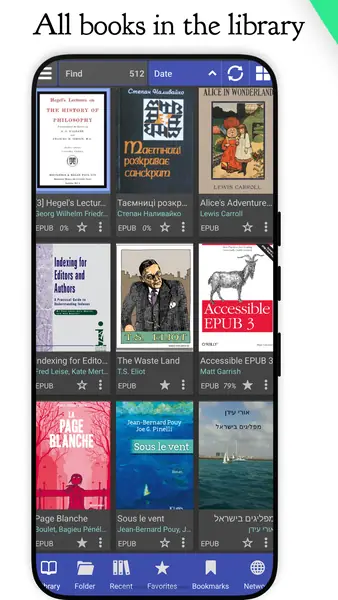
- Easy document discovery by configurable criteria:
- Auto-Scan (user-specified folders)
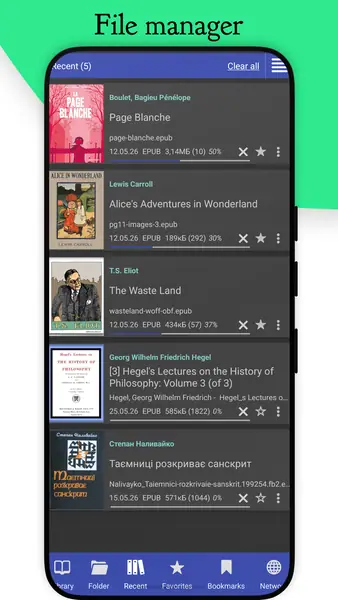
- Browse folders (using an in-app file explorer)
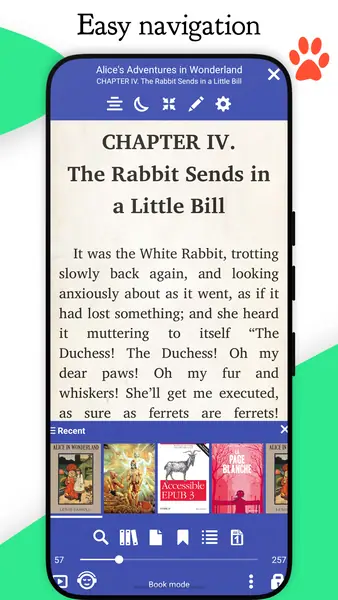
- Recent (featuring a reading-progress indicator)
- Support for bookmarks, annotations, and EPUB3 tables of contents
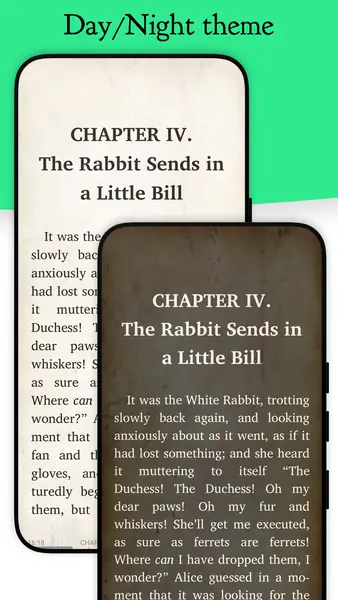
- Configurable Day and Night modes
- Configurable link color (hence, footnotes and endnotes color)
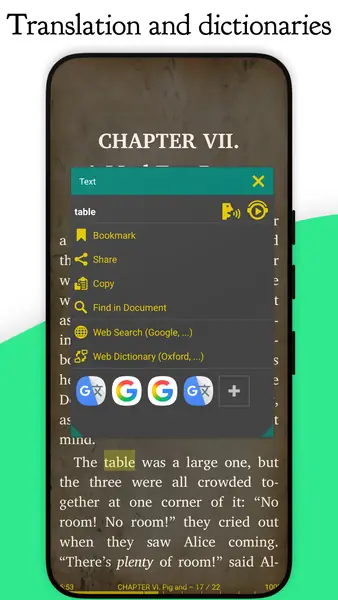
- Support for many popular offline dictionaries
- Vertical-scroll lock
- Auto- and manual centering of documents
- Custom ad-hoc CSS coding
- Single-page view of two-page documents
- Musician's mode with configurable scroll speed
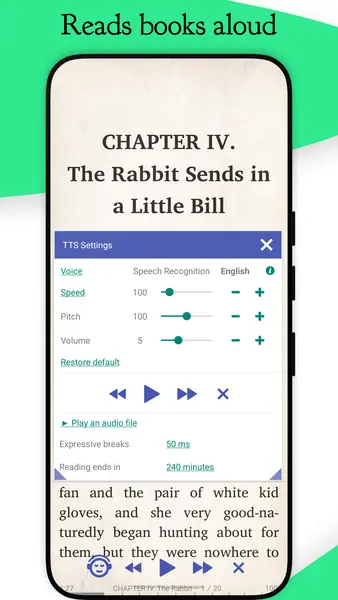
- Customizable TTS reading and built-in media player
- Page-wise TTS recording to MP3 or WAV
- Multi-word text search
- Support for archived (.zip) documents
- Support for RTL languages (Thai, Hebrew, Arabic, etc.)
- Import and export of settings, auto-backup of current session
- Leading initials in FB2 documents
- RSVP reading (à la Spritz)
- Movable bookmarks, w/ a floating indicator
- And a whole bunch of other features for you to check out.
You can read books in your web browser with the Librera Book Reader https://librera.mobi/online-book-reader/
The best way to fully appreciate Librera Reader, however, is to use our restriction-free Librera PRO version from Google Play.
If you enjoy Librera, please consider making a donation: https://www.patreon.com/librera
Informazioni sul file APK
| Nome del pacchetto | com.foobnix.pro.pdf.reader |
|---|---|
| Versione | 10.0.35-fdroid (codice 7587) |
| Android minimo | Android 7.0 · pensata per Android 16 |
| Architetture | arm64-v8a, armeabi-v7a, x86, x86_64 |
| SHA-256 | 441c9b4d55ce70b02e4d140606b985abd4bd1bbb4e23311bbe8edef2126dccaf |
| Firma | ea0d90df4dde7b9a9e8eaebe2e8aa47ed13f4df9d77aa64bc99c7ed309d2a84d |
| Licenza | GPL-3.0-or-later — licenza libera copyleft: il codice è pubblico e le versioni modificate devono restare libere |
| Codice sorgente | github.com/foobnix/LibreraReader |
| Sito ufficiale | librera.mobi/ |
Autorizzazioni richieste
- Scrivere nell'archivio
- Accesso a tutti i file sensibile
- Funzionare in background
- Vibrare
- Impedire lo standby
- Vedere lo stato della rete
- Accesso a Internet
- Mostrare notifiche
- Avviarsi all'accensione
- Leggere l'archivio
Versioni precedenti
- Librera Reader 10.0.35-fdroid17 novembre 2026 · 124,2 MB
- Librera Reader 10.0.31-fdroid13 novembre 2026 · 124,1 MB
- Librera Reader 10.0.26-fdroid9 novembre 2026 · 119,6 MB
Come installare Librera Reader APK
- Tocca Scarica l'APK qui sopra, poi apri il file al termine del download.
- Se Android lo chiede, consenti al browser di installare app sconosciute.
- Tocca Installa. Librera Reader comparirà insieme alle altre app.
→ Come installare un file APK su Android (passo passo)
→ «App non installata»: cause e soluzioni
Domande frequenti
Librera Reader è gratis?
Sì. Librera Reader è distribuita con licenza GPL-3.0-or-later: gratuita, senza abbonamento e con codice sorgente pubblico.
Questo file APK è sicuro?
Il file è quello compilato e pubblicato dal repository F-Droid a partire dal codice sorgente pubblico. L'impronta SHA-256 è indicata qui sopra: puoi confrontarla dopo il download. Un APK è pericoloso? Come verificare un file prima di installarlo
Librera Reader funziona sul mio telefono?
Serve almeno Android 7.0. L'app funziona anche senza i servizi Google, quindi anche sui telefoni Huawei recenti.