
Exif Thumbnail Adder APK
Add thumbnail in the EXIF tag of JPEG picture not having one (batch processing)
Stáhnout APK v1.0.1 · 24,6 MB- Verze1.0.1
- Velikost24,6 MB
- VyžadujeAndroid 8.0
- Aktualizace24. 5. 2025
- LicenceGPL-3.0-or-later
- CenaZdarma
O aplikaci Exif Thumbnail Adder
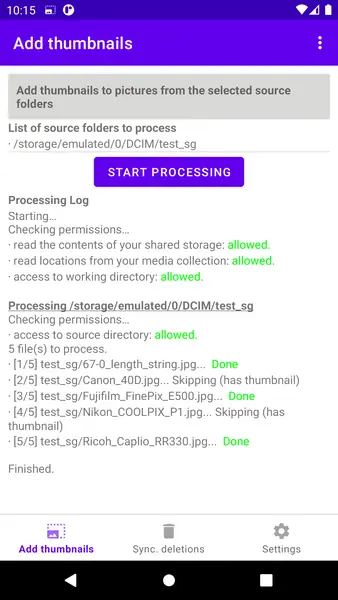
This application for android devices searches for pictures (JPEG) on your device and adds a thumbnail if they don't have one yet. Thumbnails are added to the EXIF metadata structure.
It is designed to work from android Oreo (android 8, SDK 26).
Please report issues here: https://github.com/tenzap/exif-thumbnail-adder/issues
For more information, some known facts and how you may contribute, refer to the [project homepage][1].
Rationale
On some smartphones, when wanting to import pictures to Windows (or any device/operating system supporting MTP or PTP protocols), I noticed the pictures may not display a thumbnail in the import wizard (whether through the Photos app, or through the Windows Explorer import feature).
There are two possible reasons for that behaviour. First, the thumbnail is not present in the picture, usually because the app that created the picture didn't add a thumbnail. Second, there is a thumbnail but it is ignored because some EXIF tags are missing.
Features
- Add thumbnail to pictures (JPEG) that don't yet have one
- Lanczos algorithm to downsample picture thanks to [FFmpeg's swscale library][2] for best results.
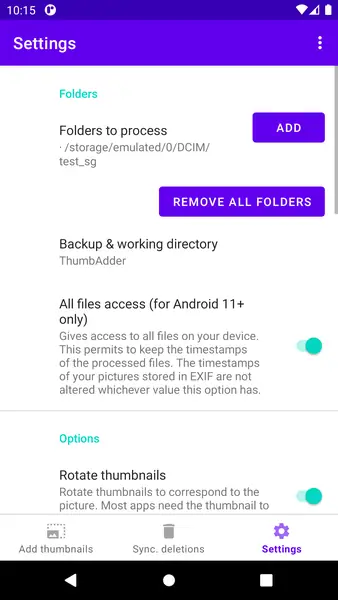
- Select one or more folders to scan from any storage (internal, SDCard...). For example DCIM, Pictures...
- Exclude one subdirectory from selected directories
- Preserve timestamps of the pictures
- Processing log
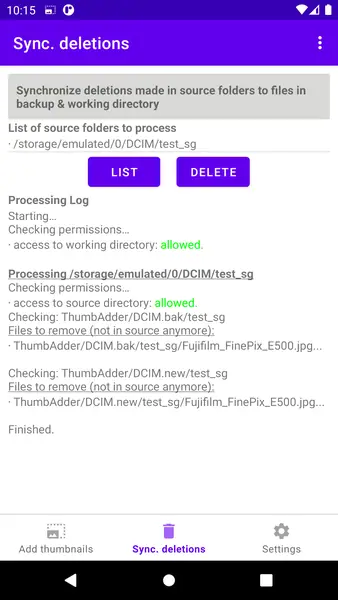
- Synchronize deleted files in the source directory to the backup and working directory (so that you don't keep in the backup folder pictures you don't have anymore in the source folder)
- Conservative default options (backup pictures, skip corrupt files)
- Install app on internal storage or external storage
- Default EXIF library: [Exiv2][3].
- Alternative libraries: Android-Exif-Extended, libexif, pixymeta-android. See known facts on project page to learn more on benefits and drawbacks of each library.
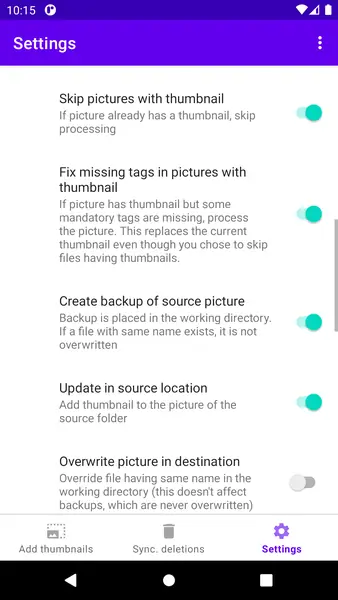
- Settings:
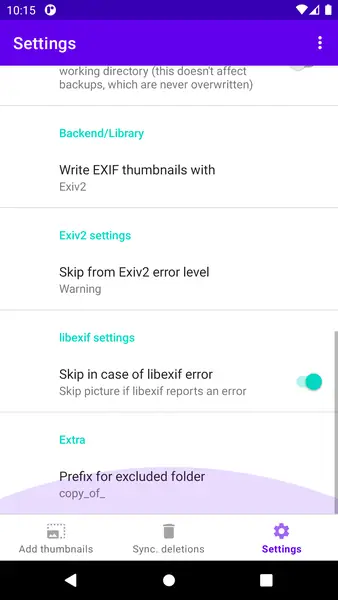
 - Rotate the thumbnail  - Replace existing thumbnail  - Backup of original pictures (backup is never overwritten by the app once created if you choose to add the thumbnail to the input file in its initial location)  - Skip pictures having malformed metadata (this can be disabled to process also files having corrupt tags)  - Replace picture in place or write new picture to another directory
Requested permissions
- WRITE_EXTERNAL_STORAGE, READ_EXTERNAL_STORAGE, READ_MEDIA_IMAGES
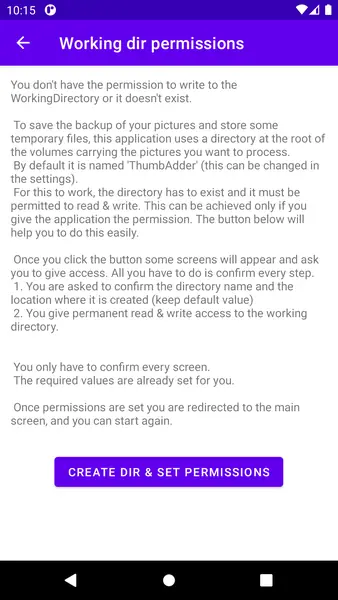
- MANAGE_EXTERNAL_STORAGE
- ACCESS_MEDIA_LOCATION
- POST_NOTIFICATIONS
- get more details on the project homepage
Installation
- Prerequisites: minimum android Oreo (android 8, SDK 26). App was tested up to Android 11.
- Download it through F-Droid app [here][4]
- Download the APK from the [release page][5]
License
GPL-3.0 (see "COPYING" file on project homepage)
URLs
- [1]: https://github.com/tenzap/exif-thumbnail-adder
- [2]: https://ffmpeg.org/libswscale.html
- [3]: https://www.exiv2.org
- [4]: https://f-droid.org/packages/com.exifthumbnailadder.app
- [5]: https://github.com/tenzap/exif-thumbnail-adder/releases
Novinky ve verzi 1.0.1
1.0.1
- Add support for Android 15 (& set targetSdk to 35) & update toolchain
- exiv2: update to 0.28.5 & expat to 2.7.1
- libexif: update to 0.6.25
- update all gradle dependencies to latest version (except ExifInterface)
- Note: if you run on AOSP or on devices without Google apps, you may loose the GPS information inside your files (at least on emulator image for Android 13). See project homepage for more information.
Informace o souboru APK
| Název balíčku | com.exifthumbnailadder.app |
|---|---|
| Verze | 1.0.1 (kód 767) |
| Minimální Android | Android 8.0 · cílová Android 15 |
| Architektury | arm64-v8a, armeabi-v7a, x86, x86_64 |
| SHA-256 | 6322a66590354b51404fe9d72216dc5f354f32bb35bfa3006d3eff43a35f4f03 |
| Podpis | 3e91248f525c3a69717204154b7fe1daf79d264a0c17956fdde85d71623addc4 |
| Licence | GPL-3.0-or-later — svobodná copyleftová licence: kód je veřejný a upravené verze musí zůstat svobodné |
| Zdrojový kód | github.com/tenzap/exif-thumbnail-adder |
Oprávnění
- Zápis do úložiště
- Čtení úložiště
- Čtení fotek
- Přístup ke všem souborům citlivé
- Běh na pozadí
- Oznámení
- Zabránění spánku
- Stav sítě
- Spuštění po startu
Další technická oprávnění: 1
ACCESS_MEDIA_LOCATION
Starší verze
- Exif Thumbnail Adder 1.0.124. května 2025 · 24,6 MB
- Exif Thumbnail Adder 1.0.09. května 2024 · 24,8 MB
- Exif Thumbnail Adder 0.9.1913. dubna 2023 · 21,4 MB
Jak nainstalovat Exif Thumbnail Adder APK
- Klepněte výše na Stáhnout APK a po stažení soubor otevřete.
- Pokud se Android zeptá, povolte prohlížeči instalovat neznámé aplikace.
- Klepněte na Instalovat. Exif Thumbnail Adder se objeví mezi ostatními aplikacemi.
→ Jak nainstalovat soubor APK na Android (krok za krokem)
→ „Aplikace nebyla nainstalována“: příčiny a řešení
Časté dotazy
Je Exif Thumbnail Adder zdarma?
Ano. Exif Thumbnail Adder je šířena pod licencí GPL-3.0-or-later: zdarma, bez předplatného a s veřejným zdrojovým kódem.
Je tento soubor APK bezpečný?
Soubor sestavil a zveřejnil repozitář F-Droid z veřejného zdrojového kódu. Jeho otisk SHA-256 je uveden výše — po stažení jej můžete porovnat. Je APK nebezpečné? Jak ověřit soubor před instalací
Bude Exif Thumbnail Adder fungovat na mém telefonu?
Potřebujete alespoň Android 8.0. Aplikace funguje i bez služeb Google, takže i na nových telefonech Huawei.




