
Exif Thumbnail Adder APK
Add thumbnail in the EXIF tag of JPEG picture not having one (batch processing)
Download APK v1.0.1 · 24.6 MB- Version1.0.1
- Size24.6 MB
- RequiresAndroid 8.0
- Updated5/24/2025
- LicenceGPL-3.0-or-later
- PriceFree
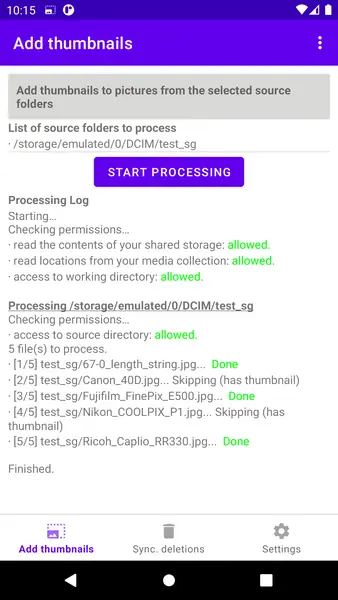
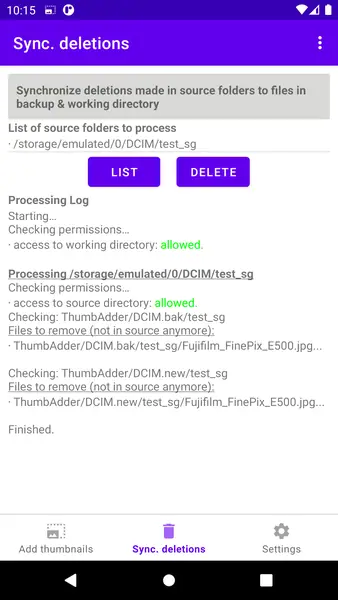
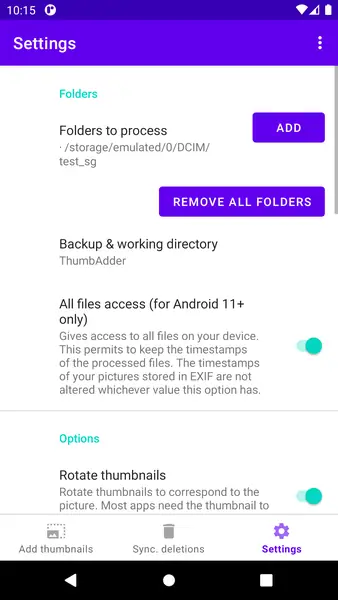
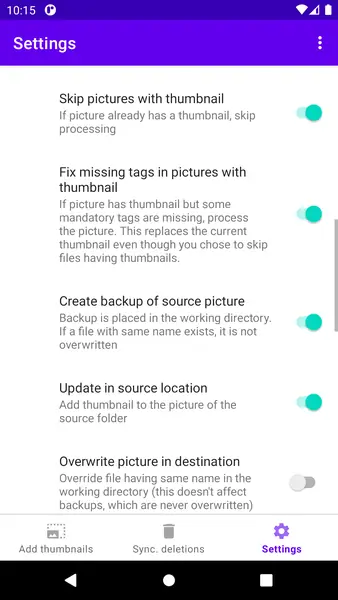
About Exif Thumbnail Adder
This application for android devices searches for pictures (JPEG) on your device and adds a thumbnail if they don't have one yet. Thumbnails are added to the EXIF metadata structure.
It is designed to work from android Oreo (android 8, SDK 26).
Please report issues here: https://github.com/tenzap/exif-thumbnail-adder/issues
For more information, some known facts and how you may contribute, refer to the [project homepage][1].
Rationale
On some smartphones, when wanting to import pictures to Windows (or any device/operating system supporting MTP or PTP protocols), I noticed the pictures may not display a thumbnail in the import wizard (whether through the Photos app, or through the Windows Explorer import feature).
There are two possible reasons for that behaviour. First, the thumbnail is not present in the picture, usually because the app that created the picture didn't add a thumbnail. Second, there is a thumbnail but it is ignored because some EXIF tags are missing.
Features
- Add thumbnail to pictures (JPEG) that don't yet have one
- Lanczos algorithm to downsample picture thanks to [FFmpeg's swscale library][2] for best results.
- Select one or more folders to scan from any storage (internal, SDCard...). For example DCIM, Pictures...
- Exclude one subdirectory from selected directories
- Preserve timestamps of the pictures
- Processing log
- Synchronize deleted files in the source directory to the backup and working directory (so that you don't keep in the backup folder pictures you don't have anymore in the source folder)
- Conservative default options (backup pictures, skip corrupt files)
- Install app on internal storage or external storage
- Default EXIF library: [Exiv2][3].
- Alternative libraries: Android-Exif-Extended, libexif, pixymeta-android. See known facts on project page to learn more on benefits and drawbacks of each library.
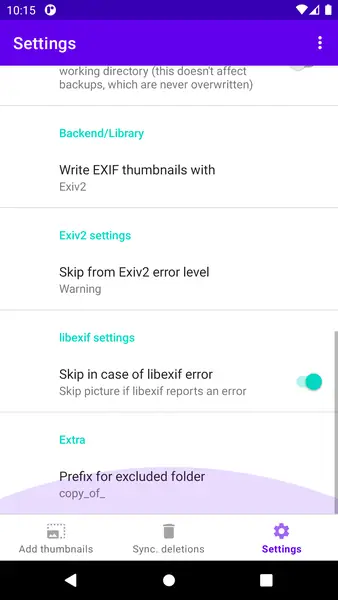
- Settings:
 - Rotate the thumbnail  - Replace existing thumbnail  - Backup of original pictures (backup is never overwritten by the app once created if you choose to add the thumbnail to the input file in its initial location)  - Skip pictures having malformed metadata (this can be disabled to process also files having corrupt tags)  - Replace picture in place or write new picture to another directory
Requested permissions
- WRITE_EXTERNAL_STORAGE, READ_EXTERNAL_STORAGE, READ_MEDIA_IMAGES
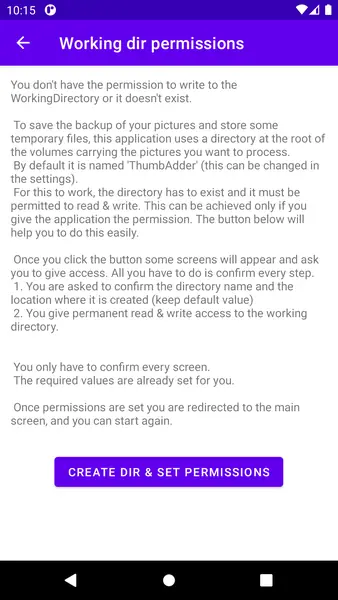
- MANAGE_EXTERNAL_STORAGE
- ACCESS_MEDIA_LOCATION
- POST_NOTIFICATIONS
- get more details on the project homepage
Installation
- Prerequisites: minimum android Oreo (android 8, SDK 26). App was tested up to Android 11.
- Download it through F-Droid app [here][4]
- Download the APK from the [release page][5]
License
GPL-3.0 (see "COPYING" file on project homepage)
URLs
- [1]: https://github.com/tenzap/exif-thumbnail-adder
- [2]: https://ffmpeg.org/libswscale.html
- [3]: https://www.exiv2.org
- [4]: https://f-droid.org/packages/com.exifthumbnailadder.app
- [5]: https://github.com/tenzap/exif-thumbnail-adder/releases
What's new in version 1.0.1
1.0.1
- Add support for Android 15 (& set targetSdk to 35) & update toolchain
- exiv2: update to 0.28.5 & expat to 2.7.1
- libexif: update to 0.6.25
- update all gradle dependencies to latest version (except ExifInterface)
- Note: if you run on AOSP or on devices without Google apps, you may loose the GPS information inside your files (at least on emulator image for Android 13). See project homepage for more information.
APK file information
| Package name | com.exifthumbnailadder.app |
|---|---|
| Version | 1.0.1 (code 767) |
| Minimum Android | Android 8.0 · targets Android 15 |
| Architectures | arm64-v8a, armeabi-v7a, x86, x86_64 |
| SHA-256 | 6322a66590354b51404fe9d72216dc5f354f32bb35bfa3006d3eff43a35f4f03 |
| Signature | 3e91248f525c3a69717204154b7fe1daf79d264a0c17956fdde85d71623addc4 |
| Licence | GPL-3.0-or-later — copyleft free licence: the code is public and modified versions must stay free |
| Source code | github.com/tenzap/exif-thumbnail-adder |
Permissions
- Write to storage
- Read storage
- Read photos
- Access all files sensitive
- Run in the background
- Show notifications
- Keep the device awake
- View network status
- Start at boot
1 other technical permission(s)
ACCESS_MEDIA_LOCATION
Older versions
- Exif Thumbnail Adder 1.0.1May 24, 2025 · 24.6 MB
- Exif Thumbnail Adder 1.0.0May 9, 2024 · 24.8 MB
- Exif Thumbnail Adder 0.9.19April 13, 2023 · 21.4 MB
How to install Exif Thumbnail Adder APK
- Tap Download APK above, then open the file once the download has finished.
- If Android asks, allow your browser to install unknown apps.
- Tap Install. Exif Thumbnail Adder then appears with your other apps.
Having trouble? Read our guides how to install an APK on Android and "App not installed": how to fix it.
Frequently asked questions
Is Exif Thumbnail Adder free?
Yes. Exif Thumbnail Adder is distributed under the GPL-3.0-or-later licence: free, no subscription, and its source code is public.
Is this APK file safe?
The file is the one built and published by the F-Droid repository from the public source code. Its SHA-256 fingerprint is shown above, so you can compare it after downloading. How to check an APK.
Will Exif Thumbnail Adder work on my phone?
You need at least Android 8.0. The app also works without Google services, so it runs on recent Huawei phones too.





