Exif Thumbnail Adder APK
Add thumbnail in the EXIF tag of JPEG picture not having one (batch processing)
APK をダウンロード v1.0.1 · 24.6 MB- バージョン1.0.1
- サイズ24.6 MB
- 必要環境Android 8.0
- 更新日2025/5/24
- ライセンスGPL-3.0-or-later
- 価格無料
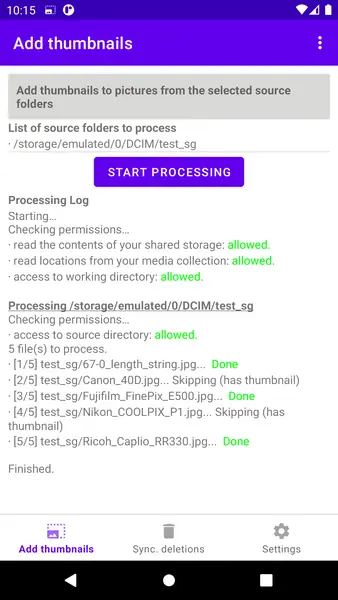
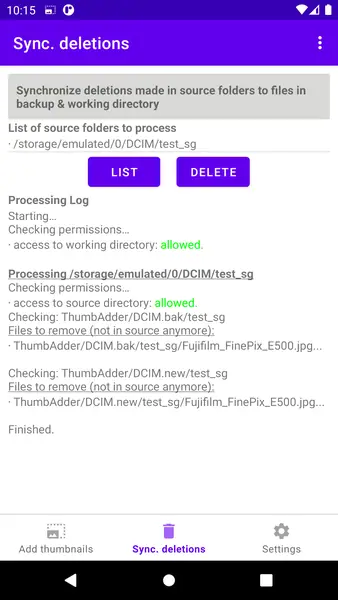
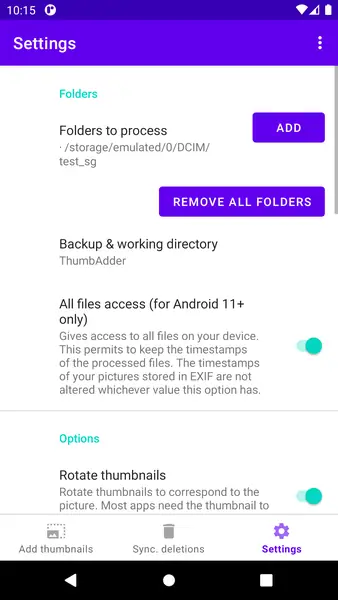
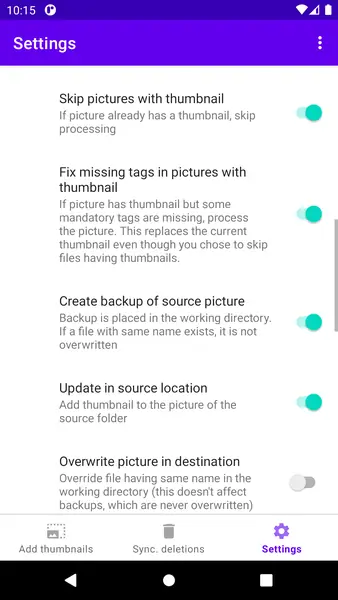
Exif Thumbnail Adder について
This application for android devices searches for pictures (JPEG) on your device and adds a thumbnail if they don't have one yet. Thumbnails are added to the EXIF metadata structure.
It is designed to work from android Oreo (android 8, SDK 26).
Please report issues here: https://github.com/tenzap/exif-thumbnail-adder/issues
For more information, some known facts and how you may contribute, refer to the [project homepage][1].
Rationale
On some smartphones, when wanting to import pictures to Windows (or any device/operating system supporting MTP or PTP protocols), I noticed the pictures may not display a thumbnail in the import wizard (whether through the Photos app, or through the Windows Explorer import feature).
There are two possible reasons for that behaviour. First, the thumbnail is not present in the picture, usually because the app that created the picture didn't add a thumbnail. Second, there is a thumbnail but it is ignored because some EXIF tags are missing.
Features
- Add thumbnail to pictures (JPEG) that don't yet have one
- Lanczos algorithm to downsample picture thanks to [FFmpeg's swscale library][2] for best results.
- Select one or more folders to scan from any storage (internal, SDCard...). For example DCIM, Pictures...
- Exclude one subdirectory from selected directories
- Preserve timestamps of the pictures
- Processing log
- Synchronize deleted files in the source directory to the backup and working directory (so that you don't keep in the backup folder pictures you don't have anymore in the source folder)
- Conservative default options (backup pictures, skip corrupt files)
- Install app on internal storage or external storage
- Default EXIF library: [Exiv2][3].
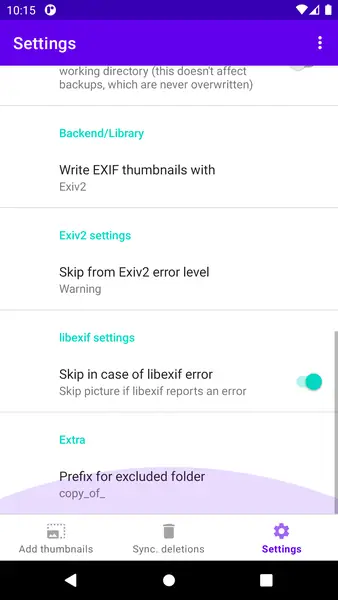
- Alternative libraries: Android-Exif-Extended, libexif, pixymeta-android. See known facts on project page to learn more on benefits and drawbacks of each library.
- Settings:
 - Rotate the thumbnail  - Replace existing thumbnail  - Backup of original pictures (backup is never overwritten by the app once created if you choose to add the thumbnail to the input file in its initial location)  - Skip pictures having malformed metadata (this can be disabled to process also files having corrupt tags)  - Replace picture in place or write new picture to another directory
Requested permissions
- WRITE_EXTERNAL_STORAGE, READ_EXTERNAL_STORAGE, READ_MEDIA_IMAGES
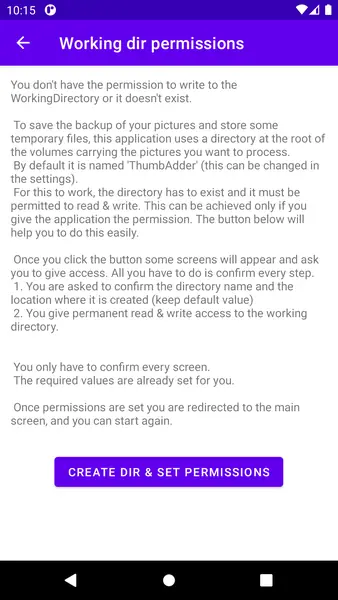
- MANAGE_EXTERNAL_STORAGE
- ACCESS_MEDIA_LOCATION
- POST_NOTIFICATIONS
- get more details on the project homepage
Installation
- Prerequisites: minimum android Oreo (android 8, SDK 26). App was tested up to Android 11.
- Download it through F-Droid app [here][4]
- Download the APK from the [release page][5]
License
GPL-3.0 (see "COPYING" file on project homepage)
URLs
- [1]: https://github.com/tenzap/exif-thumbnail-adder
- [2]: https://ffmpeg.org/libswscale.html
- [3]: https://www.exiv2.org
- [4]: https://f-droid.org/packages/com.exifthumbnailadder.app
- [5]: https://github.com/tenzap/exif-thumbnail-adder/releases
バージョン 1.0.1 の新機能
1.0.1
- Add support for Android 15 (& set targetSdk to 35) & update toolchain
- exiv2: update to 0.28.5 & expat to 2.7.1
- libexif: update to 0.6.25
- update all gradle dependencies to latest version (except ExifInterface)
- Note: if you run on AOSP or on devices without Google apps, you may loose the GPS information inside your files (at least on emulator image for Android 13). See project homepage for more information.
APK ファイルの情報
| パッケージ名 | com.exifthumbnailadder.app |
|---|---|
| バージョン | 1.0.1 (コード 767) |
| 最低 Android バージョン | Android 8.0 · 対象 Android 15 |
| アーキテクチャ | arm64-v8a, armeabi-v7a, x86, x86_64 |
| SHA-256 | 6322a66590354b51404fe9d72216dc5f354f32bb35bfa3006d3eff43a35f4f03 |
| 署名 | 3e91248f525c3a69717204154b7fe1daf79d264a0c17956fdde85d71623addc4 |
| ライセンス | GPL-3.0-or-later — コピーレフト型の自由ライセンス:コードは公開され、改変版も自由である必要があります |
| ソースコード | github.com/tenzap/exif-thumbnail-adder |
権限
- ストレージへの書き込み
- ストレージの読み取り
- 写真の読み取り
- すべてのファイルへのアクセス 要注意
- バックグラウンドで動作
- 通知の表示
- スリープの防止
- ネットワーク状態の確認
- 起動時に実行
その他の技術的な権限(1 件)
ACCESS_MEDIA_LOCATION
以前のバージョン
- Exif Thumbnail Adder 1.0.12025年5月24日 · 24.6 MB
- Exif Thumbnail Adder 1.0.02024年5月9日 · 24.8 MB
- Exif Thumbnail Adder 0.9.192023年4月13日 · 21.4 MB
Exif Thumbnail Adder APK のインストール方法
- 上のAPK をダウンロードをタップし、ダウンロード後にファイルを開きます。
- Android に確認されたら、ブラウザに不明なアプリのインストールを許可します。
- インストールをタップします。Exif Thumbnail Adder がほかのアプリと一緒に表示されます。
→ Android に APK ファイルをインストールする方法(手順付き)
→ 「アプリはインストールされていません」:原因と対処法
よくある質問
Exif Thumbnail Adder は無料ですか?
はい。Exif Thumbnail Adder は GPL-3.0-or-later ライセンスで配布されており、無料・サブスクリプション不要で、ソースコードも公開されています。
この APK ファイルは安全ですか?
このファイルは F-Droid リポジトリが公開ソースコードからビルドして公開したものです。SHA-256 フィンガープリントを上に記載しているので、ダウンロード後に照合できます。 APK は危険?インストール前にファイルを確認する方法
Exif Thumbnail Adder は自分のスマホで動きますか?
Android 8.0 以上が必要です。Google サービスがなくても動作するため、最近の Huawei 端末でも使えます。