
Exif Thumbnail Adder APK
Add thumbnail in the EXIF tag of JPEG picture not having one (batch processing)
Descarcă APK v1.0.1 · 24,6 MB- Versiune1.0.1
- Mărime24,6 MB
- NecesităAndroid 8.0
- Actualizat24.05.2025
- LicențăGPL-3.0-or-later
- PrețGratuit
Despre Exif Thumbnail Adder
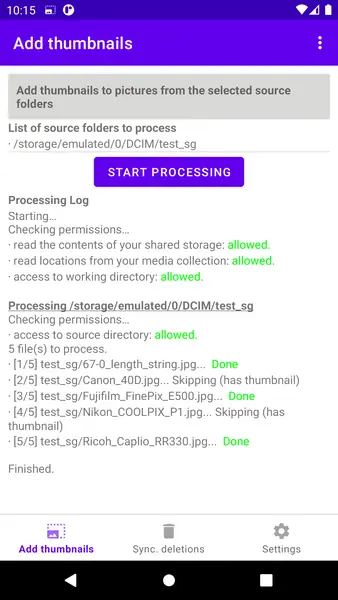
This application for android devices searches for pictures (JPEG) on your device and adds a thumbnail if they don't have one yet. Thumbnails are added to the EXIF metadata structure.
It is designed to work from android Oreo (android 8, SDK 26).
Please report issues here: https://github.com/tenzap/exif-thumbnail-adder/issues
For more information, some known facts and how you may contribute, refer to the [project homepage][1].
Rationale
On some smartphones, when wanting to import pictures to Windows (or any device/operating system supporting MTP or PTP protocols), I noticed the pictures may not display a thumbnail in the import wizard (whether through the Photos app, or through the Windows Explorer import feature).
There are two possible reasons for that behaviour. First, the thumbnail is not present in the picture, usually because the app that created the picture didn't add a thumbnail. Second, there is a thumbnail but it is ignored because some EXIF tags are missing.
Features
- Add thumbnail to pictures (JPEG) that don't yet have one
- Lanczos algorithm to downsample picture thanks to [FFmpeg's swscale library][2] for best results.
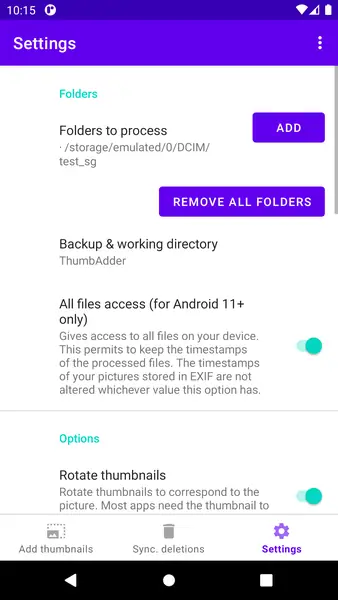
- Select one or more folders to scan from any storage (internal, SDCard...). For example DCIM, Pictures...
- Exclude one subdirectory from selected directories
- Preserve timestamps of the pictures
- Processing log
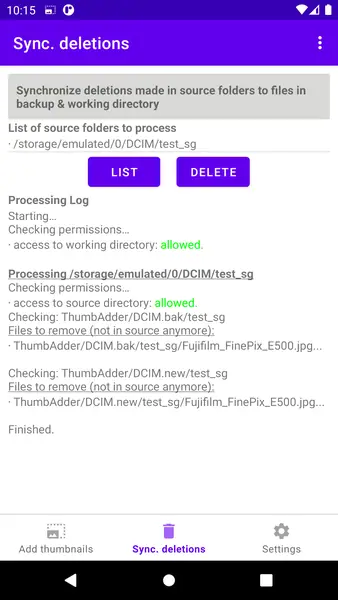
- Synchronize deleted files in the source directory to the backup and working directory (so that you don't keep in the backup folder pictures you don't have anymore in the source folder)
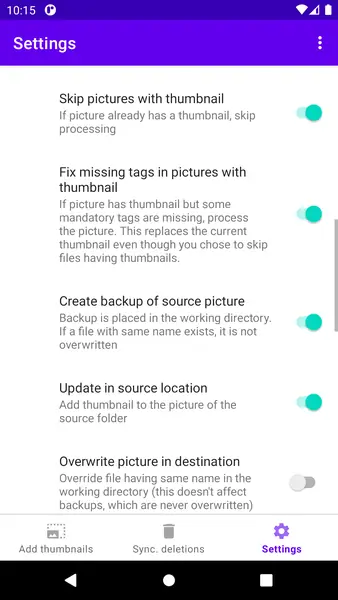
- Conservative default options (backup pictures, skip corrupt files)
- Install app on internal storage or external storage
- Default EXIF library: [Exiv2][3].
- Alternative libraries: Android-Exif-Extended, libexif, pixymeta-android. See known facts on project page to learn more on benefits and drawbacks of each library.
- Settings:
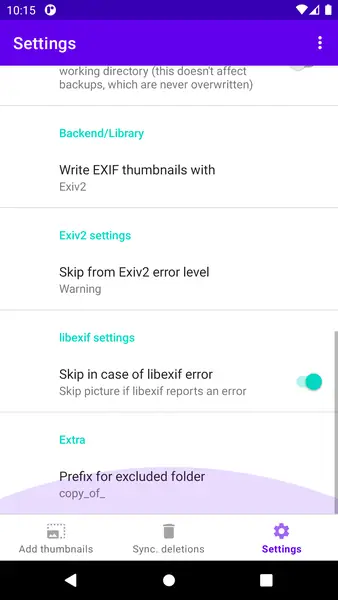
 - Rotate the thumbnail  - Replace existing thumbnail  - Backup of original pictures (backup is never overwritten by the app once created if you choose to add the thumbnail to the input file in its initial location)  - Skip pictures having malformed metadata (this can be disabled to process also files having corrupt tags)  - Replace picture in place or write new picture to another directory
Requested permissions
- WRITE_EXTERNAL_STORAGE, READ_EXTERNAL_STORAGE, READ_MEDIA_IMAGES
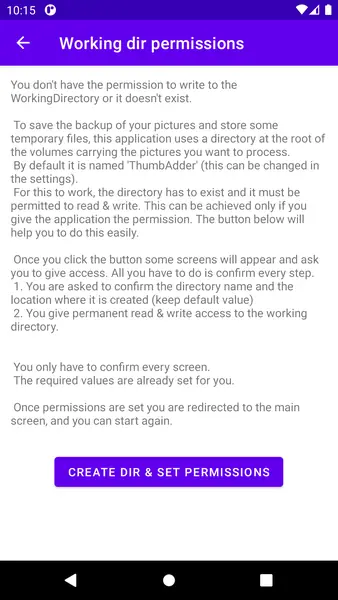
- MANAGE_EXTERNAL_STORAGE
- ACCESS_MEDIA_LOCATION
- POST_NOTIFICATIONS
- get more details on the project homepage
Installation
- Prerequisites: minimum android Oreo (android 8, SDK 26). App was tested up to Android 11.
- Download it through F-Droid app [here][4]
- Download the APK from the [release page][5]
License
GPL-3.0 (see "COPYING" file on project homepage)
URLs
- [1]: https://github.com/tenzap/exif-thumbnail-adder
- [2]: https://ffmpeg.org/libswscale.html
- [3]: https://www.exiv2.org
- [4]: https://f-droid.org/packages/com.exifthumbnailadder.app
- [5]: https://github.com/tenzap/exif-thumbnail-adder/releases
Noutăți în versiunea 1.0.1
1.0.1
- Add support for Android 15 (& set targetSdk to 35) & update toolchain
- exiv2: update to 0.28.5 & expat to 2.7.1
- libexif: update to 0.6.25
- update all gradle dependencies to latest version (except ExifInterface)
- Note: if you run on AOSP or on devices without Google apps, you may loose the GPS information inside your files (at least on emulator image for Android 13). See project homepage for more information.
Informații despre fișierul APK
| Numele pachetului | com.exifthumbnailadder.app |
|---|---|
| Versiune | 1.0.1 (cod 767) |
| Android minim | Android 8.0 · destinat pentru Android 15 |
| Arhitecturi | arm64-v8a, armeabi-v7a, x86, x86_64 |
| SHA-256 | 6322a66590354b51404fe9d72216dc5f354f32bb35bfa3006d3eff43a35f4f03 |
| Semnătură | 3e91248f525c3a69717204154b7fe1daf79d264a0c17956fdde85d71623addc4 |
| Licență | GPL-3.0-or-later — licență liberă copyleft: codul este public, iar versiunile modificate trebuie să rămână libere |
| Cod sursă | github.com/tenzap/exif-thumbnail-adder |
Permisiuni
- Scriere în stocare
- Citire stocare
- Citire fotografii
- Acces la toate fișierele sensibilă
- Rulare în fundal
- Notificări
- Împiedicare repaus
- Starea rețelei
- Pornire la start
Alte 1 permisiuni tehnice
ACCESS_MEDIA_LOCATION
Versiuni anterioare
- Exif Thumbnail Adder 1.0.124 mai 2025 · 24,6 MB
- Exif Thumbnail Adder 1.0.09 mai 2024 · 24,8 MB
- Exif Thumbnail Adder 0.9.1913 aprilie 2023 · 21,4 MB
Cum instalezi Exif Thumbnail Adder APK
- Atinge Descarcă APK mai sus, apoi deschide fișierul după descărcare.
- Dacă Android cere, permite browserului să instaleze aplicații necunoscute.
- Atinge Instalează. Exif Thumbnail Adder apare apoi printre celelalte aplicații.
→ Cum instalezi un fișier APK pe Android (pas cu pas)
→ „Aplicația nu a fost instalată”: cauze și soluții
Întrebări frecvente
Este Exif Thumbnail Adder gratuit?
Da. Exif Thumbnail Adder este distribuit sub licența GPL-3.0-or-later: gratuit, fără abonament și cu cod sursă public.
Este sigur acest fișier APK?
Fișierul este cel compilat și publicat de depozitul F-Droid din codul sursă public. Amprenta SHA-256 este afișată mai sus; o poți compara după descărcare. Este un APK periculos? Cum verifici un fișier înainte de instalare
Funcționează Exif Thumbnail Adder pe telefonul meu?
Ai nevoie de cel puțin Android 8.0. Aplicația funcționează și fără serviciile Google, deci și pe telefoanele Huawei recente.



