
Exif Thumbnail Adder APK
Add thumbnail in the EXIF tag of JPEG picture not having one (batch processing)
Скачать APK v1.0.1 · 24,6 МБ- Версия1.0.1
- Размер24,6 МБ
- ТребуетсяAndroid 8.0
- Обновлено24.05.2025
- ЛицензияGPL-3.0-or-later
- ЦенаБесплатно
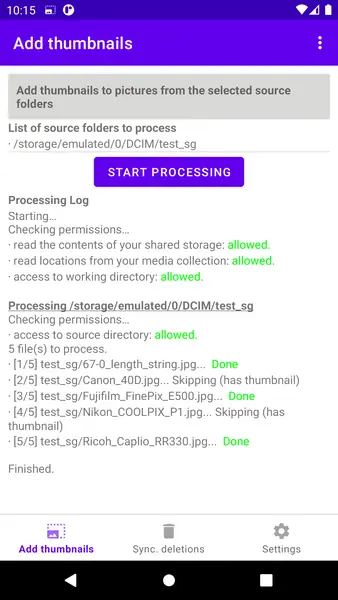
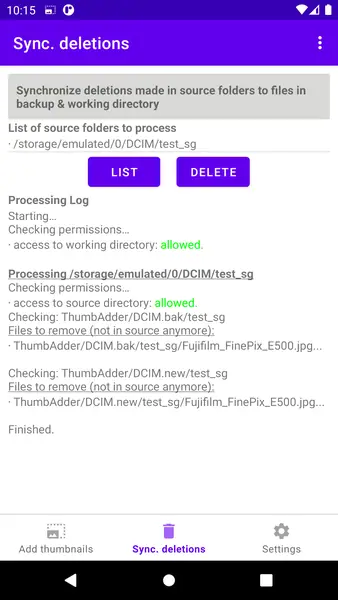
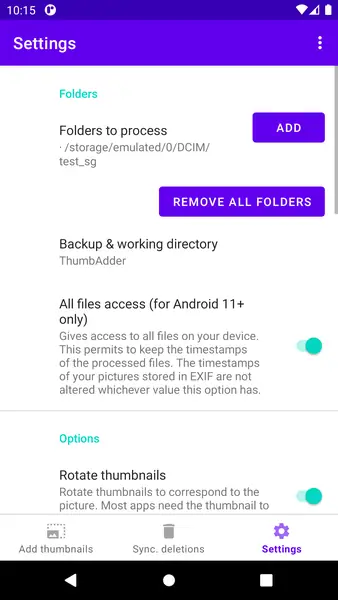
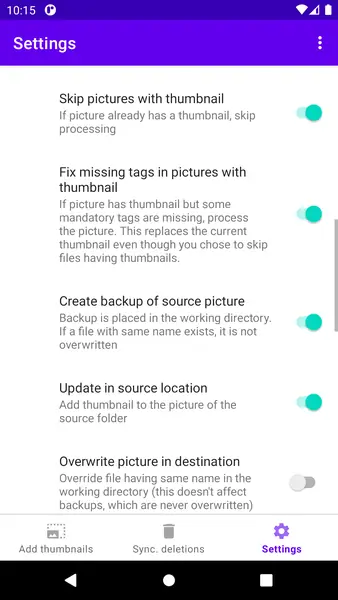
О приложении Exif Thumbnail Adder
Это приложение для Android-устройств ищет изображения (JPEG) на вашем устройстве и добавляет эскиз , если у них еще нет. Thumbnails are added to the EXIF metadata structure.
It is designed to work from android Oreo (android 8, SDK 26).
Please report issues here: https://github.com/tenzap/exif-thumbnail-adder/issues
For more information, some known facts and how you may contribute, refer to the [project homepage][1].
Rationale
On some smartphones, when wanting to import pictures to Windows (or any device/operating system supporting MTP or PTP protocols), I noticed the pictures may not display a thumbnail in the import wizard (whether through the Photos app, or through the Windows Explorer import feature).
There are two possible reasons for that behaviour. First, the thumbnail is not present in the picture, usually because the app that created the picture didn't add a thumbnail. Second, there is a thumbnail but it is ignored because some EXIF tags are missing.
Features
- Add thumbnail to pictures (JPEG) that don't yet have one
- Lanczos algorithm to downsample picture thanks to [FFmpeg's swscale library][2] for best results.
- Select one or more folders to scan from any storage (internal, SDCard...). For example DCIM, Pictures...
- Exclude one subdirectory from selected directories
- Preserve timestamps of the pictures
- Processing log
- Synchronize deleted files in the source directory to the backup and working directory (so that you don't keep in the backup folder pictures you don't have anymore in the source folder)
- Conservative default options (backup pictures, skip corrupt files)
- Install app on internal storage or external storage
- Default EXIF library: [Exiv2][3].
- Alternative libraries: Android-Exif-Extended, libexif, pixymeta-android. See known facts on project page to learn more on benefits and drawbacks of each library.
- Settings:
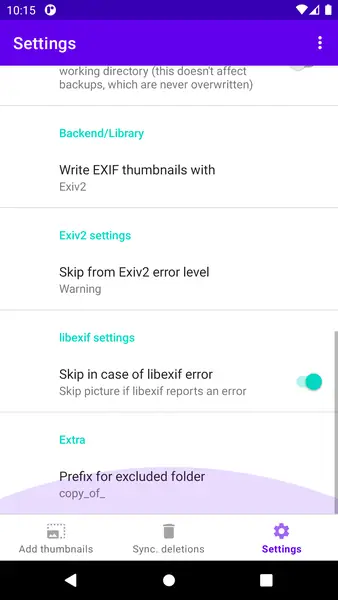
 - Rotate the thumbnail  - Replace existing thumbnail  - Backup of original pictures (backup is never overwritten by the app once created if you choose to add the thumbnail to the input file in its initial location)  - Skip pictures having malformed metadata (this can be disabled to process also files having corrupt tags)  - Replace picture in place or write new picture to another directory
Requested permissions
- WRITE_EXTERNAL_STORAGE, READ_EXTERNAL_STORAGE, READ_MEDIA_IMAGES
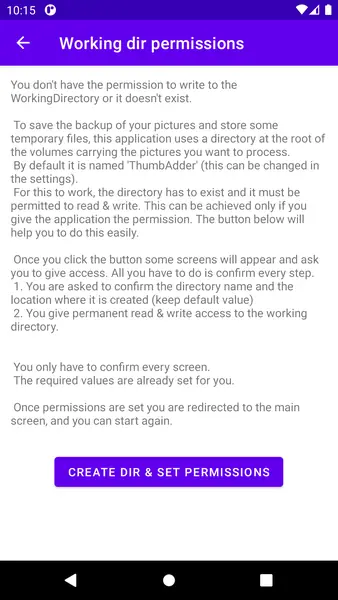
- MANAGE_EXTERNAL_STORAGE
- ACCESS_MEDIA_LOCATION
- POST_NOTIFICATIONS
- get more details on the project homepage
Installation
- Prerequisites: minimum android Oreo (android 8, SDK 26). App was tested up to Android 11.
- Download it through F-Droid app [here][4]
- Download the APK from the [release page][5]
License
GPL-3.0 (see "COPYING" file on project homepage)
URLs
- [1]: https://github.com/tenzap/exif-thumbnail-adder
- [2]: https://ffmpeg.org/libswscale.html
- [3]: https://www.exiv2.org
- [4]: https://f-droid.org/packages/com.exifthumbnailadder.app
- [5]: https://github.com/tenzap/exif-thumbnail-adder/releases
Что нового в версии 1.0.1
1.0.1
- Add support for Android 15 (& set targetSdk to 35) & update toolchain
- exiv2: update to 0.28.5 & expat to 2.7.1
- libexif: update to 0.6.25
- update all gradle dependencies to latest version (except ExifInterface)
- Note: if you run on AOSP or on devices without Google apps, you may loose the GPS information inside your files (at least on emulator image for Android 13). See project homepage for more information.
Информация об APK-файле
| Имя пакета | com.exifthumbnailadder.app |
|---|---|
| Версия | 1.0.1 (код 767) |
| Минимальная версия | Android 8.0 · целевая Android 15 |
| Архитектуры | arm64-v8a, armeabi-v7a, x86, x86_64 |
| SHA-256 | 6322a66590354b51404fe9d72216dc5f354f32bb35bfa3006d3eff43a35f4f03 |
| Подпись | 3e91248f525c3a69717204154b7fe1daf79d264a0c17956fdde85d71623addc4 |
| Лицензия | GPL-3.0-or-later — свободная копилефт-лицензия: код открыт, а изменённые версии должны оставаться свободными |
| Исходный код | github.com/tenzap/exif-thumbnail-adder |
Разрешения
- Запись в хранилище
- Чтение хранилища
- Чтение фото
- Доступ ко всем файлам важное
- Работа в фоне
- Показ уведомлений
- Запрет спящего режима
- Просмотр состояния сети
- Запуск при включении
Ещё технических разрешений: 1
ACCESS_MEDIA_LOCATION
Предыдущие версии
- Exif Thumbnail Adder 1.0.124 мая 2025 г. · 24,6 МБ
- Exif Thumbnail Adder 1.0.09 мая 2024 г. · 24,8 МБ
- Exif Thumbnail Adder 0.9.1913 апреля 2023 г. · 21,4 МБ
Как установить Exif Thumbnail Adder APK
- Нажмите Скачать APK выше и откройте файл после загрузки.
- Если Android спросит, разрешите браузеру устанавливать неизвестные приложения.
- Нажмите Установить. Exif Thumbnail Adder появится среди других приложений.
→ Как установить APK-файл на Android (пошагово)
→ «Приложение не установлено»: причины и решения
Частые вопросы
Exif Thumbnail Adder бесплатное?
Да. Exif Thumbnail Adder распространяется по лицензии GPL-3.0-or-later: бесплатно, без подписки, исходный код открыт.
Безопасен ли этот APK-файл?
Файл собран и опубликован репозиторием F-Droid из открытого исходного кода. Его отпечаток SHA-256 указан выше — сравните его после загрузки. Опасен ли APK? Как проверить файл перед установкой
Будет ли Exif Thumbnail Adder работать на моём телефоне?
Нужна версия не ниже Android 8.0. Приложение работает и без сервисов Google, в том числе на новых телефонах Huawei.





