
Exif Thumbnail Adder APK
Add thumbnail in the EXIF tag of JPEG picture not having one (batch processing)
Pobierz APK v1.0.1 · 24,6 MB- Wersja1.0.1
- Rozmiar24,6 MB
- WymagaAndroid 8.0
- Aktualizacja24.05.2025
- LicencjaGPL-3.0-or-later
- CenaZa darmo
O aplikacji Exif Thumbnail Adder
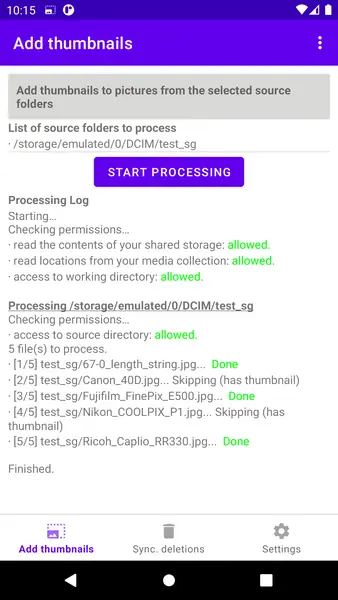
This application for android devices searches for pictures (JPEG) on your device and adds a thumbnail if they don't have one yet. Thumbnails are added to the EXIF metadata structure.
It is designed to work from android Oreo (android 8, SDK 26).
Please report issues here: https://github.com/tenzap/exif-thumbnail-adder/issues
For more information, some known facts and how you may contribute, refer to the [project homepage][1].
Rationale
On some smartphones, when wanting to import pictures to Windows (or any device/operating system supporting MTP or PTP protocols), I noticed the pictures may not display a thumbnail in the import wizard (whether through the Photos app, or through the Windows Explorer import feature).
There are two possible reasons for that behaviour. First, the thumbnail is not present in the picture, usually because the app that created the picture didn't add a thumbnail. Second, there is a thumbnail but it is ignored because some EXIF tags are missing.
Features
- Add thumbnail to pictures (JPEG) that don't yet have one
- Lanczos algorithm to downsample picture thanks to [FFmpeg's swscale library][2] for best results.
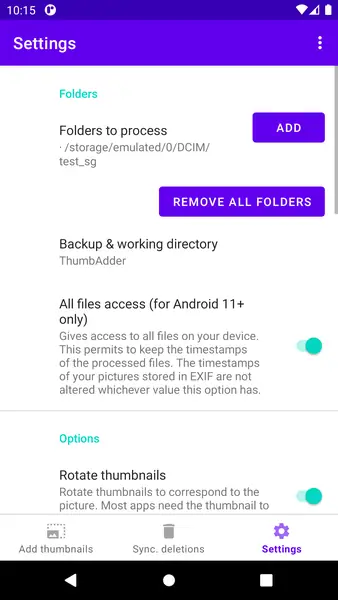
- Select one or more folders to scan from any storage (internal, SDCard...). For example DCIM, Pictures...
- Exclude one subdirectory from selected directories
- Preserve timestamps of the pictures
- Processing log
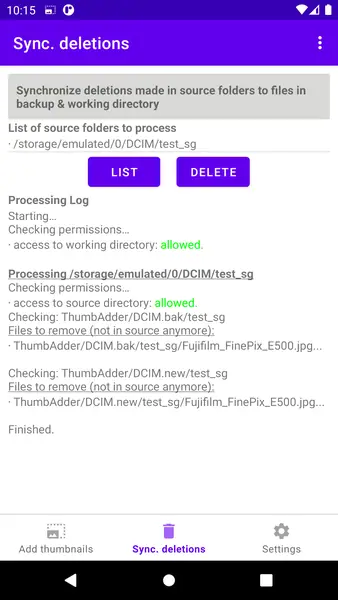
- Synchronize deleted files in the source directory to the backup and working directory (so that you don't keep in the backup folder pictures you don't have anymore in the source folder)
- Conservative default options (backup pictures, skip corrupt files)
- Install app on internal storage or external storage
- Default EXIF library: [Exiv2][3].
- Alternative libraries: Android-Exif-Extended, libexif, pixymeta-android. See known facts on project page to learn more on benefits and drawbacks of each library.
- Settings:
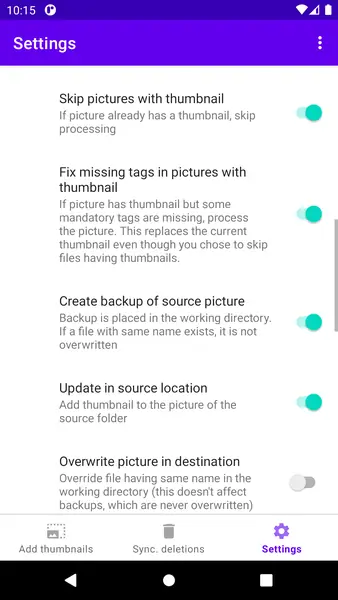
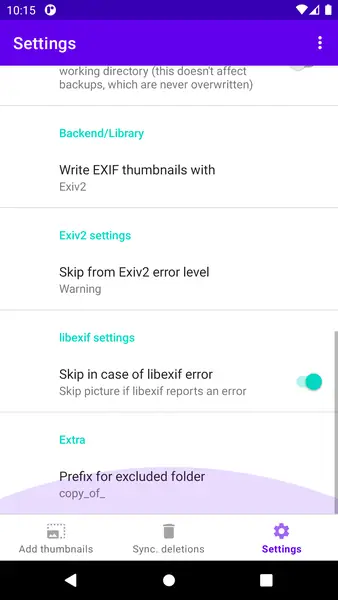
 - Rotate the thumbnail  - Replace existing thumbnail  - Backup of original pictures (backup is never overwritten by the app once created if you choose to add the thumbnail to the input file in its initial location)  - Skip pictures having malformed metadata (this can be disabled to process also files having corrupt tags)  - Replace picture in place or write new picture to another directory
Requested permissions
- WRITE_EXTERNAL_STORAGE, READ_EXTERNAL_STORAGE, READ_MEDIA_IMAGES
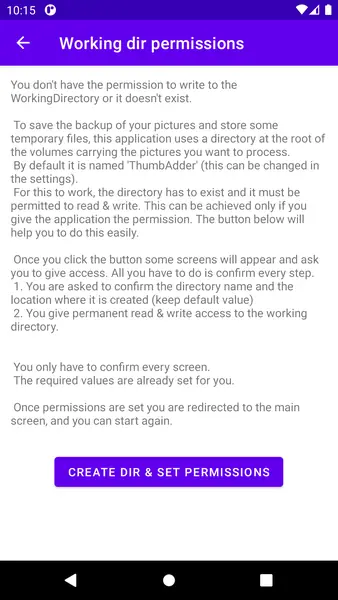
- MANAGE_EXTERNAL_STORAGE
- ACCESS_MEDIA_LOCATION
- POST_NOTIFICATIONS
- get more details on the project homepage
Installation
- Prerequisites: minimum android Oreo (android 8, SDK 26). App was tested up to Android 11.
- Download it through F-Droid app [here][4]
- Download the APK from the [release page][5]
License
GPL-3.0 (see "COPYING" file on project homepage)
URLs
- [1]: https://github.com/tenzap/exif-thumbnail-adder
- [2]: https://ffmpeg.org/libswscale.html
- [3]: https://www.exiv2.org
- [4]: https://f-droid.org/packages/com.exifthumbnailadder.app
- [5]: https://github.com/tenzap/exif-thumbnail-adder/releases
Nowości w wersji 1.0.1
1.0.1
- Add support for Android 15 (& set targetSdk to 35) & update toolchain
- exiv2: update to 0.28.5 & expat to 2.7.1
- libexif: update to 0.6.25
- update all gradle dependencies to latest version (except ExifInterface)
- Note: if you run on AOSP or on devices without Google apps, you may loose the GPS information inside your files (at least on emulator image for Android 13). See project homepage for more information.
Informacje o pliku APK
| Nazwa pakietu | com.exifthumbnailadder.app |
|---|---|
| Wersja | 1.0.1 (kod 767) |
| Minimalny Android | Android 8.0 · docelowo Android 15 |
| Architektury | arm64-v8a, armeabi-v7a, x86, x86_64 |
| SHA-256 | 6322a66590354b51404fe9d72216dc5f354f32bb35bfa3006d3eff43a35f4f03 |
| Podpis | 3e91248f525c3a69717204154b7fe1daf79d264a0c17956fdde85d71623addc4 |
| Licencja | GPL-3.0-or-later — wolna licencja copyleft: kod jest publiczny, a zmienione wersje muszą pozostać wolne |
| Kod źródłowy | github.com/tenzap/exif-thumbnail-adder |
Uprawnienia
- Zapis w pamięci
- Odczyt pamięci
- Odczyt zdjęć
- Dostęp do wszystkich plików wrażliwe
- Praca w tle
- Powiadomienia
- Blokada uśpienia
- Stan sieci
- Uruchamianie przy starcie
Pozostałe uprawnienia techniczne: 1
ACCESS_MEDIA_LOCATION
Starsze wersje
- Exif Thumbnail Adder 1.0.124 maja 2025 · 24,6 MB
- Exif Thumbnail Adder 1.0.09 maja 2024 · 24,8 MB
- Exif Thumbnail Adder 0.9.1913 kwietnia 2023 · 21,4 MB
Jak zainstalować Exif Thumbnail Adder APK
- Dotknij Pobierz APK powyżej i otwórz plik po zakończeniu pobierania.
- Jeśli Android zapyta, pozwól przeglądarce instalować nieznane aplikacje.
- Dotknij Zainstaluj. Exif Thumbnail Adder pojawi się wśród innych aplikacji.
→ Jak zainstalować plik APK na Androidzie (krok po kroku)
→ „Aplikacja nie została zainstalowana”: przyczyny i rozwiązania
Najczęstsze pytania
Czy Exif Thumbnail Adder jest darmowa?
Tak. Exif Thumbnail Adder jest udostępniana na licencji GPL-3.0-or-later: za darmo, bez abonamentu, z publicznym kodem źródłowym.
Czy ten plik APK jest bezpieczny?
Plik został zbudowany i opublikowany przez repozytorium F-Droid z publicznego kodu źródłowego. Jego odcisk SHA-256 podano powyżej — porównaj go po pobraniu. Czy APK jest niebezpieczny? Jak sprawdzić plik przed instalacją
Czy Exif Thumbnail Adder zadziała na moim telefonie?
Potrzebujesz co najmniej Android 8.0. Aplikacja działa też bez usług Google, więc również na nowych telefonach Huawei.




