
ownCloud APK
أضاف خادم ownCloud الآن وتحكم في …بياناتك، بطريقتك!
تنزيل APK v5.0.0-beta.1 · 11.0 م.ب- الإصدار5.0.0-beta.1
- الحجم11.0 م.ب
- يتطلبAndroid 9
- آخر تحديث23/11/2026
- الترخيصGPL-2.0-only
- السعرمجاني
حول ownCloud
وصف مقدَّم من المطوّر (بالإنجليزية).
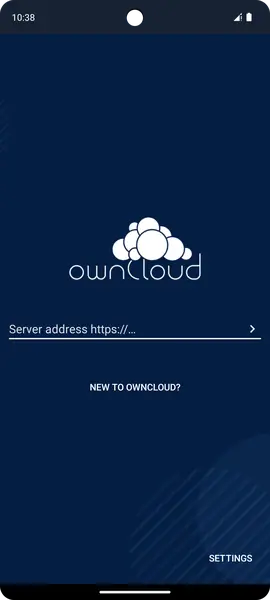
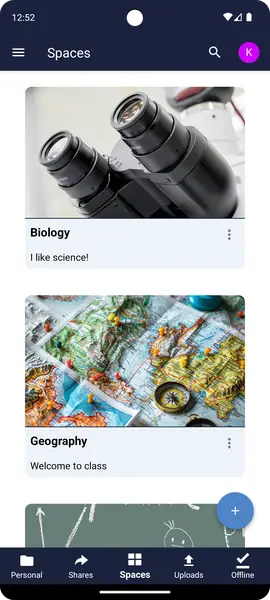
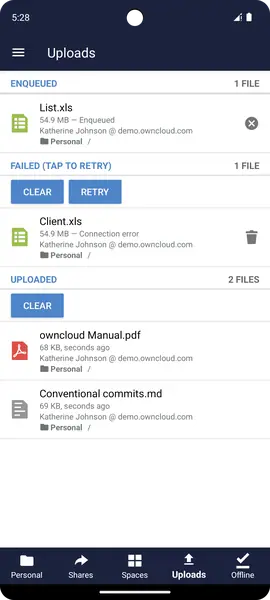
Welcome to the ownCloud Android App – Add an ownCloud server, and have your private file sync and share cloud up and running in no time.
Do you need private file sync and share software? Then good news, because the ownCloud Android App enables you to connect Android devices to a private ownCloud Server running in your data center. ownCloud is open source file sync and share software for everyone from individuals operating the free ownCloud server, to large enterprises and service providers operating under the ownCloud Enterprise Subscription. ownCloud provides a safe, secure and compliant file sync and share solution – on servers you control.
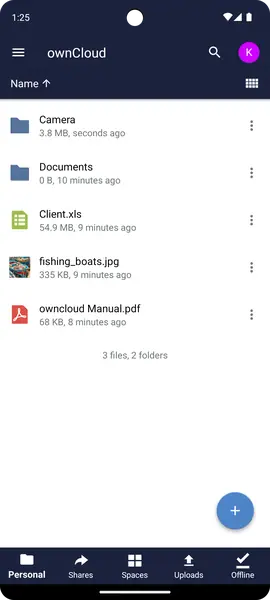
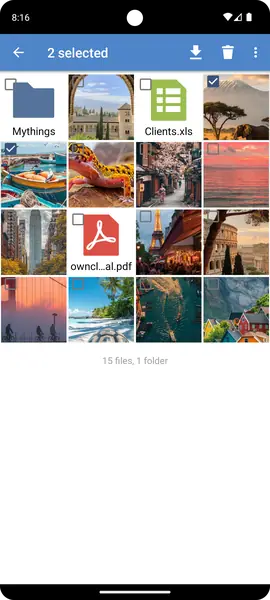
With the ownCloud Android App you can browse all of your ownCloud synced files, create and edit new files, share these files and folders with co-workers, and keep the contents of those folders in sync across all of your devices. Simply copy a file into a directory on your server and ownCloud does the rest.
Whether using a mobile device, a desktop, or the web client, ownCloud provides the ability to put the right files in the right hands at the right time on any device in one simple-to-use, secure, private and controlled solution. After all, with ownCloud, it’s Your Cloud, Your Data, Your Way.
Should you have any problem connecting or synchronizing with your ownCloud server, please contact us on https://github.com/owncloud/android/issues or check https://central.owncloud.org.
Visit us at www.ownCloud.com for more information about ownCloud and the ownCloud Subscriptions. For more information on the free and open source ownCloud Classic, visit www.ownCloud.org.
* If you are experiencing login issues after an update and the ownCloud Workaround App is installed in your device, please, try to uninstall and reinstall the Workaround App *
معلومات ملف APK
| اسم الحزمة | com.owncloud.android |
|---|---|
| الإصدار | 5.0.0-beta.1 (الرمز 48000401) |
| أدنى إصدار أندرويد | Android 9 · مخصّص لـ Android 16 |
| المعماريات | الكل (عام) |
| SHA-256 | 057b01f65eaf211c4521833b2f80199f00dcb97e5876d6934cfd68f70ad34abc |
| التوقيع | 60b7e27a9569535ade18d4a9cccec08c262e44e1aab1c04de052892ab82e31eb |
| الترخيص | GPL-2.0-only — ترخيص حر من نوع copyleft: الشيفرة متاحة ويجب أن تبقى النسخ المعدّلة حرة |
| الشيفرة المصدرية | github.com/owncloud/android |
| الموقع الرسمي | owncloud.org |
الأذونات
- الكتابة في التخزين
- عرض الإشعارات
- الوصول إلى الإنترنت
- عرض حالة الشبكة
- التشغيل عند بدء الجهاز
- منع وضع السكون
- العمل في الخلفية
- البصمة / القياسات الحيوية
- بصمة الإصبع
- قراءة التخزين
أذونات تقنية أخرى: 4
READ_SYNC_STATS READ_SYNC_SETTINGS WRITE_SYNC_SETTINGS BROADCAST_STICKY
إصدارات سابقة
- ownCloud 5.0.0-beta.123 نوفمبر 2026 · 11.0 م.ب
- ownCloud 4.8.42 سبتمبر 2026 · 13.9 م.ب
- ownCloud 4.8.326 يوليو 2026 · 13.9 م.ب
كيفية تثبيت ownCloud APK
- اضغط على تنزيل APK أعلاه، ثم افتح الملف بعد اكتمال التنزيل.
- إذا طلب أندرويد ذلك، اسمح للمتصفح بتثبيت التطبيقات غير المعروفة.
- اضغط على تثبيت. سيظهر ownCloud مع تطبيقاتك الأخرى.
→ كيفية تثبيت ملف APK على أندرويد (خطوة بخطوة)
→ «لم يتم تثبيت التطبيق»: الأسباب والحلول
أسئلة شائعة
هل ownCloud مجاني؟
نعم. يُوزَّع ownCloud بترخيص GPL-2.0-only: مجاني، بلا اشتراك، وشيفرته المصدرية متاحة للجميع.
هل ملف APK هذا آمن؟
الملف هو الذي بناه ونشره مستودع F-Droid من الشيفرة المصدرية العامة. بصمة SHA-256 الخاصة به معروضة أعلاه، ويمكنك مقارنتها بعد التنزيل. هل ملف APK خطير؟ كيف تفحص الملف قبل تثبيته
هل يعمل ownCloud على هاتفي؟
تحتاج إلى Android 9 على الأقل. يعمل التطبيق أيضًا دون خدمات Google، لذا يعمل على هواتف هواوي الحديثة.





