ownCloud APK
Adicione um servidor ownCloud e obtenha… sua nuvem, seus dados, da sua maneira!
Baixar APK v5.0.0-beta.1 · 11,0 MB- Versão5.0.0-beta.1
- Tamanho11,0 MB
- RequerAndroid 9
- Atualizado23/11/2026
- LicençaGPL-2.0-only
- PreçoGrátis
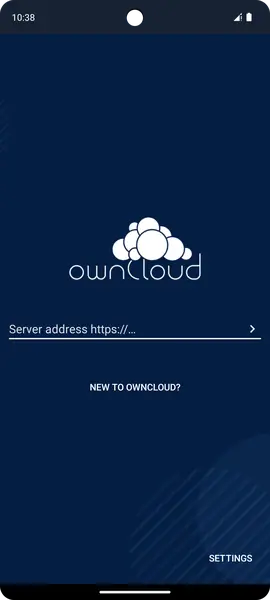
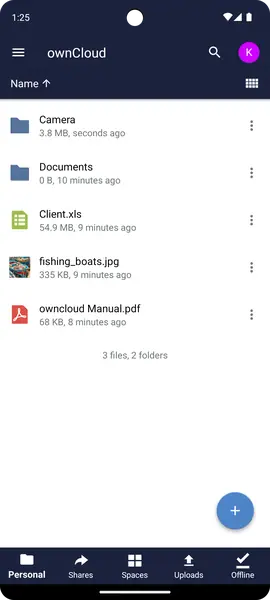
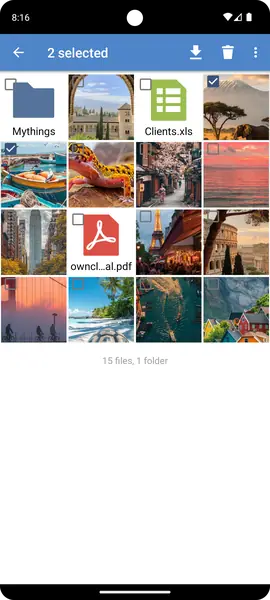
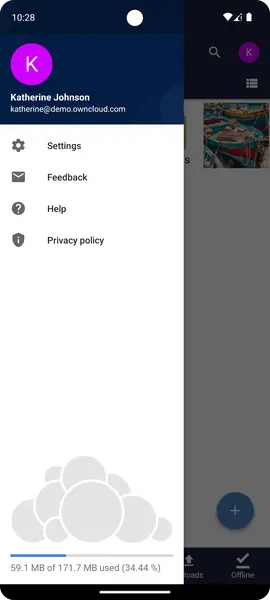
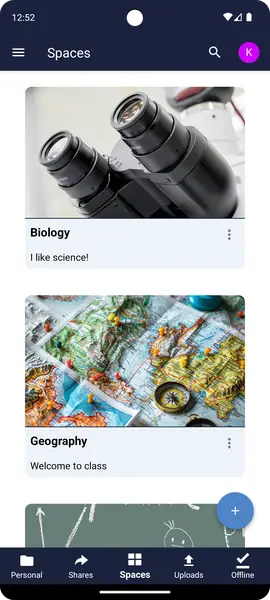
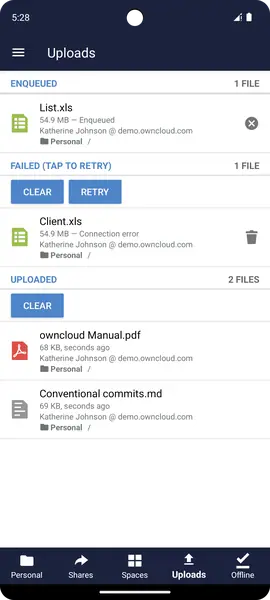
Sobre o ownCloud
Descrição fornecida pelo desenvolvedor (em inglês).
Welcome to the ownCloud Android App – Add an ownCloud server, and have your private file sync and share cloud up and running in no time.
Do you need private file sync and share software? Then good news, because the ownCloud Android App enables you to connect Android devices to a private ownCloud Server running in your data center. ownCloud is open source file sync and share software for everyone from individuals operating the free ownCloud server, to large enterprises and service providers operating under the ownCloud Enterprise Subscription. ownCloud provides a safe, secure and compliant file sync and share solution – on servers you control.
With the ownCloud Android App you can browse all of your ownCloud synced files, create and edit new files, share these files and folders with co-workers, and keep the contents of those folders in sync across all of your devices. Simply copy a file into a directory on your server and ownCloud does the rest.
Whether using a mobile device, a desktop, or the web client, ownCloud provides the ability to put the right files in the right hands at the right time on any device in one simple-to-use, secure, private and controlled solution. After all, with ownCloud, it’s Your Cloud, Your Data, Your Way.
Should you have any problem connecting or synchronizing with your ownCloud server, please contact us on https://github.com/owncloud/android/issues or check https://central.owncloud.org.
Visit us at www.ownCloud.com for more information about ownCloud and the ownCloud Subscriptions. For more information on the free and open source ownCloud Classic, visit www.ownCloud.org.
* If you are experiencing login issues after an update and the ownCloud Workaround App is installed in your device, please, try to uninstall and reinstall the Workaround App *
Informações do arquivo APK
| Nome do pacote | com.owncloud.android |
|---|---|
| Versão | 5.0.0-beta.1 (código 48000401) |
| Android mínimo | Android 9 · feito para Android 16 |
| Arquiteturas | Todas (universal) |
| SHA-256 | 057b01f65eaf211c4521833b2f80199f00dcb97e5876d6934cfd68f70ad34abc |
| Assinatura | 60b7e27a9569535ade18d4a9cccec08c262e44e1aab1c04de052892ab82e31eb |
| Licença | GPL-2.0-only — licença livre copyleft: o código é público e versões modificadas devem continuar livres |
| Código-fonte | github.com/owncloud/android |
| Site oficial | owncloud.org |
Permissões solicitadas
- Gravar no armazenamento
- Mostrar notificações
- Acesso à internet
- Ver o estado da rede
- Iniciar com o sistema
- Impedir o modo de espera
- Funcionar em segundo plano
- Digital / biometria
- Impressão digital
- Ler o armazenamento
Mais 4 permissão(ões) técnica(s)
READ_SYNC_STATS READ_SYNC_SETTINGS WRITE_SYNC_SETTINGS BROADCAST_STICKY
Versões anteriores
- ownCloud 5.0.0-beta.123 de novembro de 2026 · 11,0 MB
- ownCloud 4.8.42 de setembro de 2026 · 13,9 MB
- ownCloud 4.8.326 de julho de 2026 · 13,9 MB
Como instalar o ownCloud APK
- Toque em Baixar APK acima e abra o arquivo quando o download terminar.
- Se o Android pedir, permita que o navegador instale apps desconhecidos.
- Toque em Instalar. O ownCloud aparecerá junto aos seus outros apps.
Perguntas frequentes
O ownCloud é grátis?
Sim. O ownCloud é distribuído sob a licença GPL-2.0-only: grátis, sem assinatura e com código-fonte público.
Este arquivo APK é seguro?
O arquivo é o compilado e publicado pelo repositório F-Droid a partir do código-fonte público. A impressão digital SHA-256 aparece acima para você comparar depois do download.
O ownCloud funciona no meu celular?
É preciso ter pelo menos Android 9. O app também funciona sem os serviços do Google, inclusive em celulares Huawei recentes.