
ownCloud APK
Додайте власний сервер Cloud зараз і отримайте… Вашу хмару, ваші дані, ваш шлях!
Завантажити APK v5.0.0-beta.1 · 11,0 МБ- Версія5.0.0-beta.1
- Розмір11,0 МБ
- ПотрібноAndroid 9
- Оновлено23.11.2026
- ЛіцензіяGPL-2.0-only
- ЦінаБезкоштовно
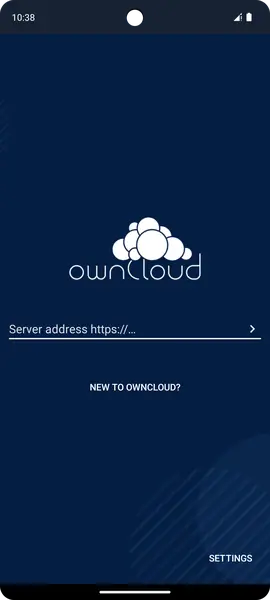
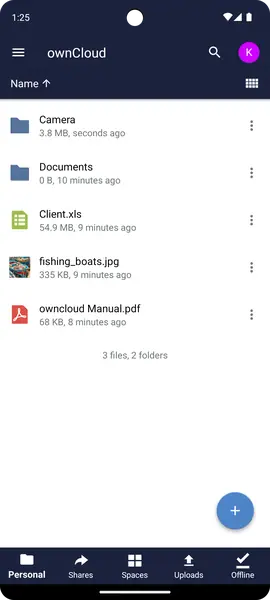
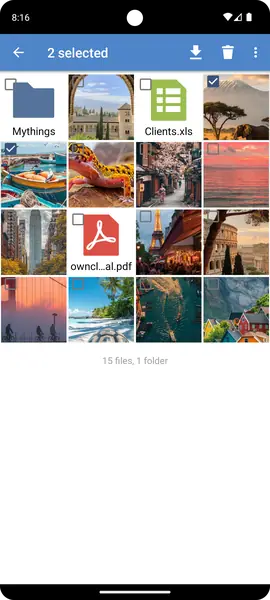
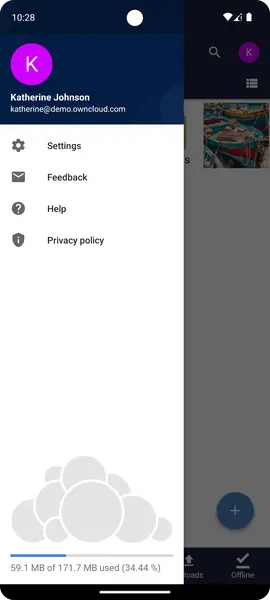
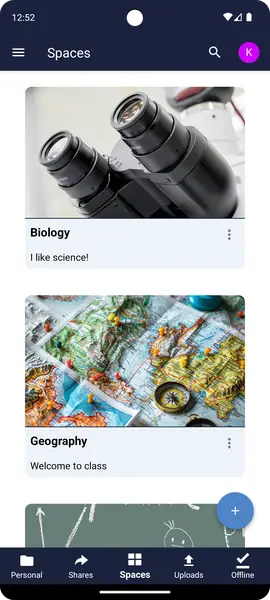
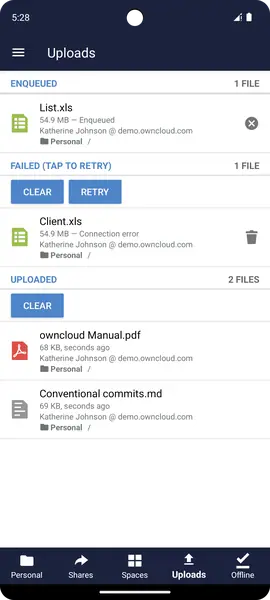
Про ownCloud
Опис від розробника (англійською).
Welcome to the ownCloud Android App – Add an ownCloud server, and have your private file sync and share cloud up and running in no time.
Do you need private file sync and share software? Then good news, because the ownCloud Android App enables you to connect Android devices to a private ownCloud Server running in your data center. ownCloud is open source file sync and share software for everyone from individuals operating the free ownCloud server, to large enterprises and service providers operating under the ownCloud Enterprise Subscription. ownCloud provides a safe, secure and compliant file sync and share solution – on servers you control.
With the ownCloud Android App you can browse all of your ownCloud synced files, create and edit new files, share these files and folders with co-workers, and keep the contents of those folders in sync across all of your devices. Simply copy a file into a directory on your server and ownCloud does the rest.
Whether using a mobile device, a desktop, or the web client, ownCloud provides the ability to put the right files in the right hands at the right time on any device in one simple-to-use, secure, private and controlled solution. After all, with ownCloud, it’s Your Cloud, Your Data, Your Way.
Should you have any problem connecting or synchronizing with your ownCloud server, please contact us on https://github.com/owncloud/android/issues or check https://central.owncloud.org.
Visit us at www.ownCloud.com for more information about ownCloud and the ownCloud Subscriptions. For more information on the free and open source ownCloud Classic, visit www.ownCloud.org.
* If you are experiencing login issues after an update and the ownCloud Workaround App is installed in your device, please, try to uninstall and reinstall the Workaround App *
Інформація про APK-файл
| Назва пакета | com.owncloud.android |
|---|---|
| Версія | 5.0.0-beta.1 (код 48000401) |
| Мінімальна версія | Android 9 · цільова Android 16 |
| Архітектури | Усі (універсальний) |
| SHA-256 | 057b01f65eaf211c4521833b2f80199f00dcb97e5876d6934cfd68f70ad34abc |
| Підпис | 60b7e27a9569535ade18d4a9cccec08c262e44e1aab1c04de052892ab82e31eb |
| Ліцензія | GPL-2.0-only — вільна копілефт-ліцензія: код відкритий, а змінені версії мають лишатися вільними |
| Вихідний код | github.com/owncloud/android |
| Офіційний сайт | owncloud.org |
Дозволи
- Запис у сховище
- Показ сповіщень
- Доступ до інтернету
- Перегляд стану мережі
- Запуск під час увімкнення
- Заборона сплячого режиму
- Робота у фоні
- Відбиток / біометрія
- Відбиток пальця
- Читання сховища
Ще технічних дозволів: 4
READ_SYNC_STATS READ_SYNC_SETTINGS WRITE_SYNC_SETTINGS BROADCAST_STICKY
Попередні версії
- ownCloud 5.0.0-beta.123 листопада 2026 р. · 11,0 МБ
- ownCloud 4.8.42 вересня 2026 р. · 13,9 МБ
- ownCloud 4.8.326 липня 2026 р. · 13,9 МБ
Як встановити ownCloud APK
- Натисніть Завантажити APK вище й відкрийте файл після завантаження.
- Якщо Android запитає, дозвольте браузеру встановлювати невідомі застосунки.
- Натисніть Встановити. ownCloud з’явиться серед інших застосунків.
→ Як встановити APK-файл на Android (покроково)
→ «Застосунок не встановлено»: причини й рішення
Часті запитання
ownCloud безкоштовний?
Так. ownCloud поширюється за ліцензією GPL-2.0-only: безкоштовно, без підписки, вихідний код відкритий.
Чи безпечний цей APK-файл?
Файл зібраний і опублікований репозиторієм F-Droid із відкритого вихідного коду. Його відбиток SHA-256 указано вище — порівняйте його після завантаження. Чи небезпечний APK? Як перевірити файл перед встановленням
Чи працюватиме ownCloud на моєму телефоні?
Потрібна версія не нижче Android 9. Застосунок працює і без сервісів Google, зокрема на нових телефонах Huawei.





