
ownCloud APK
Voeg nu een ownCloud server en krijg … uw eigen cloud, uw gegevens, uw manier!
APK downloaden v5.0.0-beta.1 · 11,0 MB- Versie5.0.0-beta.1
- Grootte11,0 MB
- VereistAndroid 9
- Bijgewerkt23-11-2026
- LicentieGPL-2.0-only
- PrijsGratis
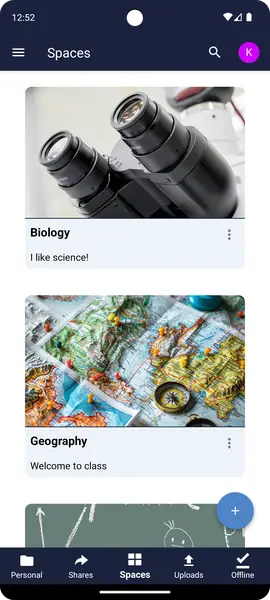
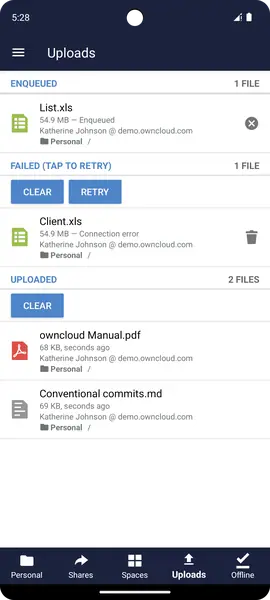
Over ownCloud
Beschrijving van de ontwikkelaar (in het Engels).
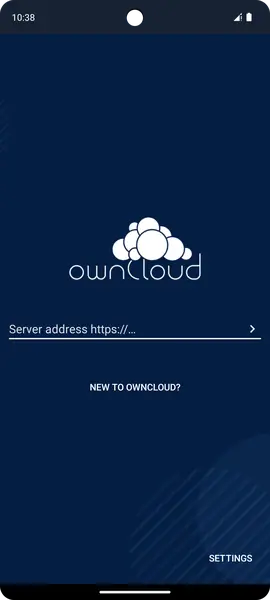
Welcome to the ownCloud Android App – Add an ownCloud server, and have your private file sync and share cloud up and running in no time.
Do you need private file sync and share software? Then good news, because the ownCloud Android App enables you to connect Android devices to a private ownCloud Server running in your data center. ownCloud is open source file sync and share software for everyone from individuals operating the free ownCloud server, to large enterprises and service providers operating under the ownCloud Enterprise Subscription. ownCloud provides a safe, secure and compliant file sync and share solution – on servers you control.
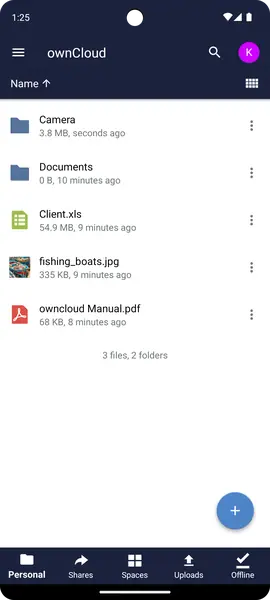
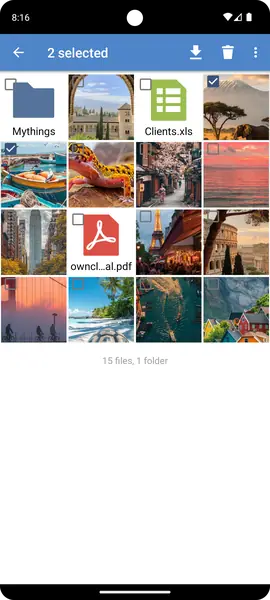
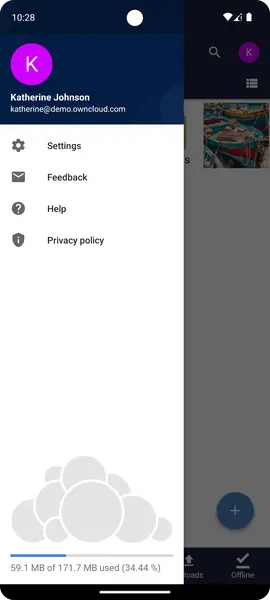
With the ownCloud Android App you can browse all of your ownCloud synced files, create and edit new files, share these files and folders with co-workers, and keep the contents of those folders in sync across all of your devices. Simply copy a file into a directory on your server and ownCloud does the rest.
Whether using a mobile device, a desktop, or the web client, ownCloud provides the ability to put the right files in the right hands at the right time on any device in one simple-to-use, secure, private and controlled solution. After all, with ownCloud, it’s Your Cloud, Your Data, Your Way.
Should you have any problem connecting or synchronizing with your ownCloud server, please contact us on https://github.com/owncloud/android/issues or check https://central.owncloud.org.
Visit us at www.ownCloud.com for more information about ownCloud and the ownCloud Subscriptions. For more information on the free and open source ownCloud Classic, visit www.ownCloud.org.
* If you are experiencing login issues after an update and the ownCloud Workaround App is installed in your device, please, try to uninstall and reinstall the Workaround App *
Informatie over het APK-bestand
| Pakketnaam | com.owncloud.android |
|---|---|
| Versie | 5.0.0-beta.1 (code 48000401) |
| Minimaal Android | Android 9 · bedoeld voor Android 16 |
| Architecturen | Alle (universeel) |
| SHA-256 | 057b01f65eaf211c4521833b2f80199f00dcb97e5876d6934cfd68f70ad34abc |
| Handtekening | 60b7e27a9569535ade18d4a9cccec08c262e44e1aab1c04de052892ab82e31eb |
| Licentie | GPL-2.0-only — vrije copyleftlicentie: de code is openbaar en aangepaste versies moeten vrij blijven |
| Broncode | github.com/owncloud/android |
| Officiële website | owncloud.org |
Machtigingen
- Naar opslag schrijven
- Meldingen tonen
- Internettoegang
- Netwerkstatus bekijken
- Starten bij opstarten
- Slaapstand voorkomen
- Op de achtergrond draaien
- Vingerafdruk / biometrie
- Vingerafdruk
- Opslag lezen
4 andere technische machtiging(en)
READ_SYNC_STATS READ_SYNC_SETTINGS WRITE_SYNC_SETTINGS BROADCAST_STICKY
Oudere versies
- ownCloud 5.0.0-beta.123 november 2026 · 11,0 MB
- ownCloud 4.8.42 september 2026 · 13,9 MB
- ownCloud 4.8.326 juli 2026 · 13,9 MB
ownCloud APK installeren
- Tik hierboven op APK downloaden en open het bestand als de download klaar is.
- Als Android erom vraagt, sta je browser toe om onbekende apps te installeren.
- Tik op Installeren. ownCloud verschijnt dan bij je andere apps.
→ Een APK-bestand installeren op Android (stap voor stap)
→ “App niet geïnstalleerd”: oorzaken en oplossingen
Veelgestelde vragen
Is ownCloud gratis?
Ja. ownCloud wordt verspreid onder de licentie GPL-2.0-only: gratis, zonder abonnement en met openbare broncode.
Is dit APK-bestand veilig?
Het bestand is gebouwd en gepubliceerd door de F-Droid-repository op basis van de openbare broncode. De SHA-256-vingerafdruk staat hierboven, zodat je die na het downloaden kunt vergelijken. Is een APK gevaarlijk? Zo controleer je een bestand vóór installatie
Werkt ownCloud op mijn telefoon?
Je hebt minimaal Android 9 nodig. De app werkt ook zonder Google-diensten, dus ook op recente Huawei-telefoons.





