
ownCloud APK
Tambahkan ownCloud sekarang dan dapatkan ... Cloud Anda, Data Anda, Cara Anda!
Unduh APK v5.0.0-beta.1 · 11,0 MB- Versi5.0.0-beta.1
- Ukuran11,0 MB
- ButuhAndroid 9
- Diperbarui23/11/2026
- LisensiGPL-2.0-only
- HargaGratis
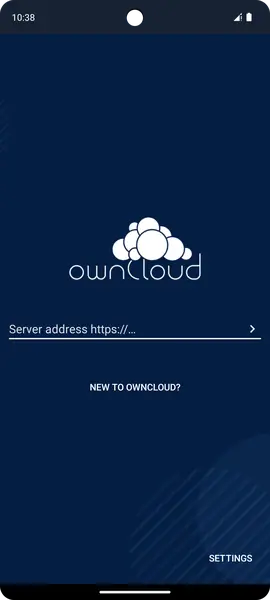
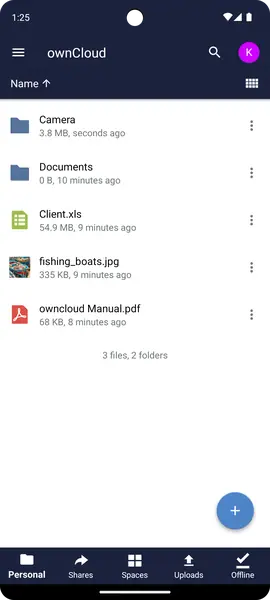
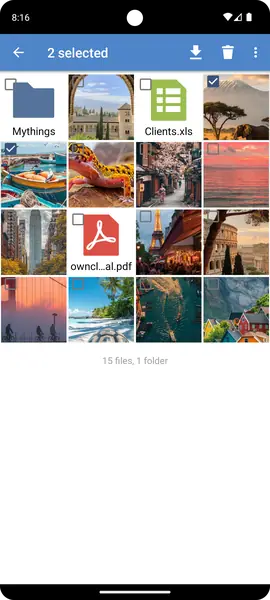
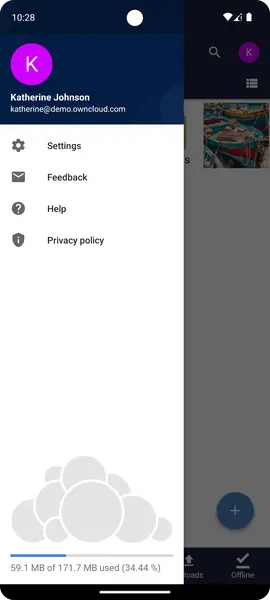
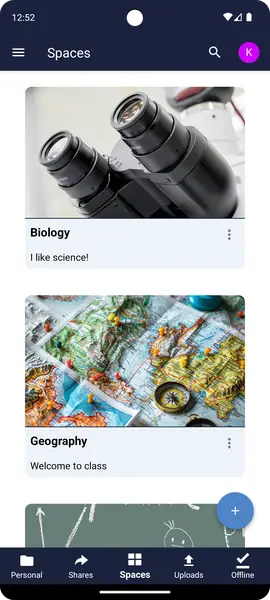
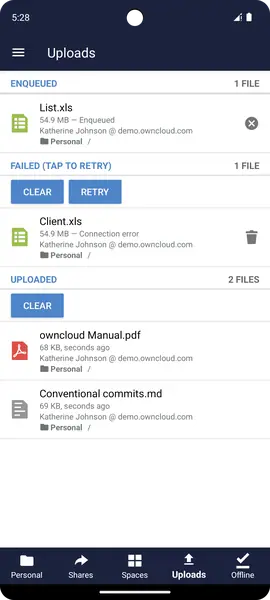
Tentang ownCloud
Deskripsi dari pengembang (dalam bahasa Inggris).
Welcome to the ownCloud Android App – Add an ownCloud server, and have your private file sync and share cloud up and running in no time.
Do you need private file sync and share software? Then good news, because the ownCloud Android App enables you to connect Android devices to a private ownCloud Server running in your data center. ownCloud is open source file sync and share software for everyone from individuals operating the free ownCloud server, to large enterprises and service providers operating under the ownCloud Enterprise Subscription. ownCloud provides a safe, secure and compliant file sync and share solution – on servers you control.
With the ownCloud Android App you can browse all of your ownCloud synced files, create and edit new files, share these files and folders with co-workers, and keep the contents of those folders in sync across all of your devices. Simply copy a file into a directory on your server and ownCloud does the rest.
Whether using a mobile device, a desktop, or the web client, ownCloud provides the ability to put the right files in the right hands at the right time on any device in one simple-to-use, secure, private and controlled solution. After all, with ownCloud, it’s Your Cloud, Your Data, Your Way.
Should you have any problem connecting or synchronizing with your ownCloud server, please contact us on https://github.com/owncloud/android/issues or check https://central.owncloud.org.
Visit us at www.ownCloud.com for more information about ownCloud and the ownCloud Subscriptions. For more information on the free and open source ownCloud Classic, visit www.ownCloud.org.
* If you are experiencing login issues after an update and the ownCloud Workaround App is installed in your device, please, try to uninstall and reinstall the Workaround App *
Informasi berkas APK
| Nama paket | com.owncloud.android |
|---|---|
| Versi | 5.0.0-beta.1 (kode 48000401) |
| Android minimum | Android 9 · ditujukan untuk Android 16 |
| Arsitektur | Semua (universal) |
| SHA-256 | 057b01f65eaf211c4521833b2f80199f00dcb97e5876d6934cfd68f70ad34abc |
| Tanda tangan | 60b7e27a9569535ade18d4a9cccec08c262e44e1aab1c04de052892ab82e31eb |
| Lisensi | GPL-2.0-only — lisensi bebas copyleft: kodenya terbuka dan versi modifikasi harus tetap bebas |
| Kode sumber | github.com/owncloud/android |
| Situs resmi | owncloud.org |
Izin
- Menulis ke penyimpanan
- Menampilkan notifikasi
- Akses internet
- Melihat status jaringan
- Berjalan saat perangkat menyala
- Mencegah mode tidur
- Berjalan di latar belakang
- Sidik jari / biometrik
- Sidik jari
- Membaca penyimpanan
4 izin teknis lainnya
READ_SYNC_STATS READ_SYNC_SETTINGS WRITE_SYNC_SETTINGS BROADCAST_STICKY
Versi lama
- ownCloud 5.0.0-beta.123 November 2026 · 11,0 MB
- ownCloud 4.8.42 September 2026 · 13,9 MB
- ownCloud 4.8.326 Juli 2026 · 13,9 MB
Cara memasang ownCloud APK
- Ketuk Unduh APK di atas, lalu buka berkas setelah unduhan selesai.
- Jika Android meminta, izinkan peramban untuk memasang aplikasi tak dikenal.
- Ketuk Pasang. ownCloud akan muncul bersama aplikasi lain.
→ Cara memasang file APK di Android (langkah demi langkah)
→ “Aplikasi tidak terinstal”: penyebab dan solusinya
Pertanyaan umum
Apakah ownCloud gratis?
Ya. ownCloud didistribusikan dengan lisensi GPL-2.0-only: gratis, tanpa langganan, dan kode sumbernya terbuka.
Apakah berkas APK ini aman?
Berkas ini dibangun dan diterbitkan oleh repositori F-Droid dari kode sumber publik. Sidik jari SHA-256 tercantum di atas; Anda dapat membandingkannya setelah mengunduh. Apakah APK berbahaya? Cara memeriksa file sebelum dipasang
Apakah ownCloud berjalan di ponsel saya?
Dibutuhkan minimal Android 9. Aplikasi ini juga berjalan tanpa layanan Google, jadi bisa dipakai di ponsel Huawei terbaru.





