
ownCloud APK
Bir ownCloud sunucusu edinin … Sizin Bulutunuz, Sizin Veriniz, Sizin Yolunuz!
APK indir v5.0.0-beta.1 · 11,0 MB- Sürüm5.0.0-beta.1
- Boyut11,0 MB
- GerekenAndroid 9
- Güncelleme23.11.2026
- LisansGPL-2.0-only
- FiyatÜcretsiz
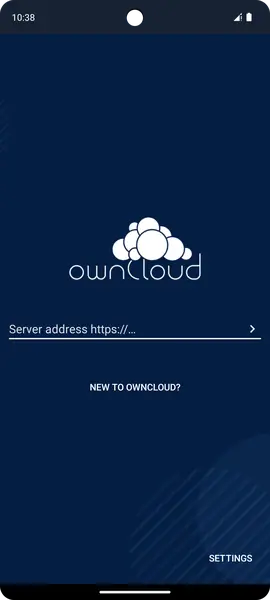
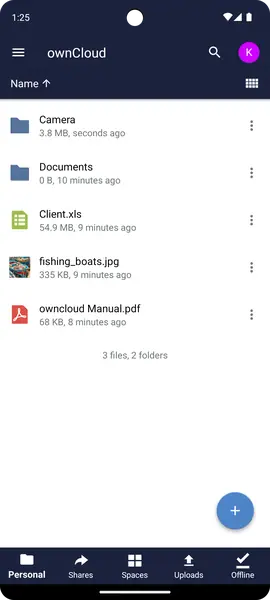
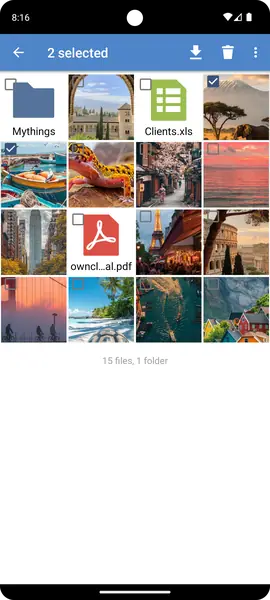
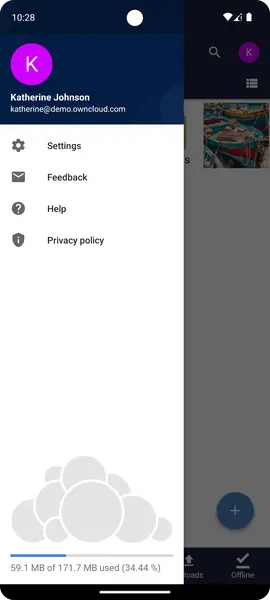
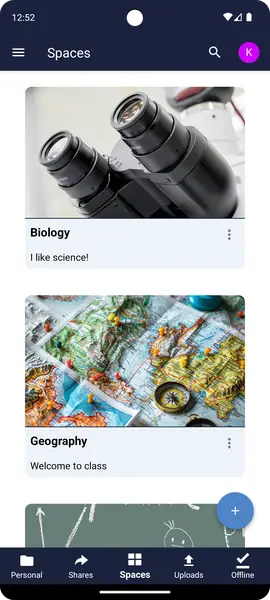
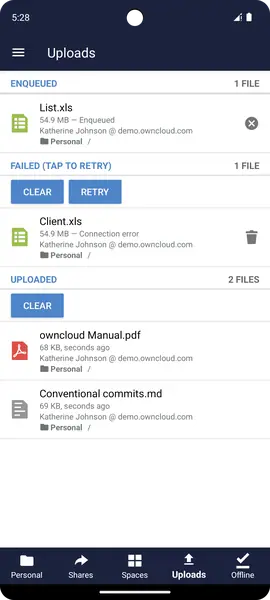
ownCloud hakkında
Geliştiricinin açıklaması (İngilizce).
Welcome to the ownCloud Android App – Add an ownCloud server, and have your private file sync and share cloud up and running in no time.
Do you need private file sync and share software? Then good news, because the ownCloud Android App enables you to connect Android devices to a private ownCloud Server running in your data center. ownCloud is open source file sync and share software for everyone from individuals operating the free ownCloud server, to large enterprises and service providers operating under the ownCloud Enterprise Subscription. ownCloud provides a safe, secure and compliant file sync and share solution – on servers you control.
With the ownCloud Android App you can browse all of your ownCloud synced files, create and edit new files, share these files and folders with co-workers, and keep the contents of those folders in sync across all of your devices. Simply copy a file into a directory on your server and ownCloud does the rest.
Whether using a mobile device, a desktop, or the web client, ownCloud provides the ability to put the right files in the right hands at the right time on any device in one simple-to-use, secure, private and controlled solution. After all, with ownCloud, it’s Your Cloud, Your Data, Your Way.
Should you have any problem connecting or synchronizing with your ownCloud server, please contact us on https://github.com/owncloud/android/issues or check https://central.owncloud.org.
Visit us at www.ownCloud.com for more information about ownCloud and the ownCloud Subscriptions. For more information on the free and open source ownCloud Classic, visit www.ownCloud.org.
* If you are experiencing login issues after an update and the ownCloud Workaround App is installed in your device, please, try to uninstall and reinstall the Workaround App *
APK dosyası bilgileri
| Paket adı | com.owncloud.android |
|---|---|
| Sürüm | 5.0.0-beta.1 (kod 48000401) |
| En düşük Android | Android 9 · hedef Android 16 |
| Mimariler | Tümü (evrensel) |
| SHA-256 | 057b01f65eaf211c4521833b2f80199f00dcb97e5876d6934cfd68f70ad34abc |
| İmza | 60b7e27a9569535ade18d4a9cccec08c262e44e1aab1c04de052892ab82e31eb |
| Lisans | GPL-2.0-only — copyleft özgür lisans: kod herkese açıktır ve değiştirilmiş sürümler özgür kalmalıdır |
| Kaynak kodu | github.com/owncloud/android |
| Resmî site | owncloud.org |
İzinler
- Depolamaya yazma
- Bildirim gösterme
- İnternet erişimi
- Ağ durumunu görme
- Açılışta başlama
- Uyku modunu engelleme
- Arka planda çalışma
- Parmak izi / biyometri
- Parmak izi
- Depolamayı okuma
4 teknik izin daha
READ_SYNC_STATS READ_SYNC_SETTINGS WRITE_SYNC_SETTINGS BROADCAST_STICKY
Eski sürümler
- ownCloud 5.0.0-beta.123 Kasım 2026 · 11,0 MB
- ownCloud 4.8.42 Eylül 2026 · 13,9 MB
- ownCloud 4.8.326 Temmuz 2026 · 13,9 MB
ownCloud APK nasıl yüklenir
- Yukarıdaki APK indir düğmesine dokunun, indirme bitince dosyayı açın.
- Android sorarsa tarayıcınızın bilinmeyen uygulamaları yüklemesine izin verin.
- Yükle'ye dokunun. ownCloud diğer uygulamalarınızın arasında görünür.
→ Android'e APK dosyası nasıl yüklenir (adım adım)
→ "Uygulama yüklenmedi": nedenleri ve çözümleri
Sık sorulan sorular
ownCloud ücretsiz mi?
Evet. ownCloud, GPL-2.0-only lisansıyla dağıtılır: ücretsizdir, abonelik yoktur ve kaynak kodu herkese açıktır.
Bu APK dosyası güvenli mi?
Dosya, F-Droid deposu tarafından herkese açık kaynak kodundan derlenip yayımlanmıştır. SHA-256 parmak izi yukarıda yazılıdır; indirdikten sonra karşılaştırabilirsiniz. APK tehlikeli mi? Yüklemeden önce dosya nasıl doğrulanır
ownCloud telefonumda çalışır mı?
En az Android 9 gerekir. Uygulama Google hizmetleri olmadan da çalışır, yani yeni Huawei telefonlarda da kullanılabilir.





